
fireboy6117
Members
-
Joined
-
Last visited
Everything posted by fireboy6117
-
-
Can you post your dlclist
-
I get the same thing
-
when I load the game I am already 20fps lower than without computer plus when I open the computer I drop even more after I close it and no fps drop with 1.3.4.2
-
I get a giant frame rate drop with the latest beta version from 75fps to 35 fps with Computer plus installed. The second I take it out I am back to 75 fps
-
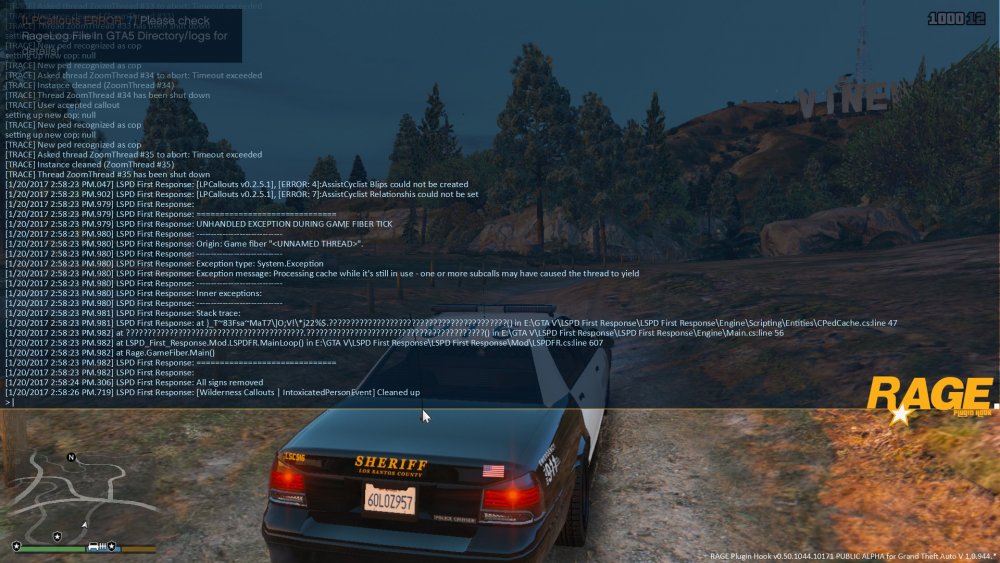
crash when accepting callout
-
 please update the aircraft crash call. Emergency services comes in too fast and crash and add to the fire
- 302 comments
- 66 reviews
-
-

- 1
-
-
glad you made it over this is normally a standalone scripts but most people use in LSPDFR for models and cars. The team has made alterations to some LSPDFR plugins ini files such as custom backup, arrest manger, and better ems. There are some examples on youtube.
-
this version is out of date go to and we will be glad to help you and RDE adds a variety of new departments from LSIA police, Port Police, FIB police, BCSO Sheriff, new police cars and scripts
-
 oh dang I messed up I put the link for the one that you posted yesterday on this file
- 1,509 comments
- 85 reviews
-
sorry I have been busy. The issues have been coming from many others and we are working on a fix. For record keeping please fill out a bug report using this link https://docs.google.com/forms/d/e/1FAIpQLScTGQwGCGUJhJd3lutR2etRPqmaM2LrhNNn1rRQd5pOtPW3lg/viewform?c=0&w=1 https://goo.gl/forms/wRRMww5XnvAvpJUk1
- 1,509 comments
- 85 reviews
-
-
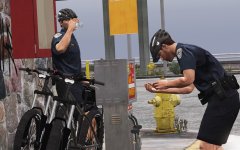 beautiful alex
 -
@MonkeyDistrict9 we are currently looking into the memory issue could you provide us your computer specs
- 1,509 comments
- 85 reviews
-
 @Albo1125 bank heist error I show up on scene and go to the captain and then he gives his end of mission speak when I talk to him so the mission ended with out me doing a thing
- 1,081 comments
- 166 reviews
-
-
 That's great I am guessing that the next release will include some at sea rescue for boat patrols
- 781 comments
- 85 reviews
-
@PNWParksFan I get a weird mess up with the script when they show up on scene and they work on them they say they lost them but the notification says saved and also deceased one after another this has only happened with RHP 50
- 781 comments
- 85 reviews
-
 I love the in depth callouts can't wait to see what other callouts that you come up with
- 166 comments
- 75 reviews
-
school shooting convoy ambush escort duty
-
we are currently looking into the low flying helos thank you for finding it
-
-
can't wait
-
we will look into the problem and try to see if we can locate the issue
-
For test 2 the six star script is not compatible with LSPDFR. You have to remove it from the scripts folder as it messes up the backup because the fact that you are not wanted the script sends back to the dispatch pool the units you spawned in. What files did you install from the RDE download and did you mess with the files. Please let me know if you find anything else or if my suggestion doesn't work there is another update in the works that we are testing for bugs which might provide some fixes.