rmiers
Members
-
Joined
-
Last visited
Everything posted by rmiers
-
-
I'm stomped, I don't know then
-
did you auto install or manual install EUP
-
did you select for that plugin to load from the ragehook options, or press F4 and type loadplugin and select EUP Menu?
-
did you select for that plugin to load from the ragehook options, or press F4 and type loadplugin and select EUP Menu?
-
Download EUP Menu
-
-
 Audio Error when I call in for a pursuit update, anyone else experienced this and find a solution? Correction: Sorry, this is for the extension mod for policesmart radion
- 1,196 comments
- 127 reviews
-
What is Parks Tools under plugins-LSPDFR-PoliceSmartRadio-Display-On? Also, how to you edit the key up and key release like on reg. police radio? I have my own key up that I used on police radio. Thanks
- 1,196 comments
- 127 reviews
-
-
try validating your files
-
He has not updated his scripts for the latest RHP. He has a lot on his plate with updating those plugins and working on Smart Police Radio. From what I understand, everything will be released at one time. Those plugins will not work until he releases the updates for them.
-
 That's sound absolutely awesome. Alright man and y'all keep up the kick ass work.
- 1,743 comments
- 172 reviews
-
I figured instead of the report being solely attached to the ped name of plate, players may want to fill out, lets say an incident report at the "end of their shift", instead right after. I'm a former LEO and just looking at things from the prospective I have from my service. Just throwing out my opinion that would could possible make a kick ass plugin ever more kick ass and little more close to real world.
- 1,743 comments
- 172 reviews
-
-
Thanks, I was letting you know because this didn't occur until computer plus update. Also, just an opinion, how about a arrest/incident report option outside of when a ped and plate are searched.
- 1,743 comments
- 172 reviews
-
I'm not sure if this has happened during testing, but every time I make a traffic stop go into computerplus, the driver flees. This has happened every time, whether I issue a citation or not. Once I exit computerplus and start to return, that's when they run.
- 1,743 comments
- 172 reviews
-
-
I was able to get the update working without crashing and I like the new addition to the plugin. However, I would like to make a suggestion. I personally would like to see an option for an arrest report or incident report, without having to have a ped name or plate number. Maybe the option could be where there are the ped and plate search options. Just my thoughts and keep up the good work.
- 1,743 comments
- 172 reviews
-
-
-
I don't have KTFDO and I keep crashing within 20 secs. of opening as well.
- 1,743 comments
- 172 reviews
-
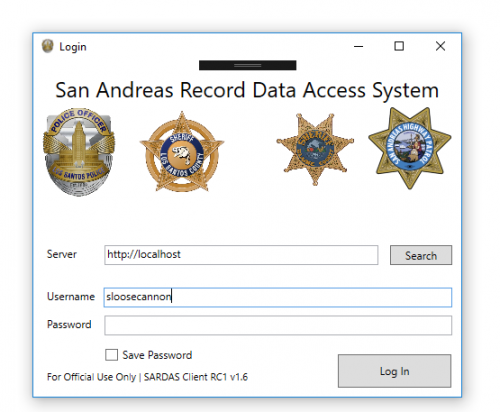 I was able to get it working the first time, after a headache process of getting LSPDFR running and would say for the initial release, not bad. I do have to say, not sure if its possible, but I was expecting something more along the lines of a more realistic MDT. Other than that, like I said, for an initial release, not bad
- 95 comments
- 17 reviews
-
Does anyone know if you can change the duty belt to one without the baton? Also, what about service stripes on the LSPD long sleeves?
-
Thanks. As for the city and county, I was just wondering. I am by no means a dev and wish I had the time to jump into learning. With that said, you guys have done a great job. Keep it up.
- 1,743 comments
- 172 reviews