


rmiers
Members
-
Joined
-
Last visited
Everything posted by rmiers
-
 I'm not sure if this is an EUP or EUP Menu issue, but all of a sudden, the decals no longer show when editing my character. If I try to place any chevrons on my character, they do not appear, nor does any of the other decals in the menu.
- 2,346 comments
- 236 reviews
-
FBI2 is not ELS and I do not have a VCf file for it
-
All lights work on the ELS vehicles, I actually changed the carcols on the ELS vehicles that I use to stop the taillights from flashing, I personally don't like it. It is only the non-ELS vehicles that are affected. I tested again and only the lifeguard taillights would flash. These are the ELS vehicles I have, police, police2, police3, police4, predator. The FBI2 grill lights will be on and solid when I spawn it.
-
Thanks, I know what ELS is, just didn't know the reason why the vanilla vehicles weren't working. I'll try that, thanks Also, I just noticed that the taillights flash when code 3 is activated, but not the light bar. Do you the it could be something in the vehicle.meta or carcols.meta files?
-
Not sure what you are meaning, I've never seen anything in ELS about non-ELS vehicles.
-
I do have some ELS vehicles installed, along with ELS and the correct VCF in the ELS folder, however, the emergency lights on the vanilla emergency vehicles are not working. When I activate CODE 3, only the sirens activate and none of the emergency lights activate. Any help would be appreciated. Thanks in advanced.
-
I spoke to the author about possibly making the vest with this model for EUP, he stated that he didn't know anything about EUP. I was wondering if you could get with him and possibly make this vest for EUP. I've seen this vest on a ped for GTA IV. I think this would be a kick ass addition for EUP and the EUP menu
- 2,346 comments
- 236 reviews
-
-
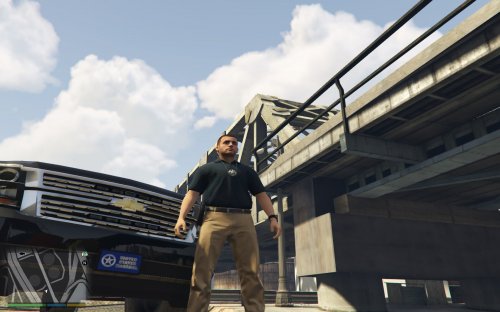 is there any way you could make just the vest for EUP, that would be great. If you could, maybe do a police, sheriff, FIB, PIA and leave the U.S. Marshals
- 7 comments
- 1 review
-
no problem
-
you can try it, seems like it couldn't hurt
-
if you need any testers, I'm willing to help you out.
-
this is over my head then....lol. I'm not sure what could be the issue at this point. someone smarter than me needs to chime in...lol
-
manual install or automatic install of EUP? did you have EUP 7.4 before installing 7.5?
-
how do you load it, is setup for automatic in the ragehook settings, or do you manually load it with F4?
-
where did you place EUP Menu? Is it in the plugins folder and not in the LSPDFR in the plugins folder?
-
make sure ragehook and scripthook are all up to date
-
did you have EUP 7.4 installed? If so, did you uninstall it?
-
did you do manual or auto install
-
any potential release date set for this? Looks kick ass
-
Is this being expanded on? Like having an active calls screen or anything?
-
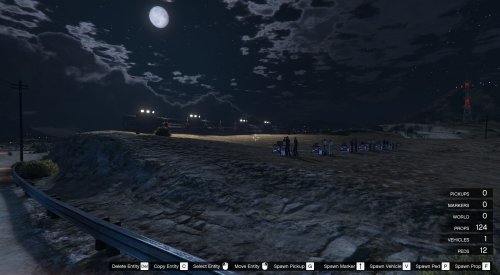 Just found this and maybe a stupid question, but where the hell does this go, in order to use it?
 -
 When I submit an arrest report for any agency other than LSPD, I get an error. It states, Unhandled exception has occurred in your application. If you click Continue, the application will ignore this error and attempt to continue. If you click Quit, the application will close immediately. Input string was not in a correct format. Has anyone else come across this issue, if so, were you able to fix it? Update: Just tried it with LSPD and I received the same message. I didn't get that message with LSPD, prior to this current update.
- 79 comments
- 28 reviews
-
Any plans on taking the Paperwork and integrating it into a game "MDT", that way player and run plates and names, all in one application? Also, maybe have active calls show up as well.
- 79 comments
- 28 reviews
-
.thumb.png.04a1687a445e54a18a959b7926b87d7b.png) How did you get the spotlights turned down in a couple of those pictures? I love the models, just not crazy about the spotlights pointed forward.
How did you get the spotlights turned down in a couple of those pictures? I love the models, just not crazy about the spotlights pointed forward.- 217 comments
- 38 reviews

.thumb.png.04a1687a445e54a18a959b7926b87d7b.png)