Compeast
Members
-
Joined
-
Last visited
Everything posted by Compeast
-
 In advance, do not use my liveries. Thank you.
 -
 Nice logo.
 -
I don't have them, so sorry for that. But in case I did, I have to say it's a really large file to share!
-
Well, there's always stock Hotdog buying. Meaning, that could be a great start.
-
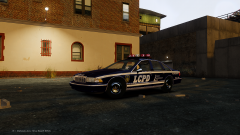 Thank you all for the positive replies!
 -
I thank you. :)
-
Yeah, when I installed ELS V8's AdvancedHook it works. When I replace it with LCPDFR's one, it won't work.
-
If you have certain car mods, there is an option to enable: ''multiple liveries'', this will allow the car spawn ingame switching over up to 4 liveries. Meaning you won't have the same livery over and over again. With the latest LCPDFR installed this function no longer works.
-
Alright, so I completely removed the game and reinstalled it. I reinstalled everything. Now, when I have ELS V8 installed, LCPDFR won't work anymore. It keeps giving Errors. Then I installed LCPDFR's advancedhook file etc., LCPDFR works, but now multi livery won't work any more. Is this a common issue?
-
Yeah, and a file with hubcabs will be added too!
-
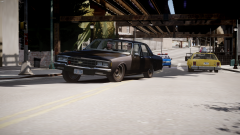
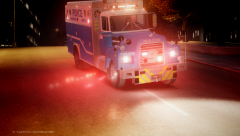
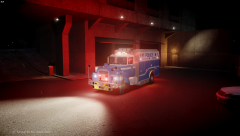
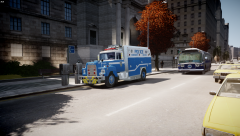
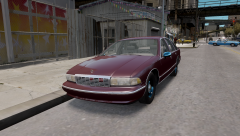
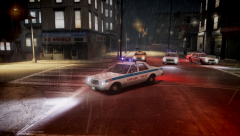
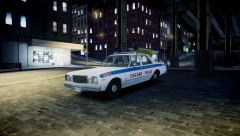
My work in action
-
From the album: Work in action
I'm in need of a BETA tester! Anyone interested? Leave a reply. -
I do have admin permissions as far as I am aware of. It does give the popup; "Are you sure you want to continue?" And for the Trojan, AVG won't unsee it. It just keeps removing certain files. Thank you for your reply. EDIT: okay, so now I can install ELS files etc. decently. But AVG keeps removing the LCPDFR files, making my game unable to launch. Even when I shut AVG down, it still will remove the files.
-
After (an attempt of) installing the latest LCPDFR my computer keeps throwing out all the .asi files and other certain files of the GTA IV directory. At first I thought it had to do with my AVG, so I turned it off, but it still happens. I unpack the files to my desktop. I copy them and then try to place them into the diretory, then the PC says: Now all asi files have been removed out of my directory. Now nothing from asi loader will work. Not ELS, not SNT, not LCPDFR, not anything. What could be wrong? Thank you in advance. EDIT: Damn, wrong section. Sorry! Also, when I downloaded LCPDFR, AVG said it contained Trojan and removed it. Maybe it helps.
-
I never understood what I did wrong... I took off, steered a little, and instant crash...
-
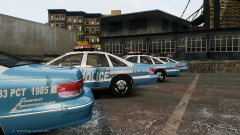
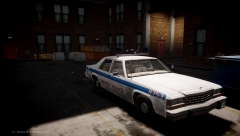
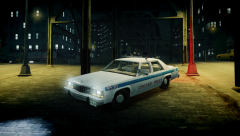
From the album: Work in action
-
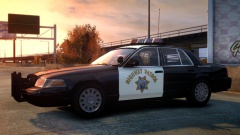 Very cool but not old school!
 -
-
 So when will this be released?
 -
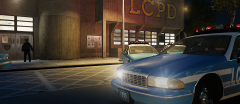
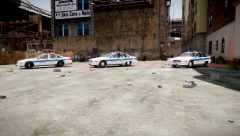
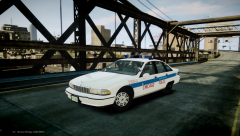
From the album: Work in action
-
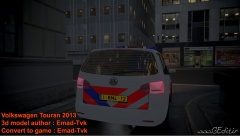 Noodhulp! :D Lovely as it is it looks quite odd. I can barely recognize a Touran in it. But still hats off.
 -
http://www.gtagaming.com/downloads/author/145769 We should start a club!
-
This pisses me off so badly, whilst rubbing my hands. The hands want to take action, but what can I do? We're all depending on the government.
-
It certainly can! In the Netherlands we do it too!
-
True, true. However the light bars aren't aerodynamic either. I don't know about America but in the Netherlands the FS Vista slows down the copcars 20KM/H. That's quite a lot. I don't know if these ANPR's influence that much compared to the lightbar. The Netherlands quit using the tie because it wasn't practical enough. Also they thought it wasn't "tough looking" enough. I think the tie has quite an authorised look. I had to wear a clip-tie for two years but it isn't practical indeed, so I understand they threw that out. OT: These readers could also be placed in the grill. Way better and maybe better looking for you guys.