SoUThPHiLLY20
Members
-
Joined
-
Last visited
Everything posted by SoUThPHiLLY20
-
 just wanted to say thanks again albo for all your hard work this mod keeps getting better and better . i love the new callout works flawless like all your amazing mods
- 1,081 comments
- 166 reviews
-
-

- 3
-
-
 noooo, u have to use openiv and install them in the path the author has in the readme
- 77 comments
- 10 reviews
-
there is the rage computer that works with rage 37 and 38 ..when u check id from pulling someone over it has a little box at the bottom that has the person id and it stays there as long as u have them stopped and u also get a picture of the person i think it adds much realism to the game
-
 looking great another sober drunk master piece
 -
31
-
 i have to say finkone you and albo hit this outta the park , this is one of the most detailed and enjoyable callout mod out for gta v ,right along with albos assorted callouts of course thanks for releasing this to the community i know anyone who plays this will love it
- 102 comments
- 35 reviews
-
-
- 1
-
-
i agree , the laws u mention for German gun owners for hand guns is what us americans that own ar15s go through but i think the hand gun laws should be a little more stricter specially the gun show loop hole where anybody can buy a gun at a gun show , and i also believe in the 2nd amendment also as it was made to fight against tyranny not so people could walk around trying to get arise out of police so they can have a good youtube channel it was not made for that lol
-
 albo thanks so much for always given us great mods and keeping them updated , lspdfr would not be the same without ya ,
- 1,915 comments
- 242 reviews
-
-
- 4
-
-
 another awesome mod , by a awesome author , we are gonna miss you , thanks again for all you have done for this community , i hope u change your mind its not too late lol but seriously good luck with everything irl
- 127 comments
- 33 reviews
-
-
- 1
-
-
yes you will be able to run it not very good though , i actually had lspdfr playing on a alienware with a gtx650m in it so its possible
-
-
 awesome car thanks for releasing this great car ..thanks again for releasing this...best taurus for gta v so far
- 112 comments
- 36 reviews
-
-
 so does this version include the police turtleneck i like it? great job alex and team loving the content
- 2,341 comments
- 236 reviews
-
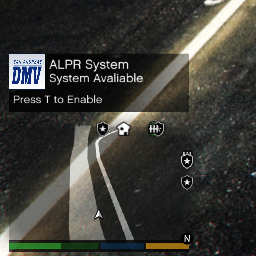 no problem , some dont work when u try to revert back but this one does so i thought i would let u know
- 149 comments
- 29 reviews
-
-
thanks for the fix it works great if u havent gotten it yet , just go to the changelog to .02 and click download i just did it a couple days ago and it works
- 149 comments
- 29 reviews
-
-
- 1
-
-
-
if u dont have a multiplayer person saved in your skin control then step one press f8 to bring up skin control create your guy,2. then go over to save, 3. then press f11 to pick from the eup menu hope this helps sorry i forgot to quote you first oh and by the way once u do the last part and pick the outfit u want from eup u want to save by hitting f8 again and going to save on the skin control menu or it will be deleted once u end the game
-
 one of the first marked cars i have downloaded and i was not disappointed at all ..great job all around 10/10
- 137 comments
- 25 reviews
-
-
- 1
-
-
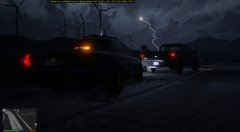
From the album: Running Code 3
we out here rain or shine -
From the album: Running Code 3
-
yup thats what i did worked for me but rage .37 is still pretty unstable then .36 just my opinion
-
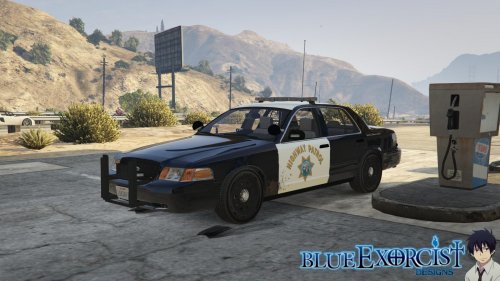
.jpg.409c346f990bc6b14f1fa836a840d064.jpg) that thing would be nasty with els , still is a awesome car as is u killed it with 100 percent accuracy
that thing would be nasty with els , still is a awesome car as is u killed it with 100 percent accuracy -


.jpg.409c346f990bc6b14f1fa836a840d064.jpg)