


DannyITR
Members
-
Joined
-
Last visited
Everything posted by DannyITR
-
Hello, I'm trying to play LSDPFR on steam with the rage plugin hook but I get this error: The current game version is not supported. Installed game version: 2824 Latest game version: Unknown Supported game versions: 2372 The last time Rage was updated was Aug 30 2021. I'm wondering how everything is still able to use LSPDFR. Thank you!
-
Pardon my ignorance but where is the download link for coastal callouts? Edit. Just saw that you must donate to access your discord server on someone's YouTube channel. Happy to contribute.
-
Yes I made sure to check before copying and the files I was replacing were indeed in the folder to begin with.
-
Hello, I'm well versed in installing car mods but I haven't been able to install people mods (specifically a new cop uniform). I have followed the instructions on two separate mods for new cops but nothing is changing in the game so I must be doing something wrong. Example instructions: For Skins : x64e/models/cdimages/componentpeds_s_m_y [Replace cop files with these files] I replaced the files s_m_y_cop01.ydd .yft .ymt .ytd in openIV but when I spawn this cop in the game it's unchanged. I did manage to get a prop to change (props are in a different folder) but not the person. Any insights will be appreciated. I use a mod folder. I use Windows 7, latest Rage and LSPDFR plugins along with a host of other police plugins.
-
I'm just wondering how this is possible. What exactly does the installer do? Obviously it must be more than just replacing files because that could easily be undone. Looking for clarification because I cannot comprehend the limitation.
-
Since the last update I've been having the same problem. Removed all mods, re-downloaded RAGE everything. Is it broken for everyone?
-
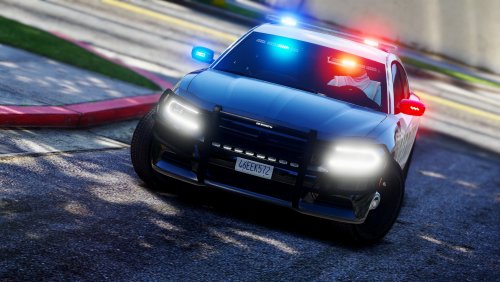 Is there any way to make it so I can put the yellow traffic control lights on by themselves? Great job on the car.
- 61 comments
- 14 reviews
-
I like this charger a lot and it's my favorite vehicle. One thing I would have preferred is to have the ability to turn on yellow traffic warning lights in the rear window by themselves as the warning lights. When there is no emergency, red/blue lights should not be used. Also you seem to be able to walk through the car on occasion but really great job otherwise.
- 61 comments
- 14 reviews
-
-

- 1
-
-
Weird. In handling.meta there are only a few entries. Ninef, jester2 and slamvan. I don't know what to do.
-
Correction: In vehicles.meta I edited <handlingId>policeold1</handlingId> to something better and this is what crashed the game. I haven't tries putting in new values in handling.meta.
-
duplicate post.
-
I had a 2015 Charger ELS installed in police2 and working fine. I then chose to install bxbugs 2013 charger using the openiv. installer. I didn't see any option asking what slot to install the vehicle and it chose police2, overwriting the 2015 charger. I'd like to keep the 2015 Charger but I need more slots. I've searched but am having a hard time finding out how to do this. Can anyone point me in the right direction? I also remembered I had installed the LSPD pack with 7 different vehicles. I see them in mods/update/x64/dlcpacks/lspdpack/dlc/rpf/x64/levels/gtav/vehicles/lspdpack.rpf but I don't knwo how to access them in the game.
-
Hi guys,I installed a SUV to replace the Snowy park ranger (policeold1.ytd) but unfortunately the handling still sucks. I've tried editing handling.meta located in gtaV/mods/update/x64/dlcpacks/mpchristmas/dlc.rpf/common/data however if I tinker with it the game crashes. I thought I could copy/paste handling values from police3 or something but it doesn't seem to work. Any help would be appreciated.
-
 Great mod. It's actually a little too bright though. Any way to tone the glare down just a little?
- 2,700 comments
- 241 reviews
-
.thumb.jpg.53e6566fc11617e23f7fb13f2792cbbe.jpg) My lights aren't bright either and are invisible in the daytime. This can't be working properly. I'll try the enhanced spotlight thing that was posted a few posts up.
My lights aren't bright either and are invisible in the daytime. This can't be working properly. I'll try the enhanced spotlight thing that was posted a few posts up.- 132 comments
- 63 reviews
-
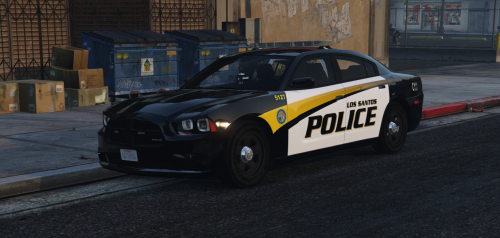 Can someone explain how in the actual F*** do you install this? There are no instructions!!!!
- 35 comments
- 9 reviews
-
I need to vent because this is out of control. Whenever I want to download a new vehicle skin the instructions on where or how to install NEVER work. Perhaps one out of five actually have instructions that make sense. For example the Chevy Tahoe 2012 PPV FBI2 install location: Just click the import button and import the models and textures for the FBI2 models in patchday4ng. Replace tahoe_sign_# for textures. Grand Theft Auto V\mods\update\x64\dlcpacks\patchday4ng\dlc.rpf\x64\levels\gta5\vehicles.rpf - There is no import button on Open IV (only import open formats but no files are compatible) - There is no FBI in that folder. - many other mods point to folders that don't even exist! ex: update.rpf\update\x64\dlcpacks\rde\dlc.rpf\x64\levels\gta5\vehicles.rpf\ I'm fairly computer literate but maybe I'm missing something. Why the heck can't I install any mods?
-
Any update on this?
.thumb.jpg.53e6566fc11617e23f7fb13f2792cbbe.jpg)
