




Skin Works
Members
-
Joined
-
Last visited
Everything posted by Skin Works
-
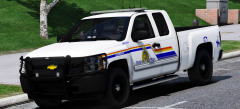 Damn. I thought I was quick.
 -
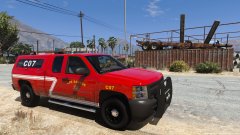 How much swearing is allowed on here? God that's amazing!
 -
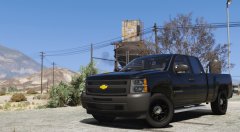 Can't wait to see what people do with this and then what it will look like in some new skins! Thanks for all your hard work and then sharing it with the community!
 -
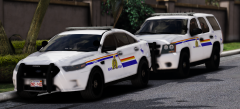 Man so many good looking packs being worked on. Can't wait to get my hands on them.
 -
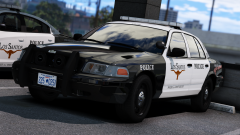 Oh hell YEAH!
 -
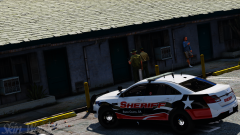
From the album: Skin Works Designs
Reports of two males, extorting people for money, under the guise of private investigators have lead the Blaine County Sheriff's Office to the Hotels on 68 to hopefully gather more information or even catching them in the act.© Skin Works
-
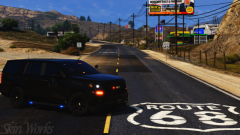
-
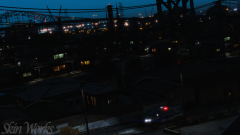
From the album: Skin Works Designs
Awesome new model! Thanks to all who helped bring this model to the community.© Skin Works
-
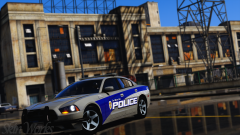
From the album: Skin Works Designs
© Skin Works
-
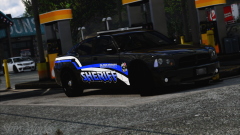
-
From the album: Skin Works Designs
This could be the 8th... 9th pack I have on the go. I'll try to finish some before starting more.© Skin Works
-
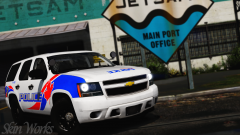
From the album: Skin Works Designs
© Skin Works
-
Just a heads up, I don't care what you release or do with your time. The ones you are working look great so far and my skins aren't dependent on specific packs, so I'll be releasing it no mater what. Just in case it sounded like pressure.
-
 Oh no. I looked at the credits, the most common one at least that uses the same template, the one according to the credits is "Ford Police Interceptor Utility bought by Rich Sobilo, converted to IV by jasonct203 Ported to V by BlackJesus1" I said Underwood just because he seems to have a lot of stuff out there. There are some one off Utilities and didn't know how serious these are to break on scene. From what you guys are saying, not likely.
 -
Well, that is going to make it difficult to skin. The main ones I'm using are thehurks, which even that is just the one he released and then I think its Underwoods Dev model.
-
Looking good so far! To all you modellers, I was wondering what 2016 FPIU model is going to be the most common moving forward? So I can start adding it to my packs.
-
If @Outlawed Modifications does Windsor (which I hate because I hate Argents) I have been thinking of redoing completely and releasing my Windsor pack.
-
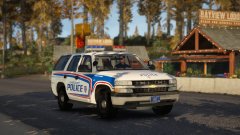 Man, been dying for an 06 Tahoe. Looks great.
 -
-
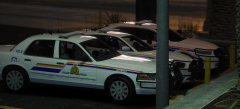
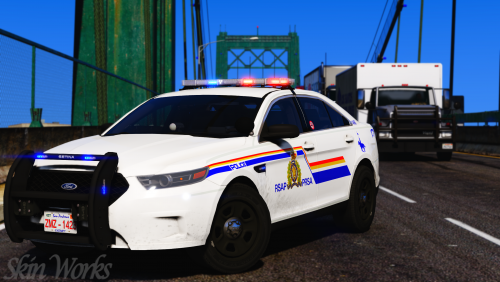 Royal San Andreas Police (RCMP Based) This pack is based off the Royal Canadian Mounted Police. This pack, along with all my other things aren't designed specifically for a single vehicle pack but rather the most commonly used models. Now if anyone knows which 2016 Explorer model is going to prevail as the most common, please share as there are many different models currently out there and I am unsure which ones to keep skinning and which to start working with. Now let me tell you, there are so many variations on the RCMP scheme that unless you are basing it solely off of one provinces version, you will never get an 'accurate' skin. This pack is supposed to be a general look and is mainly a cross between BC and Alberta RCMP variations of the scheme. Notice any issues or have suggestions please share in the comments section. This is as always the simple install of finding the .ytd folder of the vehicle then importing all the skins then save. I have noticed a few modellers have changed the name of the texture for the model, say for example, from chrg_sign_1 to chr2_sign_1, for most models I have found the skins still fit but you will need to rename the files accordingly. Please respect the amount of time taken and do not re-upload or rip off. Please, feel free to make a donation if you like, any amount is more than appreciated! Thanks Everyone Vehicles used but not limited to:
- 11 comments
- 9 reviews
-
-

- 14
-
-
-
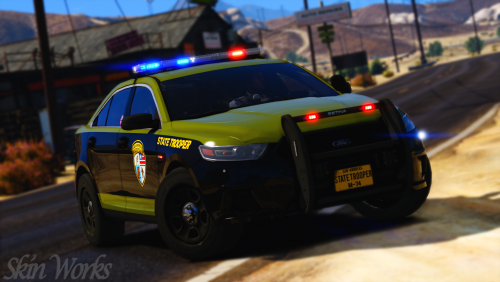 The base one pretty much everyone uses. It should fit basically all of them. it should be Underwood's model.
- 15 comments
- 3 reviews
-
-
-
San Andreas State Police (Maryland State Police Based) This pack is based off the Maryland State Police and includes my usual things. This pack will include a couple more vehicles and skins but it is pretty much all done. If you see any issues please let me know and I will try to correct. This is as always the simple install of finding the .ytd folder of the vehicle you want to use then importing all the skins then save. Notice any issues or have suggestions please share in the comments section. I have noticed a few modellers have changed the name of the texture for the model, say for example, from chrg_sign_1 to chr2_sign_1, for most models I have found the skins still fit but you will need to rename the files accordingly. Please respect the amount of time taken and do not re-upload or rip off. Please, feel free to make a donation if you like, any amount is more than appreciated! Thanks Everyone Vehicles used but not limited to:
- 15 comments
- 3 reviews
-
-
- 6
-

