




Skin Works
Members
-
Joined
-
Last visited
Everything posted by Skin Works
-
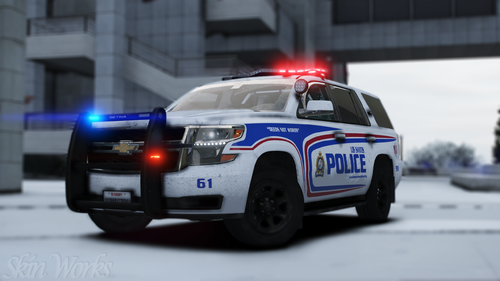 Vehicles used in pictures but not limited to(some models may not be linked due to not being around anymore or not released yet however will work on other models so long as the same base model is used)
- 16 comments
- 8 reviews
-
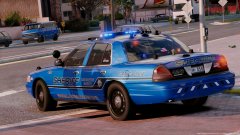
Los Santos Police Service (London, ON Based) Alright, this pack has been basically fully redone. Every vehicle has had all textures redone to hopefully be more accurate and fit and look better. Some new models have been added and some old ones removed. This pack has many choices, between ghost skins, K-9, Supervisor and standard marked units. This pack has taken a lot more time than initially thought but I never leave a project. Please enjoy these and have fun. This is as always the simple install of finding the .ytd folder of the vehicle you want to use then importing all the skins then save. Notice any issues or have suggestions please share in the comments section. Thank you! Please respect the amount of time taken and do not re-upload or rip off. Please, feel free to make a donation if you like, any amount is more than appreciated! Thanks Everyone. Vehicles used but not limited to (some models may not be linked due to not being around anymore or not released yet however will work on other models so long as the same base model is used):
- 16 comments
- 8 reviews
-
-

- 10
-
-
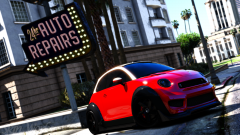
From the album: The Challenge
-
-
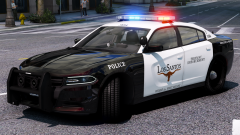 Does hijacking this post count?
 -
Same. Not quite at the level to make fun of people yet.
-
You don't have to rub it in. Can't wait to skin that thing. Wish I had more time and patience and money to actually model own stuff.
-
GIMMIE! haha
-
-
Love this! Expect to see these making many appearances in new skins. Cheers for all yours and everyone else involved on this projects hard work!
-
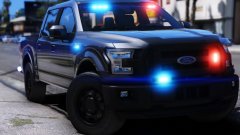 Oh... I mean, this is already amazing, can't wait to see this in a Windsor style paint! Super ready for this and all your other WIPS! Thanks for your work and sharing.
 -
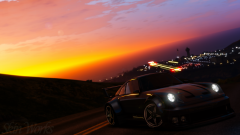 Yeah. I have only done it that way to help fix my horrible screen flickering I was getting with just the plain MVGA but I wasn't having those issues with NV so I pieced them together and it is nearly all fixed.
 -
All I did was install MVGA then replace all the timecycles with the Natural Vision ones. Then I just changed some of the emissives for the cars to my liking.
-
Going to be honest its only messing with the emissives to my liking, otherwise it is the plain old MVGA file.
-
MVGA, with all the timecycles replaced with the Natural Vision ones as those seemed to be causing my screen flickering problem, plus mildly messed with visualsettings.dat by me and ENB from a mod no longer available. However I have used basically every ENB out there and they don't add too much extra on top. They are basically just that extra to push it over the top.
-
From the album: The Challenge
Honestly was messing with settings to get MVGA to work properly. Looks like I'm getting close. -
Update: I have narrowed it to something in the timecycles and it has mostly fixed the issue. I just replaced all MVGA timecycles with the ones from Natural Vision.
-
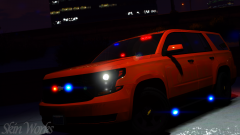
From the album: Skin Works Designs
Pack was going to be out today but, stealth skins have delayed.© Skin Works
-
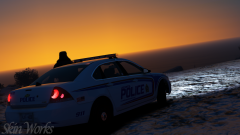
From the album: Skin Works Designs
© Skin Works
-
Okay, I have tried everything to try and stop the screen flickering. It didn't used to happen for me with MVGA but since a month or two ago when I redid my mods folder the screen flickering is unbearable. This is a disappointment as I do love the mod. I have an account on darkmyers website however forgot my password and cannot make a new one. I receive no conformation email to fix it or anything. So now I just need any help someone can give me. I have no mods in but MVGA. Nothing else visual or otherwise and it still flickers. Any other information required to help please let me know. Thanks Note: I currently use Natural Vision and it has no screen flickering.
-
 Oh DAAAAAAAMN!
 -
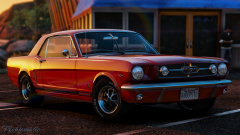 Yeah. Does suck.
 -
What?
-
http://www.lcpdfr.com/profile/63462-problematic/
-
DAMN! Stop it! Still trying to figure MVGA out!



