




RobertTM
Members
-
Joined
Everything posted by RobertTM
-
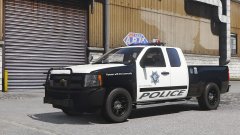
From the album: Robert's GTA V Endeavors
This was such a pain to make... it's almost done, next car for this pack is being decided! -
There's a garage for vehicle repair in this plugin: Not sure if it still works though since it is very old
-

From the album: Robert's GTA V Endeavors
Yep. They're still being worked on. I did a bunch of work on this beaut today, still needs a bunch more but it's getting there! Join this for more frequent updates! https://discord.gg/wsEyXUK -
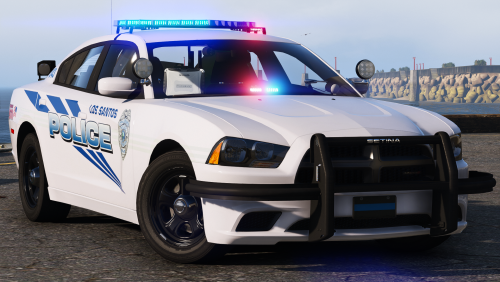 You either need to put your decals on the "reflective" texture or replace it with a transparent texture to disable it. For a bunch more info check the guide in the download 🙂
- 31 comments
- 8 reviews
-
-
 look good ! make nypd skin yes ??
 -
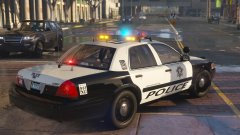 No problem, however I don't think that I'll be able to add an expedition, since it would require an insane amount of work to get to match up with the other cars quality wise. I may do a tahoe instead. And yeah I have a discord: https://discord.gg/wsEyXUK
 -
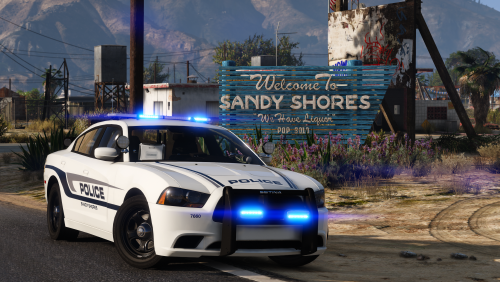 Hmm, I'm not sure what you mean, could you give some more details and some pics? I'm not completely sure what could be causing it as of yet
- 25 comments
- 6 reviews
-
Thanks! Here's one 😉
-
Thank you! The utility will for sure have the SLR, the vic however is gonna have the classic vision since this base is a ~06
-
Thank you! -Clem Thanks! Girl power! 👊
-
From the album: Robert's GTA V Endeavors
As my latest project I have decided to finally revisit my second pack from over a year ago! I promise it will be much better this time! Over the past few weeks I have come close to completing the charger and CVPI. Here's a demo of how the lights now look! https://www.youtube.com/watch?v=DjURnmrhKcg -
That's awesome! I do not, nor have I ever been there. Just found some pictures of your cars on the internet and really liked the look! This is generally done but I could revisit in the future and add more vehicles, however it would be in quite a bit since I have many projects planned.
- 25 comments
- 6 reviews
-
Huh, that's really strange. I'll keep looking around and see what I can do to fix it.
- 25 comments
- 6 reviews
-
-

- 1
-
-
-
I mean as in which one the slot is using in the vehicles.meta, sorry for being unclear, otherwise I'm not sure what could be causing that.
- 25 comments
- 6 reviews
-
Hmm, I haven't had that issue on my end. It could be an issue with one of your metas, maybe the vehicle layout. And thanks! Hope you enjoy nonetheless
- 25 comments
- 6 reviews
-
Yep, all of my cars from now and on will have them. I'll give you a little spoiler of some others that are coming😉
- 31 comments
- 8 reviews
-
-
- 4
-
-
I don't really have the time to teach stuff specifically, but five0 made a tutorial about it around a month ago that I recommend checking out Thanks, and unfortunately they can't be removed as they're attached to the exterior pushbar lights and the plate lights
- 31 comments
- 8 reviews
-
Thanks! This pics are by @Getinmybelly, so I'll direct that question to him lol
- 25 comments
- 6 reviews
-
Thank you! It's a material thing so the texture is changeable. Took awhile to figure out lol
- 31 comments
- 8 reviews
-
-
-
.thumb.jpg.930b3b93c7c75c01f46faeecf9341ab2.jpg) Nope, I'm from New York. I just really liked their design and decided to make a pack around it
Nope, I'm from New York. I just really liked their design and decided to make a pack around it- 66 comments
- 41 reviews
-
I'm assuming that's what happened when you scaled it in that viewport. Try holding shift when scaling, and use multiple viewports, as you can have up to four by going to view>layout>split top level>four panes cross

.thumb.jpg.930b3b93c7c75c01f46faeecf9341ab2.jpg)
