
Janis28
Members
-
Joined
-
Last visited
Everything posted by Janis28
-
-
-
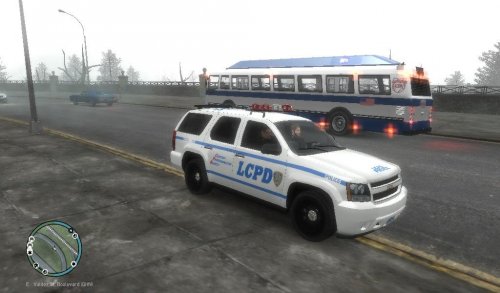 Model : 2007 NYPD CHEVROLET TAHOE ELS http://www.gta4-mods.com/textures/2007-nypd-chevrolet-tahoe-els-paintjob-f19107 File : LCPD paintjob and licence plate
 -
I think you need to reinstall GTAIV, because with new 1.0.8.0 update GTA IV lcpdfr don't work enymore... reinstall game and DON'T update to 1.0.8.0
-
this means all those mods for LCPDFR need to re update, all callouts and stuff... hell of a job
-
thanks, so there is no reason to update it
-
I have no clue what is going on here... so my question is simple and short - will LCPDFR work on this new GTA IV update?
-
Sorry for late reply.. just uninstall lcpdfr, delete ALL lcpdfr files, watch this video an do all what this guy say -
-
Do yo install LCPDFR manual or automatic?
-
Awesome! :)))
-
Do you have LCPDFR Loader.net.dll file in scripts folder?
-
mybe start with 0, and go up if 0 not works
-
Mine is: -availablevidmem 5.0 -framelimit 0 -norestrictions -nomemrestrict -reflectionresolution -novblank -nomemrestrictions -norestrictions -noprecache Advanced commandline use this items to make a advanced commandline: -renderquality: Set the render quality of the game. (0-4) -shadowdensity: Set the shadow density of the game. (0-16) -texturequality: Set the texture quality of the game. (0-2) -viewdistance: Set the view distance of the game (0-99) -detailquality: Set the detail quality of the game. (0-99) -novblank: Disable wait for vblank (No Vsync) -norestrictions: Do not limit graphics settings -width: Set width of main render window (default is 800) -height: Set height of main render window (default is 600) -safemode: Run the graphics in the lowest setting possible -frameLimit: Limit frame to interval of refresh rate (ex If refreshrate is 60HZ –frameLimit 1 = Locks down to 60HZ) -refreshrate: Set the refresh rate of main render window – Warning - Monitor must support (ex. –refreshrate 60) -fullscreen: Force fullscreen mode -windowed: Force windowed mode -availablevidmem: Set amount of physical Video Memory(ex. –availablevidmem 0.9) -percentvidmem: Percentage of video memory to make available to GTA
-
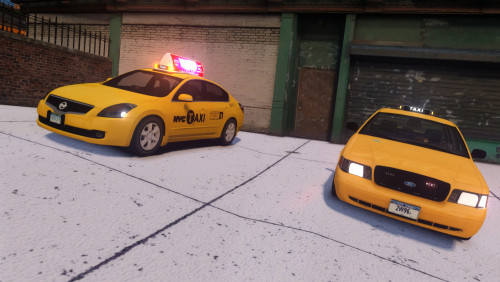 Here! But it's a pretty high poly vehicle and crash the game very fast.. http://www. .com/gta-4/cars/56991-ford-fusion-2014-nypd-els.html
- 6 comments
- 2 reviews
-
-
Texture loss? Use commandline text document
-
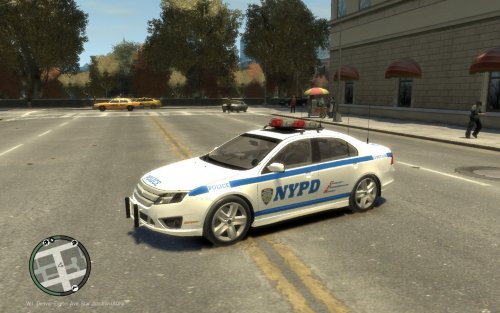 Where can I get template for this model?
 -
Its a Ford F-550 2012 NYPD truck, thank me later ;) Link removed, Please don't link to gtaall as it's a site for stolen/reuploaded mods.
-
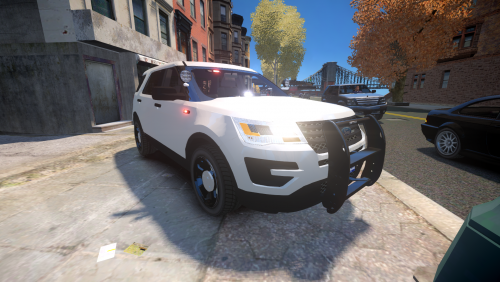 " One day, a friend of mine's wanted me to make a NYPD Utility..." Believe me, this car wanted many people not only your friend, thank you
- 30 comments
- 7 reviews
-
-

- 2
-
-
Sorry my mistake, I did press Alt+E But I try to change [Hardcore] Enabled=True to FALSE and now everything works properly, weird...
-
Did anyone else have this problem, when its pursuit I press Alt+E, but no cop cars & cops on street helping me to catch suspect, they just passing by... Sometimes I press for backup Alt+B, but then game crash... I did EVERYTHING and I mean really EVERYTHING to fix this problem, I reinstall, game, scripts and mods, try to play without mods but no success... Im using LCPDFR 1.1 No ENB Scripts - AREA LIVERY MOD Police helper Hand to holster LCPDANPR Braveheart script Policing Strobes TrafficFlow ELS V8.5 All cop cars is mooded, few is Non-els No car mods Please reply :) My PC:

-
-
Do you try to make suspect room or detective office?
-
-
 Can you please release this car please? It's been more than year know..


.thumb.png.8f4315d13581ce2ed0a64460aef6f258.png)