



Ersteman
Members
-
Joined
-
Last visited
Everything posted by Ersteman
-
I am not sure. I only recently got back into LSPDFR myself after a big break, and I did not see a lot of make me feel happy things in comments while I was looking to re-add plugins. I pretty much went with the whole of Bejo's ( I forget how to spell his whole name.. 😕 ) mods like " Stop the Ped " and such. I love them, and with his court and crime system.. it is amazing! Only thing is.. his mods are awaiting a new update for this just released version of LSPDFR. But it will come. He is active. I ll get the link to his page here in a minute. 🙂 @joshiscool EDIT: Here is his list of plugins.. that do so much like LSPDFR+ but honestly.. I love them more than about any plugins of late 😉 But that is just my opinion. https://bejoijo256.wixsite.com/bejoijo
-
Back up does not come? 🤔 mmmm.. only thing I can think of that would interfere there is if your using mods that mess with or over ride the LSPDFR back up. Like I do. So you have to make sure in that case that the correct 'keys' are assigned and working for the actual intended backup. One key trying to do LSPDFR and a mod's functions can get weird. If not a key bind / activate issue due to a mod.. No.. no idea why. Ive never really had any problems like that.
-
nothing yet... He is currently offline. Being an ambient aesthetic I would not worry to much over trying to adjust it right this moment. It wont hurt or affect your game. I am sure he will come along here soon and say something. Or worse case in the morning. He is USA like you and I. Tho' he likes to claim Antartica 😉
-
Not that I recall.. I think they used to be tied to an ambient setting, but I am pretty sure that was removed many many versions ago. Or hell, it could have been LCPD I am thinking of. But I would direct that to @Reddington he would know if it's still possible. EDIT: ha.. I just did address it to him 😉
-
Yes, that is ambient stops. If you have not tinkered with the settings in LSPDFR you should be seeing ambient things occur. They do not occur a LOT, but they occur. Mostly just an aesthetic. It's very easy to miss them also. If you do not drive up on, or by a stop and see it, it's probably happening but you just didn't have ' eyes on '
-
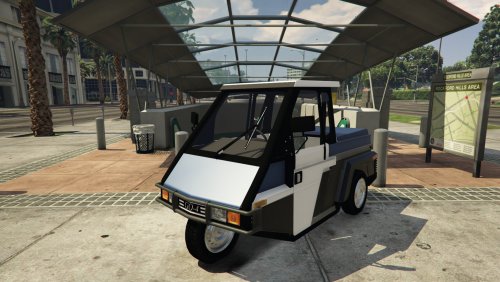 Yeah.. that being busy happens. On another note, it still fits in my LS now known as alternate world Tokyo with a near total conversion to Japanese stuff for downtown. 😉 If I could find some Japanese texture, that would be amazeballs. But it's not been high on my list to worry over either. 🙂
 -
From the album: Return to Patrol
-
From the album: Return to Patrol
-
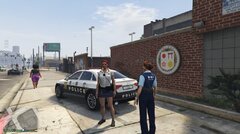
From the album: Return to Patrol
-
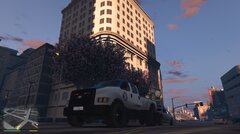
From the album: Return to Patrol
-
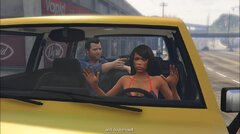
From the album: Return to Patrol
Replaced Franklin with a stripper. Why? Why not? -
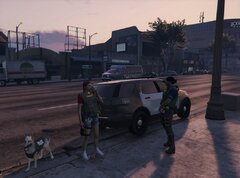
From the album: Return to Patrol
-
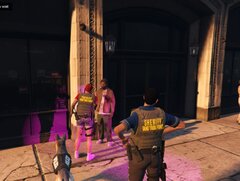
From the album: Return to Patrol
-
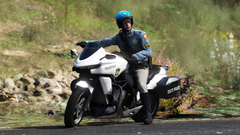 KooL shot
 -
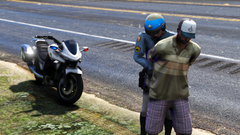 Da price they pay
 -
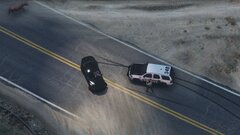 Nice chopper view
 -
I totally forgot it was Otaku who made the base.. 😄 But it's awesomesauce. A Generic skin I stuck on it from Mod GTA5. I also put it on police 3 since I never play as LSPD nor worry over it spawining in, I ve only seen it show up on backup calls so far, and not in chases, tho' it can in that base version. And looks funny as heck too. With alpr I can use it to stop vehicles and for RP I do that, then call in traffic backup from the OFFICE STATUS mod, and I avoid chases. It would be very ( Eee'muurSHUn ) breaking to run car chases in to me.
-
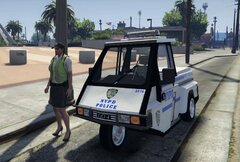 They both are on mod GTA 5 site. The GO4 base and the asst. skins for it. I wonder why YOU would recognize it 🙂 Obviously I went with plain ol' generic police. NYPD just stands out to much for my Los Santos. Yes.. yes I did at first forget it was you who did the GO base 😉 😄
 -
I know you have seen it, but the look for it now. I also put it on a regular police car since I rarely use LSPD so it is fully functional as a LE vehicle 🙂
-
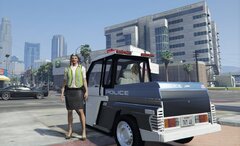
From the album: Return to Patrol
Different texture and plate on Go-4 vehicle -
I got an other texture for it now. I remembered back in the day.. hehehe.. you had first shown me this one, so I had to dig it out.
-
From the album: Return to Patrol
Meter Maid Duty -
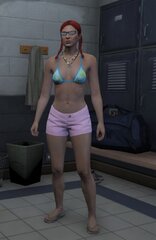
From the album: Return to Patrol
Off duty in Los Santos, I fit in. -
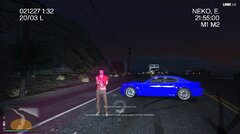
From the album: Return to Patrol
I am preserving my night sight by replacing my spotlight with Red. Okay.... it's Pink. So? -
From the album: Return to Patrol
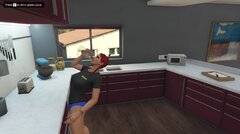
Drink the juice.


