




Ersteman
Members
-
Joined
-
Last visited
Everything posted by Ersteman
-
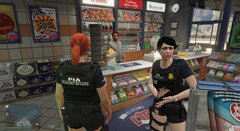
From the album: PIA Patrol
-
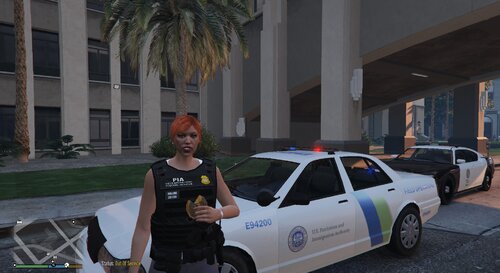 Read Term Meanings and How to RPs The Patriotism and Immigration Authority in this setup is a hard line conservative organization. It is meant to be the U.S. under an oppressive system of ultra conservatism. Yes as satire, or statement. Your choice. 🤷♀️ If that is not your thing, you probably grabbed the wrong mod. Or missed the point 😐 😛😉 You can simply remove any of the items or answers or anything in the xml files. So if your just interested in Border Patrol and related things, just take all the ' other ' PIA stuff out. Just make sure you do not delete any of the wanted in game command switches like ( <Item>whatever</Item> ) Messing up on those will fubar your questioning line. There are items and answers to both Right and Left in list. Plus some general weirdness. List of charges updated charges etc is in the download in readme. Minus listing every single item added to search. But they are easy to find as most are rare in search. Stay Proud! 🏳️🌈 8.2.23 NO CONTENT UPDATE. I continue to play this add on myself looking for issues with other mods like Beljojo etc compatibility. Mod still functions in my play, with no content related glitches. I hope to have time to sort out the VISA / Immigrant status check along with HRT and Morning After finding performance. 3.21.23 UPDATED the Terms and How to RP notes. Added clear explanation of how to RP some PIA search / charges / identifiers. Explanations and RP for: YOU SHOULD SET YOUR LIFE VS DEATH TO AT LEAST 50% HRT / MORNING AFTER INCORRECT GENDER CLOTHING FINDING LEGAL RESIDENCY STATUS !!!!!This add-on can cause butthurt. Use with caution.!!!!! !! Examples of how to RP some things !! Terms meanings how to RP's below Romance in Ultimate Questions has been made Gender Neutral, not for statement reasons, but some of us do not play as male characters. Me. I don't. But I am a girl, so do not call PIA about it. 😉 Bejoijo for Stop the Ped and Compulite https://www.bejoijo.com/post/stop-the-ped https://www.bejoijo.com/post/compulite OPTIONAL PROWLER AND PRISONER TRANSPORT NO LONGER INCLUDED... But get it here! Courtesy of: Jacobmaate for NOOSE Multi-Agency pack Provided by: Special thanks to Sereous313 for showing me how to make this possible. Also to all their contributors. Term meanings, how to RPs MLSGA update.txt
 -
3/2/23 Script Hook V - AB Software Development (dev-c.com)
-
-
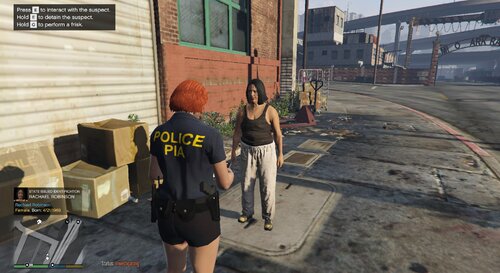 NOTE: I have not been doing updates to more here, BUT THANK YOU ALL FOR DOWNLOADING and I hope, enjoying this insanity. 🙂 Currently I've been focused on updating my other mod for STP and Compulite with PIA world. You may want to follow it's progress. An edit to the charges and citations for the Police Menu mod by RicyVasco This simply adds more pre-defined charges and citations that will work in the police computer and appear as random ped history or under warrants. If using the PIA addition they are located at the bottom of either listing. PIA is a parody / RP of ( Patriotism and Immigration Authority ) and may not be to your liking. If so... Then do not use it. <shrug> Installation included in README ( simple drag and drop ) Some fines or jail terms may not fit your liking. Those can be edited in .xml as can adding / removing charges. This is just a make your life easier pack. Uses New non pia charges include, Smoking in restricted area Operating vehicle without safety gear ( helmet etc. ) Solicitation of prostitution and more.. PIA includes, Immigration type violations Immoral behavior etc.. (especially un'merE!cane ) 😉 NOTE: PIA can be a butthurt to some. If you do not see them as intended, parody / satire / fun then do not use them. Simple. EDIT: I will be looking to clean up / add to this list and organize in a more productive way... depending on how it is received 😉
 -
-
what? Some npc witch? or npc with? That has to be some mod thing.. I have never been killed by NPC with laser sight.. witch or otherwise.
-
 Best I can say, get a clean install.. easy to do if installed correctly. Remove the mod file with OPENIV Pull the plugins manually. Launch unmodified game Single Player (Rage being there should not hurt.. if it does.. that's the issue! ) Get a clean save. Then add back (RAGE) LSPDFR and start up with rage. If game working. Then add mods. Do not add Beljijo ( STP etc ) until you verify the game is working. Then add PoliceMenu. Verify. I would bet, it will. EDIT: Pardon the long response times while trying to help. I have been playing LSPDFR also 😛 NOT to rub it in.. but my in prowler computer. That is optional (I put mine in weird places. 😉 ) As much as I LOVE STP, UB, etc.. since last version they screwed my game up. Stopped trying to use them, all is well. <shrug>
- 713 comments
- 33 reviews
-
Simple fix should be: If you are experiencing crashes when using the Ped Database search, continue with the following steps: (If you don't have the option listed below, go on duty once for the .ini to update!) 1. Open your PoliceMenu.ini file inside your /plugins/LSPDFR/ folder. 2. Change "FixGameMemoryError" from false to true. That's it! You can now experience the plugin crashfree Make sure you have a current ASI like the one included in OPENIV Which works fine with 2824 If you have the update of recent, you may need to rollback ( not sure if the ASI is compatible ) Geoffrey_Gamer has a discord with .ini and launcher to allow that with ease. Make sure your nativeui is up to date also. Make sure the OPENIV are copied correctly to mod folder. If your using Beljijo or Albo files, they will cause crashing as they are out of date. Arrest manager works, but it did cause me crashing randomly so I dropped it.
- 713 comments
- 33 reviews
-
That guy is dead on... as long as he keeps it up goofballs like me who forgot to copy files, or have been out of touch with LSPDFR and let a lot of changes with R.S.games go on unnoticed can get back. His files work A++
-
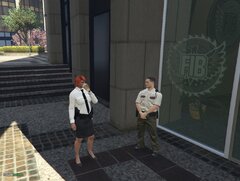
From the album: PIA Patrol
-
-
Best of luck on downgrading.. <shrug>
-
Good luck with a downgrade working. Launcher requires update from my steam version... <shrug>
-
OFF TOPIC I just started using grammer police... LOVE IT Had it running for like 2 days before the latest R.S.Games dump of now... sux.
-
Yup... LOL.. pardon, I thought you realized that.. 😛 yeah.. and the old tricks do not work now. 😞 Freaking R.S.games....
-
Normally a simple revert to your saved backup via rage would correct the error.. but for some time Rockstar has required Social Club verification to launch. The old tricks do not work, and I just came back myself recently, and offline play is not even an option nor is bypassing the Club verification. I have no idea if it is now a possibility or not. Standing by for more info, but the net says.. Rockstar claimed this was a ' glitch '. I doubt it. Have to wait on a new Ragehook update I guess. 😕
-
Normally a simple revert to your saved backup via rage would correct the error.. but for some time Rockstar has required Social Club verification to launch. The old tricks do not work, and I just came back myself recently, and offline play is not even an option nor is bypassing the Club verification. I have no idea if it is now a possibility or not. Standing by for more info, but the net says.. Rockstar claimed this was a ' glitch '. I doubt it. Have to wait on a new Ragehook update I guess. 😕
-
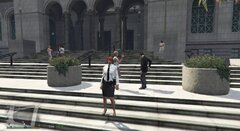
From the album: PIA Patrol
-
-
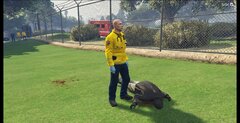
From the album: PIA Patrol
-
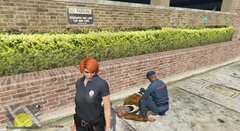
From the album: PIA Patrol
-
-
-

From the album: PIA Patrol
At home







