
RedBullGermany
Members
-
Joined
-
Last visited
Everything posted by RedBullGermany
-
 Scuderio made his own model.
 -
From the album: Random Stuff
-
-
-
I don't think so!He knows you can read it by known issues: the lighting is not perfect, im going to tweak the colors and brightness a bit.You have a vehicles.meta and carvation data both goes in the same directory as the intallation path say rename sheriff to police for both files. I will send you a message with better instructions.Rename sheriff to police in the carvation data.That's not a real life picture you can see on the license plate he spawned it with a trainer :)Keine Ahnung das hab ich nur aus deinem Ragepluginhook Log entnommen. Ich würde LSPDFR neuinstallieren und danach Ragepluginhook, falls du das schon getan hast mach es einfach erneut und stelle sicher das du alle Dateien in deinem Gta 5 Ordner rüberziehst.Ich glaub das liegt an der SlimDX.dll bin mir da, aber nicht ganz sicher.Du kannst ja nur die Version 0.42 von RagePluginHook ausführen, wenn du auf der aktuellsten Version upgedatet hast.Hast du versucht RagePluginHook neu zu installieren?Shortly after 18 pm there was first reports of a shooting at the Olympia shopping center in Munich. Also my thoughts and prayers go out to the citizens of Munich.I can`t wait for more updates!
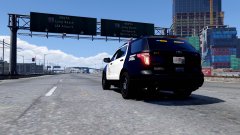
From the album: Random Stuff