


CarlSkotch
Members
-
Joined
-
Last visited
Everything posted by CarlSkotch
-
Had the same issue, this one fixed it: https://pl.gta5-mods.com/misc/gta-5-gameconfig-300-cars
-
-
 @BradM I am not sure if you have noticed but in unmarked FPIS strobes in headlights remain red and blue even if you import all files included in all blue folder. Am I missing something or this is just a simple fix for you? Anyway, great cars and I really love them but solving this issue would be a cherry on top!
- 147 comments
- 65 reviews
-
 Is there a way for Computer + to work on add on vehicles? Of course I added backgrounds in the ini file. Whenever I choose my i. e. sheriff3 or police6 vehicle and I press E nothing happens. However, in CHP Mega Pack, which is also an add on everything works flawlessly. It is like Computer+ doesn't recognise the vehicles I manually installed and I am pretty sure they are police vehicles as I used meta settings from police, sheriff etc. Any help would be much appreciated!
- 1,743 comments
- 172 reviews
-
Is there a way for Computer + to work on add on vehicles? Of course I added backgrounds in the ini file. Whenever I choose my i. e. sheriff3 or police6 vehicle and I press E nothing happens. However, in CHP Mega Pack, which is also an add on everything works flawlessly. It is like Computer+ doesn't recognise the vehicles I manually installed and I am pretty sure they are police vehicles as I used meta settings from police, sheriff etc. Any help would be much appreciated!
-
 First of all, this mod is what we have been waiting for. Thank you for your hard work! Unfortunately I am practically unable to toggle primary lights patterns as every time I press "U" my ped exits the vehicle so I can change only one pattern at a time and then I have to get back in to change next one. I do not want to change the config as it is very comfy the way it is. Do you know why my ped exits when U is pressed? Thanks for your help!
- 2,699 comments
- 240 reviews
-
You should then install Assorted Callouts, where there is a Traffic Stop Backup Required callout, which may be fun for a traffic cop like you. I personally also use Agency Callouts and GTA Comes Alive. Breathalyzer is now included in Traffic Policer so you do not need to use a seperate plugin for that. In terms of traffic stops, you might be also interested in Search Warrant mod. Make sure to download items pack for this mod for better immersion. Almost forgot, Police Radio is a MUST HAVE. Finally, if you have a decent CPU, Safer Chases is awesome as it makes pursuit much more legit comparing to shitty GTA cops AI. Definietly try this out! If I recall anything else (I have like 40 plugins installed) I will let you know. Have fun!
-
Reinstallation of game helped and my problem does not occur anymore. The unfortunate is that it takes 8hrs to install all the mods back properly ;) Hope it will stay this way. Many thanks to all who contributed in this topic!
-
I didn't need to start a thread. I have exactly the same situation.
-
 Hi @Krame86. Amazing work on your packs, I love to use them. Could you make the livery for Thehurk 2016 FPIU white? I am asking, because all my backup units respond as black units (I think it is a default colour for this car when spawning). Thanks in advance!
- 101 comments
- 17 reviews
-
Ok, attached is GPUZ screenshot with maximum MB usage and rest of measurement. It was taken few seconds after frame drop occured. I managed to have a nice, 1h patrol as LSSD officer, but when I decided to pull over a car, right after I blipped it, frame drop happened. End of patrol, I need to restart the game ;) Specs: i5-4690K (not OC) GigaByte GeForce GTX 970 Gaming G1 4GB (not OC) 8 GB Ram (DDR3) Windows 8.1 and both system and GTA 5 are on SSD

-
Hi, thanks for the tip. However, this frame drop also occurs while I am off duty. For example, just now I started the game as Trevor, spawned a police car I wanna use during the patrol and it happened during spawning process. It is really, really random. As addition, my settings are now med-high and usage of vram as per GTAV (I know it is not true but give the idea) is about 1830mb. In addition, I noticed that frame drop to 20fps always happens when I respawn in a hospital after being killed on duty. I am using EUP 7.2 if it could help anyone.
-
Worked like a charm, thanks!
-
Hi All, After installing some new textures with OpenIV I cannot change them ingame. This occured for example in BxBugs's Unmarked Impala. Since I installed new textures on slot 4 and 5, when I try to change the livery ingame Simple Trainer doesn't allow me to do so. In livery menu it says that the only livery is -1. This also hapenned in Ford Taurus by Thehurk. Any ideas? Thank in advance for your help!
-
I did some settings optimalization and usage of my VRAM do not go now over 3100mb and GPU Load is not more than 80%. Unfortunately, my random fps drop from 60fps to 18-20fps still occurs and I have no idea what else I could do to fix this. My LSPDFR is basically not playable right now due to this problem. Does anybody have any ideas?
-
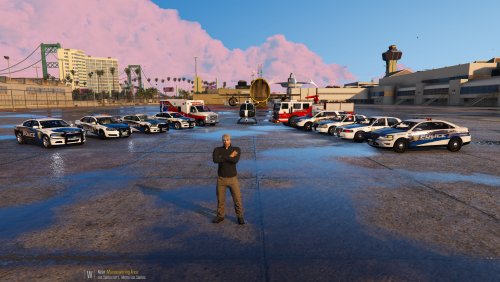 @EP34FR I really love your LSPD pack. It came out right when I got bored of standard black & white. Could you please make liveries for just released BxBugg's and Carperino's Dodge Chargers. I am dying to install them and all my LSPD units have your skins. Also, a skin for GMC Savannah (policet) would be awesome but I know I already asked for a lot ;) Take care!
- 29 comments
- 18 reviews
-
Okay. So I did another run in LSPDFR with texture setting changed to high and fps drop occured just after 5 mins, when I was checking plates of a suspicious car in front of me. Exactly the frame drop I described in my initial post - straight down to 20fps and stayed like that. I drove around in downtown Los Santos (smog wheather, night) and captured a screenshot showing maximum results recorded on GPU-Z. My GPU is: GigaByte GeForce GTX 970 Gaming G1
-
This is what I really like about this community - you guys are so helpful. Thanks for your patient explanation. So the only option I have is downgrading visual settings in GTA V? Also, would it help if I overclocked my GPU? I know that you cannot add more VRAM but from what I read on the internet many people are happy with the result. If it is possible, I would love to stay on my current settings as I got used to them badly. I have been experiencing this problem only for the last month (basically since 0.3 release) and I had started playing LSPDFR in July.
-
Thanks for the advice. I did some quick testing in Los Santos at raining night and clear dusk and max Memory Usage is 3429 mb. Game got a bit laggy few times but drop to constant 20 fps did not occur, at least for 20 mins of playing. I will do some more testing later in the evening and let you know. Also, my settings say that memory usage is around 2300 mb. Do you think that VisualV (without ENB) could use another 1gb of VRAM? Maybe uninstalling it would be a solution but it would be a shame as I love the way this games look with this enhancement. Anyway, thanks for the tip! I will keep you posted.
-
I don't use ENB with VisualV. However, I could install it and change the setting as mentioned above. Do you think it could help?
-
I am experiencing an issue when I play LSPDFR that after some time (can be from 5 to even 45 mins) I have frame drop from exactly 60 fps to 20. It is always the same and the game stays at 20 until I restart it. It usually happens when I call for backup, accept callout, arrive on scene, or even wheather conditions change. It is pretty random. When I run my well modded LSPDFR (emergency cars installed, many plugins and VisualV) CPU is at about 65-75% and RAM is 60-70%. My specs are more than enough to run the game and I have applied decent video settings optimized for my GPU. Windows and Nvidia drivers are up to date. Just in case, my specs are below: i5-4690K (not OC) GeForce GTX 970 (not OC) 8 GB Ram (DDR3) Windows 8.1 and both system and GTA 5 are on SSD I have tried many solutions and neither of it helped me. It pretty much kills my gameplay so any tip would be much appreciated. In addition, it never happens in vanilla GTA 5/GTA Online.
-
 First of all, great mod! Do you know how to turn back on voice for my cop? He doesn't say 'Kiflam' and 'Useless piece of shit' anymore.
- 2,349 comments
- 238 reviews
-
I personally use this one: https://www.gta5-mods.com/scripts/fix-wheel-turn-back Works like a charm. You need to create a 'scripts' folder in your game directory (if you don't have one). Hope this helps.
-
-
 I have the same issue as bravozero. Besides mod is great but every parked car having parking lights on is pretty annoying. Please help and keep up the good work!
- 246 comments
- 40 reviews




