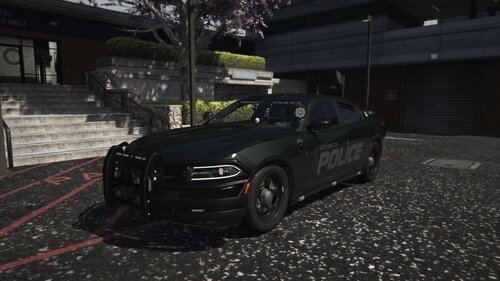
OfficerArk
Insiders
-
Joined
-
Last visited
Everything posted by OfficerArk
-
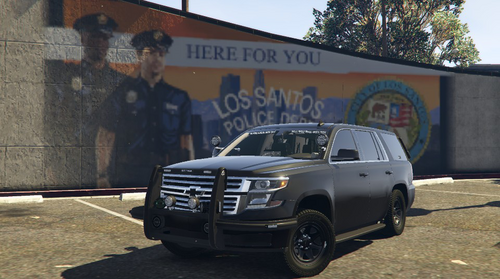 This model uses the PIP’s ALPR’s mounted on the front push bar! I switch between both but I prefer the look of the PIP’s
 -
 Yes, this pack is designed for that! I might not be updating these packs with vehicles going forward as I roll in some new units here in the future. I don't know when, but it will include a crown vic.
- 240 comments
- 15 reviews
-
-

- 1
-
-
You pick the model you’d like to use! 21tahoepolice - Standard police car 21tahoepoliceblue - Blue version 21…….NP - These are the same as the above but without ALPR’s If you’re going to replace with police, you’ll choose one of these to use.
- 240 comments
- 15 reviews
-
 Logan County, OK
 -
At the moment I have stepped back as work has gotten extremely busy. I will revisit this pack in the future, I don’t know exactly what will be added or when but I’ll see what I can do!
- 240 comments
- 15 reviews
-
I do not believe there is a way to have both. The charger should have L0-L3 mapped. The fix I provided the first time is the only way I know of how to fix the floating lights other than having all LOD’s mapped. I apologize if that’s not the answer you’re looking for.
-
-
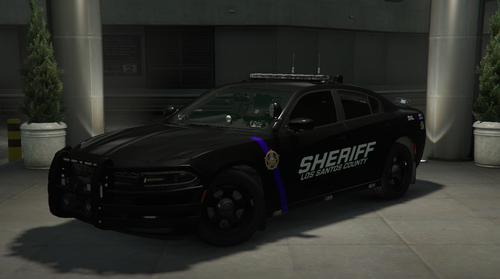
 For some reason, the game will select paint colors randomly if not specified in the carvariations file. Follow these instructions for black vehicles! 1. Find your carvariations.meta file in the SheriffPack 2. Change the 5-6 numbers at the top of each vehicle to 0. It should spawn as black!
- 477 comments
- 18 reviews
-
-
- 1
-
-
 Go into your ELS.ini and find the following settings and replace with the given values: LodCoronaInitDistance = 100.0 ElsMaxRangePl = 800 ElsMaxRangeAi =10000
 -
Check what handlingID the car uses in the vehicle.meta. The Tahoe doesn’t use the handling line file in the dlc pack.
- 477 comments
- 18 reviews
-
 Restart your OpenIV when you get this error!
 -
Its just Alt + (Whatever button turns on takedowns)
-
So where it says “<audioNameHash /> replace that with the line I sent above so it looks like <audioNameHash>example</audioNameHash> Then replace example with the proper audio hash that your police1-4 use!
-
This is dealing with the policeold2 vehicles files. Go to your vehicles.meta that contains the policeold2 files and find the line like this: <audioNameHash>example</audioNameHash> You’ll change this to police or whatever siren hash your police vehicles use!
-
Go into your visualsettings.dat file and find the following lines: car.defaultlight.day.emissive.on car.defaultlight.night.emissive.on car.defaultlight.day.emissive.off 0 car.defaultlight.night.emissive.off 0 Play around with these values to increase your ELS lights!
-
-
-
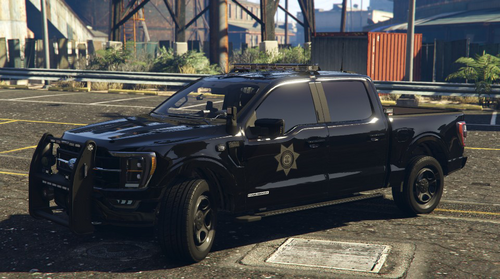
There is scene lighting with this truck!
-
-
-
It will be located in the same place as your dlclist.txt
-
^^^ Enjoy!
-
You will need these! Heap Adjuster - https://www.gta5-mods.com/tools/heapadjuster Game Config - https://www.gta5-mods.com/misc/gta-5-gameconfig-300-cars Packfile Limit Adjuster - https://www.gta5-mods.com/tools/packfile-limit-adjuster
-
Those do not coincide with each other. Make sure you have the els files installed in the correct location.
- 240 comments
- 15 reviews
-
It’ll be your carvariations.meta Change the 5-6 numbers at the top of each vehicle to 0. It should spawn as black!
- 477 comments
- 18 reviews