mistersix
Members
-
Joined
-
Last visited
Everything posted by mistersix
-
 Hello. @Panos1221Would you kindly consider making Ems callouts? That would be a nice addition to fire callouts and i believe you are one of the best creators to make it properly.
- 365 comments
- 20 reviews
-
 I discovered bug with unmarked FPIU wheels, sometimes they are bugged after car spawn, and always looking strange when looking on them from certain distance
- 162 comments
- 24 reviews
-
-
@ALLENjr12Sure you have example here what i meant to say. I gave the proper looking car as reference and your lapd tahoe. Look on the red line, and difference between front and back.
- 162 comments
- 24 reviews
-
-

- 1
-
-
Why tahoe looking like it has stone or forge in the trunk? It tilts so much on the back of this car.
- 162 comments
- 24 reviews
-
-
-
-
Isn't a problem if my car exceed a 20mb(yft+ytd) by 1 mb or so? Anyway back in the day on lspdfr 0.3 i didin't have any texture loses even with many car addons(i had even worse rig bag then). It has started from 0.4, i dont know if this lspdfr or r* itself fault.
-
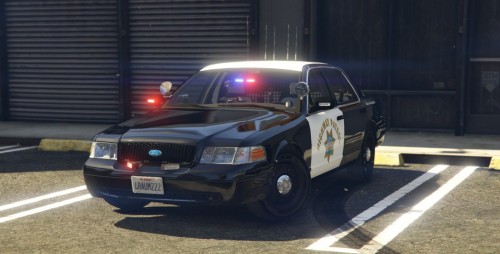 I know its not a main topic. But are these steady burns exists on CHP real fleet?
- 8 comments
- 1 review
-
Hello. I have these issues for the first time, my previous experiences were on 0.4.2, now i moved to 0.4.7 and this is what i got. Firstly on main PD most of the doors are locked including one with lockers and "go on duty" marker. Secondy cops are weirdly dressed, they have random clothes on them. Thirdly when i reach the changing room doors(when i'm off duty) i'm getting 3 stars, and its causing almost immediate death. If needed i can provide list of all my plugins that i'm currently using. Below i attached screenshot with weird cop clothes and locked door i mentioned earlier. Any help appreciated.
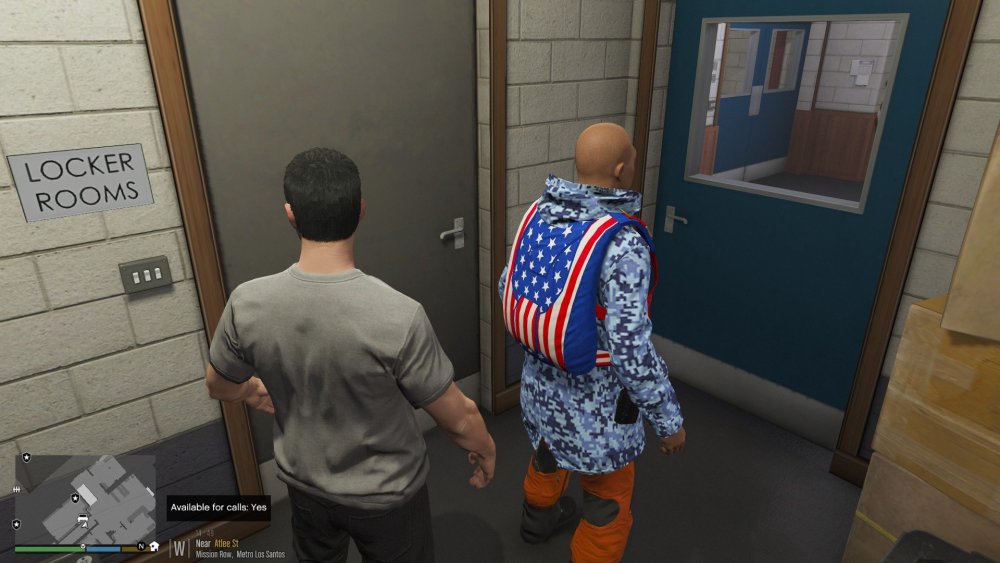
-
 @OJdoesIt Is this plugin works with STP? I mean when i call units to felony by STP interaction menu not by this mod one- is it still will be working as it should?
- 242 comments
- 18 reviews
-
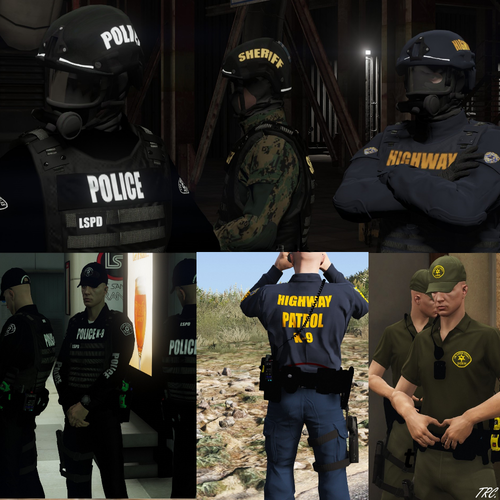 Can someone explain me why my trousers are blue, not the pure black as it should be after installation. Its a preset from eup menu.
- 30 comments
- 6 reviews
-
Hey! Im searching for this pack mentioned above. Unfortunately i deleted this file and im asking if someone has a copy. File is not availble right now, I would appreciate any pm's with that.
-
I personally recommend to use Radius handling for explorer 2014. It feels much better and behaves more realistic. But for explorer 2016 gresley remains best option.
-
I have same question. Its messing my siren tone.
-
-
-
 Walk and turn does not working for me at all. No reaction from peds, apart from horizontal gaze which has no problem. On 0.4.2 it was good but now on 0.4.3 i cant trigger that.
- 1,005 comments
- 68 reviews
-
But the problem is - how we are able to report bugs, problems etc? By email?
-
-
Do anyone know why they are missing right now? Why author removed thes files from this site? Are they available somewhere else? Weird stuff.
-
 @Abel Software Would you consider to add callouts based on "suspicious luggage left near airport", "potential terrorist" and "stalker spotted near victim"?
- 200 comments
- 27 reviews
-
Can someone tell how siren used in this video is called and where i can download this? I would be grateful for that information. This is the video
-


.thumb.png.99a519b4490b6c8348791d4a6f65d2fb.png)