



Screw4DarthVader
Members
-
Joined
-
Last visited
Everything posted by Screw4DarthVader
-
https://www.youtube.com/watch?v=4JcceKQWJMQhttps://www.youtube.com/channel/UCjUiyAy9i5Aul44Mrg0YuWglinkHey so over on my youtube channel I have my own lspdfr series where i use police car from ontario. what i noticed is that there is actual realistic versions of the opp cruisers or Toronto Police; light bars etc. Now I am looking for any car modders who would be interested in helping me create some realistic versions feel free to comment below if you have any questionshttps://www.youtube.com/channel/UCjUiyAy9i5Aul44Mrg0YuWg
.thumb.png.b8e8018b35619413a43c9c3212bf736b.png) Hey LSPDFR just whiped up this skin and asked some of my viewers if they would like to see it and they said yes..so here it is hope you all enjoy! Click Links Below to see this Texture in action!!!!!! https://www.youtube.com/channel/UCjUiyAy9i5Aul44Mrg0YuWg
Hey LSPDFR just whiped up this skin and asked some of my viewers if they would like to see it and they said yes..so here it is hope you all enjoy! Click Links Below to see this Texture in action!!!!!! https://www.youtube.com/channel/UCjUiyAy9i5Aul44Mrg0YuWg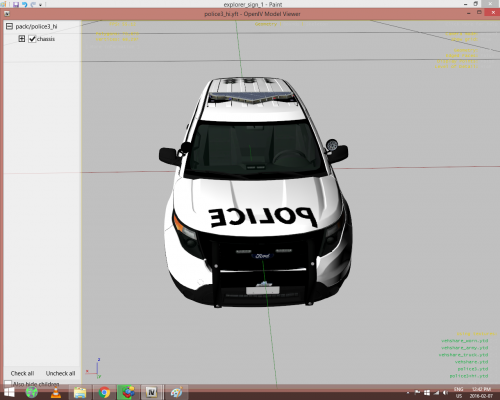 looks good man :)
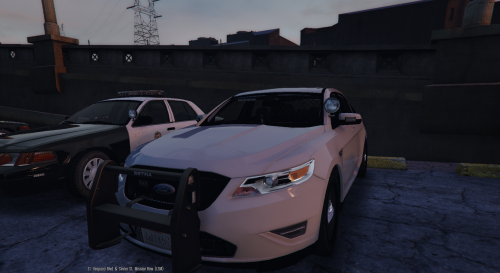
.thumb.jpg.4066677156985e22489bfecddc2f6c45.jpg) I just saw polecat324 use a slicktop version of this with light in the rear window anyone know where i can find this https://www.youtube.com/watch?v=86vWVNTW4yE
I just saw polecat324 use a slicktop version of this with light in the rear window anyone know where i can find this https://www.youtube.com/watch?v=86vWVNTW4yE- 376 comments
- 81 reviews
https://www.youtube.com/watch?v=hm3cn-XVkSoAccount
Navigation
Search
Configure browser push notifications
Chrome (Android)
- Tap the lock icon next to the address bar.
- Tap Permissions → Notifications.
- Adjust your preference.
Chrome (Desktop)
- Click the padlock icon in the address bar.
- Select Site settings.
- Find Notifications and adjust your preference.
Safari (iOS 16.4+)
- Ensure the site is installed via Add to Home Screen.
- Open Settings App → Notifications.
- Find your app name and adjust your preference.
Safari (macOS)
- Go to Safari → Preferences.
- Click the Websites tab.
- Select Notifications in the sidebar.
- Find this website and adjust your preference.
Edge (Android)
- Tap the lock icon next to the address bar.
- Tap Permissions.
- Find Notifications and adjust your preference.
Edge (Desktop)
- Click the padlock icon in the address bar.
- Click Permissions for this site.
- Find Notifications and adjust your preference.
Firefox (Android)
- Go to Settings → Site permissions.
- Tap Notifications.
- Find this site in the list and adjust your preference.
Firefox (Desktop)
- Open Firefox Settings.
- Search for Notifications.
- Find this site in the list and adjust your preference.


.thumb.png.b8e8018b35619413a43c9c3212bf736b.png)
.thumb.jpg.4066677156985e22489bfecddc2f6c45.jpg)