



Screw4DarthVader
Members
-
Joined
-
Last visited
Everything posted by Screw4DarthVader
-
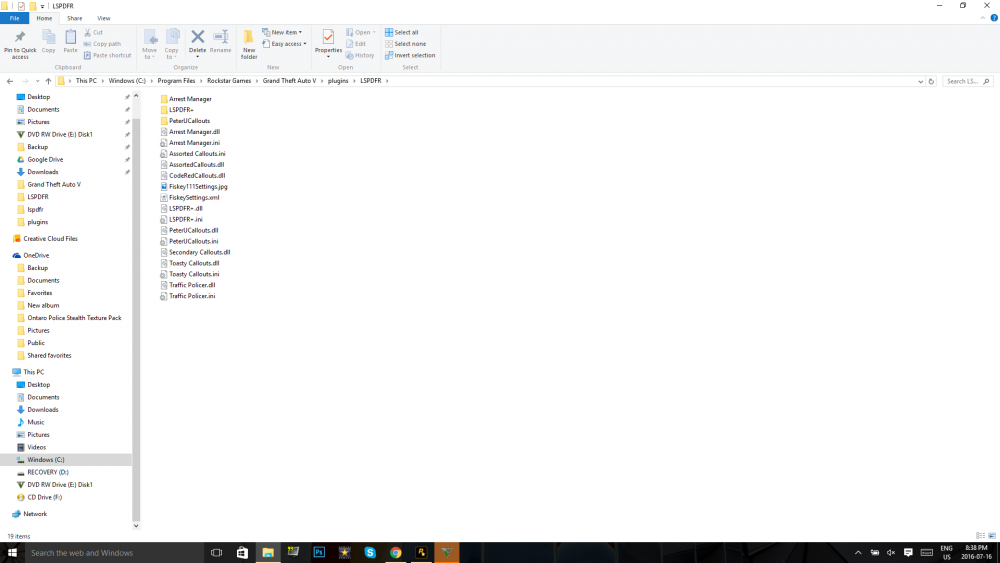
Hello so my friend and I recently downloaded Tinymp. When we try to connect to each others server its always say unable to establish connection to host dose anyone know why this happens and or how i can resolve itHello so I have been having a issue where my game kept crashing on startup. It always crashes just when LSPDFR is about to load through the RPH startup. Sometimes its just freezes and other times it crashes with the standard error msg. I have tried re installing my game but its still happening I will post below screenshots please take a look thanks
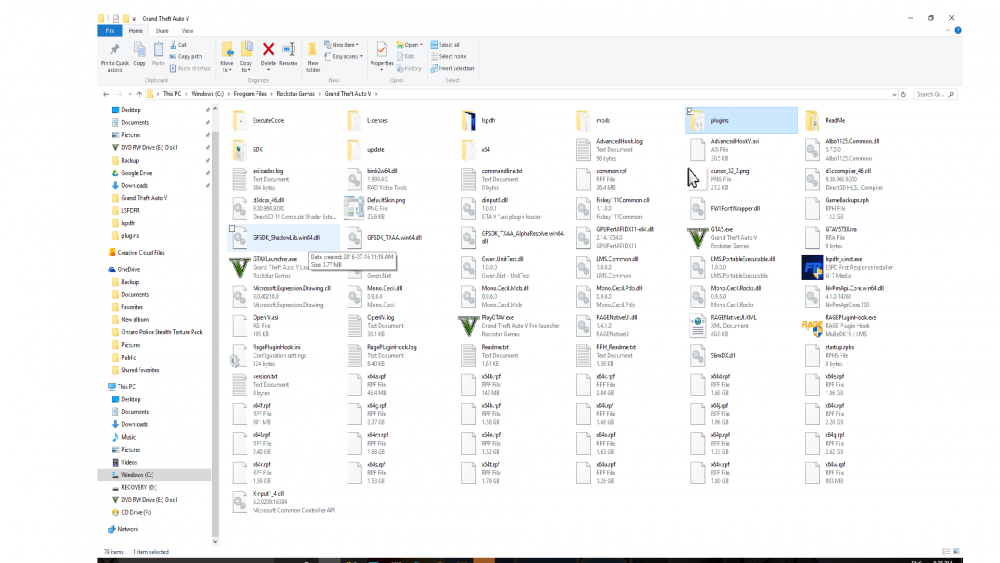 https://www.youtube.com/channel/UCjUiyAy9i5Aul44Mrg0YuWgHello so I posted this a few weeks back but no one was able to help. My gtav is installing without the "GTA5.exe" file and as you may know you need it to run open iv. If anyone could help me please comment belowcould you link me? & do u have zmodleris their a tutorial? and is zmodler free?So there is this car that i want to get in gta 5 its a gta 4 model. ik that there was a way to get gta san andreas car into gta 4. If anyone knows please comment belowkHello so I am having some issiues with my game when i try to download it. It always download without gta5.exe, all I want to do is to use open iv so i could play LSPDFR and make some youtube videos. If you could send it to me that would be awsome my email isno i am trying to use open iv so like i need GTA5.exeI have tried many times to reinstall it but with no luck
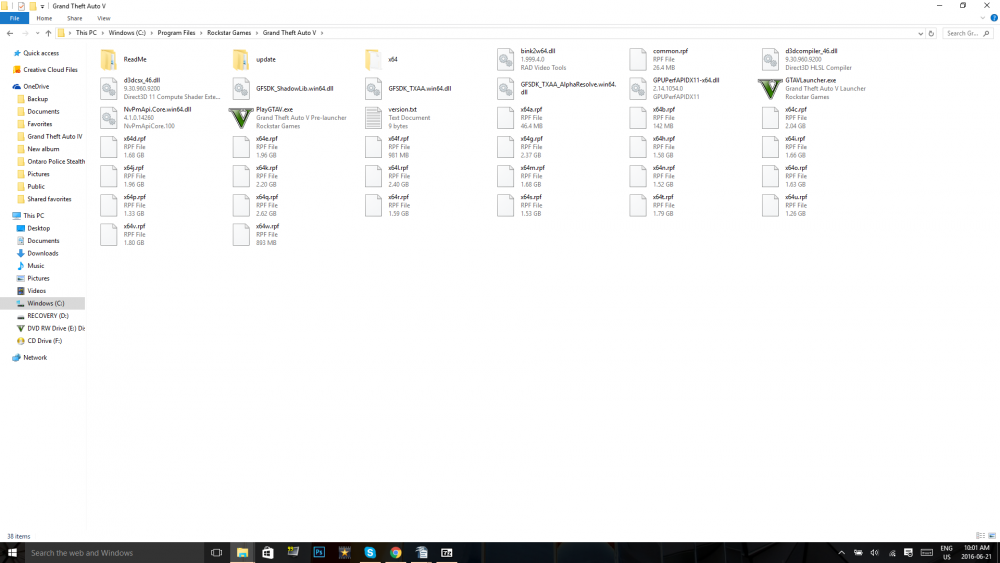 Hey so i dont know if anyone can help me on here but i have been having issues with my game which forced me to re-download my game and now when i try to download my game it keep downloading without GTA5.exe. I have contaced rockstar support but yet to get a response. If anyone could send me a copy of their GTA5.exe or help me resolve this it would be great.
Account
Navigation
Search
Configure browser push notifications
Chrome (Android)
- Tap the lock icon next to the address bar.
- Tap Permissions → Notifications.
- Adjust your preference.
Chrome (Desktop)
- Click the padlock icon in the address bar.
- Select Site settings.
- Find Notifications and adjust your preference.
Safari (iOS 16.4+)
- Ensure the site is installed via Add to Home Screen.
- Open Settings App → Notifications.
- Find your app name and adjust your preference.
Safari (macOS)
- Go to Safari → Preferences.
- Click the Websites tab.
- Select Notifications in the sidebar.
- Find this website and adjust your preference.
Edge (Android)
- Tap the lock icon next to the address bar.
- Tap Permissions.
- Find Notifications and adjust your preference.
Edge (Desktop)
- Click the padlock icon in the address bar.
- Click Permissions for this site.
- Find Notifications and adjust your preference.
Firefox (Android)
- Go to Settings → Site permissions.
- Tap Notifications.
- Find this site in the list and adjust your preference.
Firefox (Desktop)
- Open Firefox Settings.
- Search for Notifications.
- Find this site in the list and adjust your preference.



