




Screw4DarthVader
Members
-
Joined
-
Last visited
Everything posted by Screw4DarthVader
-
yes lspdfr and a few callouts but i just re installed my game and no difrencejust checked its unticked only one error and it was and "outdated police radio file" but in fact was the latest one downloadedI just reninstalled my game and no change RagePluginHook_13022017_153618.logSo i just re installed my gta 5 and now when i try to load the game up i get a endless loading screen. When I use the standard GTA 5 launcher my game works fine, when i use rph is when i run into the problem. I have no mods besides lspdfr downloaded. I had a mods folder but i removed it but issue prevailed . I will post a pic of my folder below .
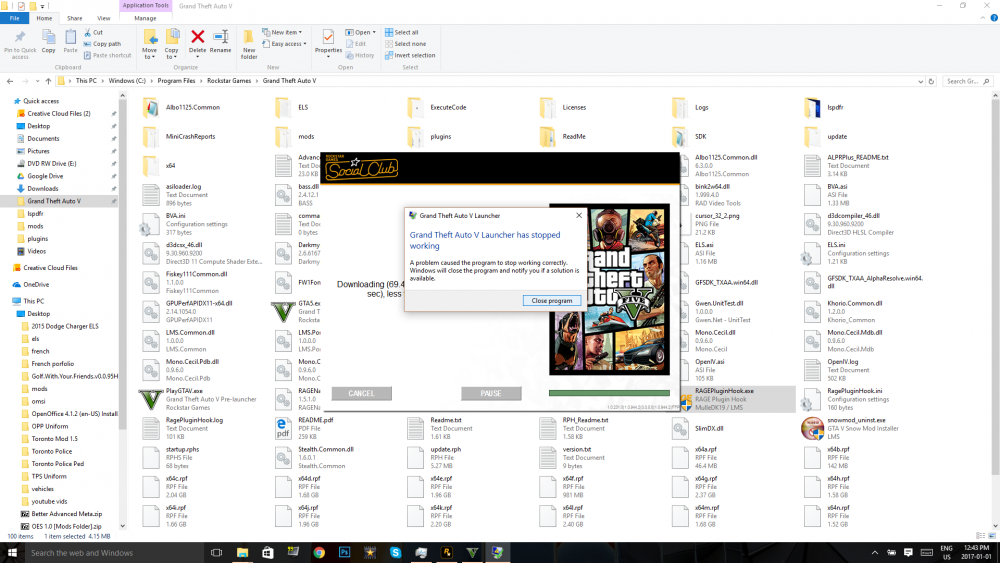
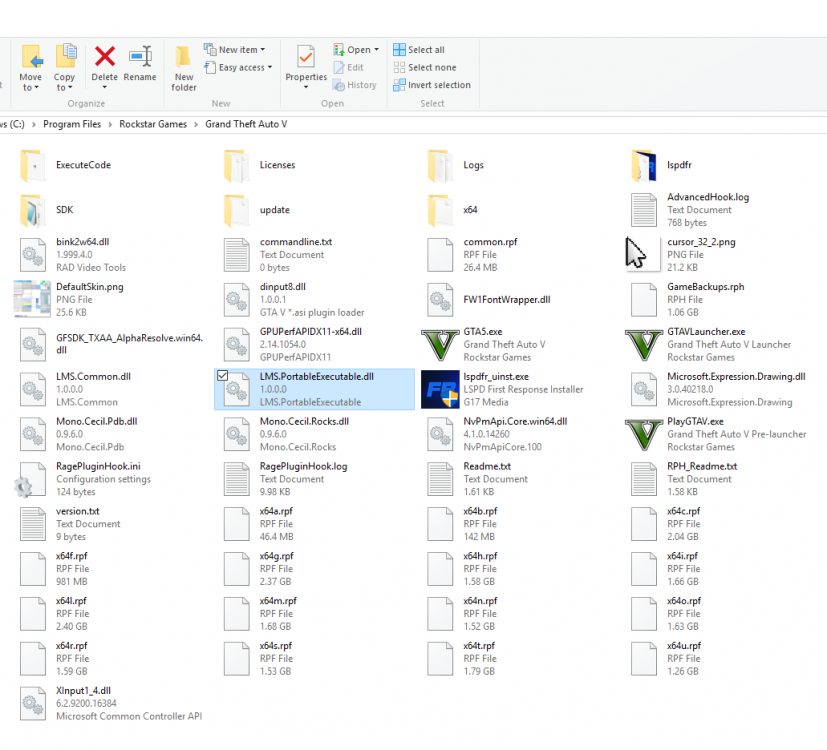 I made sure gta comes alive was not installed RagePluginHook_02022017_194133.logi just re installed lspfr and all my callouts but same issue is happening MiniCrashReport_636218250074182167.rcrmi looked in my plugins folder and can't find any GTA comes aliveRagePluginHook_31102016_190351.logWhenever I leave the Los Santos are (the city) into the more rural areas my game crashesi have tried removing the mods folder.....no differenceSo my game needs to update to the latest version and whenever it attempts to do so it give me an error message. I have the latest RPH and LSPDFR installed
 Yup same hereI am having the same problem I cant Bring up the ELS panel with " ctrl+p" and i have re installed both els and els cars
Account
Navigation
Search
Configure browser push notifications
Chrome (Android)
- Tap the lock icon next to the address bar.
- Tap Permissions → Notifications.
- Adjust your preference.
Chrome (Desktop)
- Click the padlock icon in the address bar.
- Select Site settings.
- Find Notifications and adjust your preference.
Safari (iOS 16.4+)
- Ensure the site is installed via Add to Home Screen.
- Open Settings App → Notifications.
- Find your app name and adjust your preference.
Safari (macOS)
- Go to Safari → Preferences.
- Click the Websites tab.
- Select Notifications in the sidebar.
- Find this website and adjust your preference.
Edge (Android)
- Tap the lock icon next to the address bar.
- Tap Permissions.
- Find Notifications and adjust your preference.
Edge (Desktop)
- Click the padlock icon in the address bar.
- Click Permissions for this site.
- Find Notifications and adjust your preference.
Firefox (Android)
- Go to Settings → Site permissions.
- Tap Notifications.
- Find this site in the list and adjust your preference.
Firefox (Desktop)
- Open Firefox Settings.
- Search for Notifications.
- Find this site in the list and adjust your preference.



