


Officer420
Members
-
Joined
-
Last visited
-
Officer420 changed their profile photo
-
I am just more curious then anything. I think it would really help with making the mod fell more real and just be a nice feature to have. From a technical stand point, how involved would it be?. Loving LSPDFR anyways tho. Thanks Sam, G17, and all the scripter's for all your hard work by the way!. You guys rock!.
-
 Just to be sure, this works with the latest gta 5 update right?. Has skin control been updated as well?. Just want to make sure all works. Great job Guys btw!.
- 2,353 comments
- 238 reviews
-
-
First off, Thank you G17,Sam and everyone who put their hard work and effort into lspdfr 3.0. It really shows a lot and i must say, you guys sure did make the wait worth it. From the new animation for arresting, to unlocking the police station, and everything else you did, which may it be improvements to existing system's to new system all together. You guys once again hit it out of the park and made a great mod even more sweet. I love it, thank you a ton! sincerely, A LSPDFR fan for life!
-
-
Hey Markadaliah, there is one model of this vehicle available currently. Just it does not look all that good.kinda low quality. Unfortunately, it's all we got for now. Hope that will do. Just go to the vehicle's mods section and look. I believe its the 2nd or 3rd page in. Not sure tho.
-
-
 Albo1125 , you are one very awesome modder!. I mean it. It's really amazing what you did. The prop placement, the scripting of a.i of the cops involved, and even the audio that you added yourself. I mean damm man, if my chin could actually hit the floor like in the cartoon's, it would have. Actually, probably would have gone threw the floor if that was possible. You rock!
- 1,081 comments
- 166 reviews
-
-

- 1
-
-
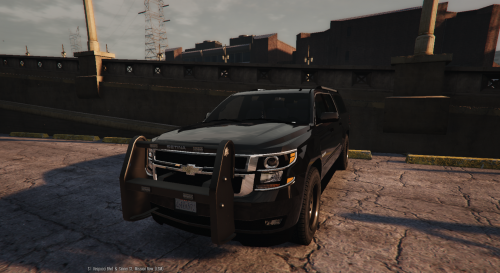 Hey POLICESCO, Great model, very nice. Just noticed a few things that could use touching up. Thought i let you know. 1.There are no collisions on the push bar. 2.Model's height in relation to the ground need adjusting(wheels clip threw it,but just a little bit) 3. suv still has much civilian trim on it(ex.chrome around windows,chrome tailgate panel,chrome roof-rack) other then these issues, the model looks great,play well too. Awesome job!
- 38 comments
- 21 reviews
-
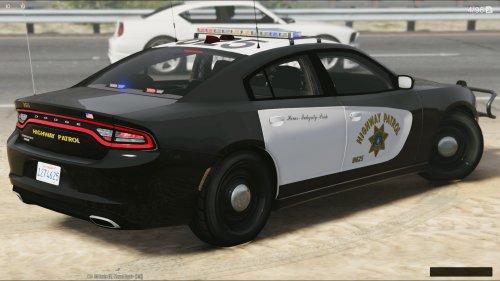 Great textures man. awesome!. One question tho, how did you get steel rims for this car in your pictures?. good thinking, great idea also. Would have never guessed.
 -
-
-
-
Albo1125 reacted to a review on a file:
Traffic Policer (Breathalyzer, Traffic Offences, Speed Detection & more)
-
 Just a note to the authors, the ram bar does not stay on the car, even with the meta provided. tried switching it out with sheriff2 to see if that would work, but still falls off. Great job on the model otherwise.
- 183 comments
- 38 reviews
-
 Awesome script. Very useful and quite frankly, consider it a must have for any lspdfr play. Great job Albo112!
- 3,646 comments
- 306 reviews
-
-
- 1
-
-
 Hey Kilyin, thanks for your help. I for sure thought I put the right text line in. Oh well, doesn't matters as what you provided does keep it on now. Thanks a ton!. Also, thanks CASHMONEY0986 for the vehicles meta anyways.
- 202 comments
- 51 reviews
-
As Cineous1 has said, i can confirm this as well. Modified the line and yet still comes off. Author, here is the META file i modified. Maybe you can tell me what is wrong. Did install the other files to the right directory, as per your instructions. vehicles.meta
- 202 comments
- 51 reviews
-
As alex said, readme's are what you want to look in. They are your best friend when you do this type of modding. It does take learning,but you will get it. I did.


