rukrim
Members
-
Joined
-
Last visited
Everything posted by rukrim
-
![Nothing to see [SUP/PILOT]](//s3-gallery.int-cdn.lcpdfrusercontent.com/monthly_2016_09/small.20160901184642_1.jpg.2716397ae9a54ad9ae62d1acfa77d6c5.jpg) Pilot jumping : ''Good bye passengers! Happy explosion''
Pilot jumping : ''Good bye passengers! Happy explosion'' -
-
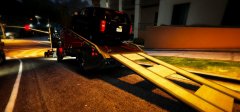
From the album: Gameplay random pics
i' ve been waiting for this mod and finally it is here: https://www.gta5-mods.com/vehicles/mtl-flatbed-tow-truck -
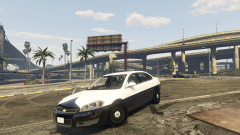 yeah...saving to png sometimes maakes black textures turn to dark green....and its like diuuuuu
 -
Just messing up with meshes replace method with openformat edition provided by openiv team. (As i couldnt have time to continue with my old projects with zmodeler3):
-
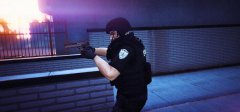
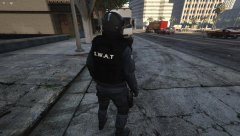
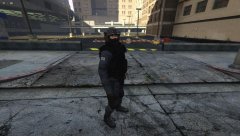
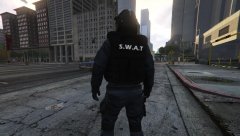
From the album: [CHARACTER][WIP] Fictional SWAT
-
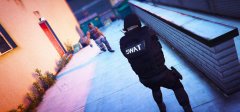
From the album: [CHARACTER][WIP] Fictional SWAT
-
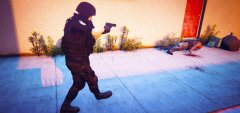
From the album: [CHARACTER][WIP] Fictional SWAT
-
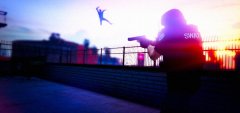
From the album: [CHARACTER][WIP] Fictional SWAT
-
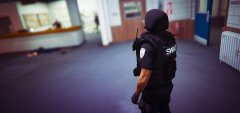
From the album: [CHARACTER][WIP] Fictional SWAT
-
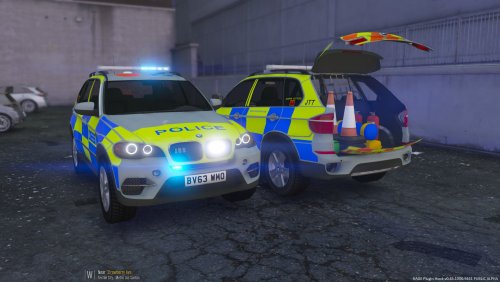 While testing some wip models I did for myself I found a strange issue as the one explained by you...in my case I solved it moving the lights meshes a bit further from the light bar off meshes....so I think this is a problem with the model itself and not a texture or a meta. It appears that while performing that problem whenever you accelerate the lights will be okey but when you stand still lights act bit weird.
- 14 comments
- 4 reviews
-
-

- 1
-
-
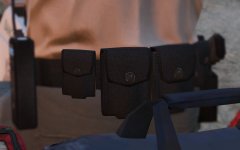 loving the textures!
 -
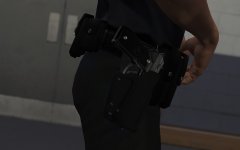 @Alex_Ashfold good work :D , is that a belt for normal peds or for mp?
 -
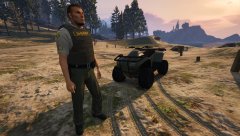
From the album: [WIP] ATV (Civilian/Hunting and Police Versions)
-Changed bumpers -New headlights made from scratch with zmodeler3(Angel eye light concept) -New brakelights made from scratch with zmodeler3 -New wheels converted Release date: not decided yet. i need to get organized with my life and finish fixing more things that are pending. Planned releases: - Civilian version - Hunting version with template support - Police version with template support - [DEV] model for public edition -
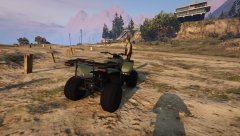
From the album: [WIP] ATV (Civilian/Hunting and Police Versions)
-Changed bumpers -New headlights made from scratch with zmodeler3(Angel eye light concept) -New brakelights made from scratch with zmodeler3 -New wheels converted Release date: not decided yet. i need to get organized with my life and finish fixing more things that are pending. Planned releases: - Civilian version - Hunting version with template support - Police version with template support - [DEV] model for public edition -
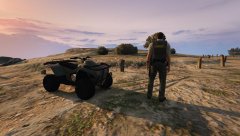
From the album: [WIP] ATV (Civilian/Hunting and Police Versions)
-Changed bumpers -New headlights made from scratch with zmodeler3(Angel eye light concept) -New brakelights made from scratch with zmodeler3 -New wheels converted Release date: not decided yet. i need to get organized with my life and finish fixing more things that are pending. Planned releases: - Civilian version - Hunting version with template support - Police version with template support - [DEV] model for public edition -
lol....i now know what you mean and what happened.....that method is called: HIDING CORONAS ...lol haha.....i used that method lately.....and yeah...siren meshes are below world/car....so you hardly see them in openiv.......that was the problem :D
-
every model in zmodeler3 has a hierarchy/list of parts, the same with openiv. So when you double click the yft file in openiv to see the preview at the left you have a list of the parts which you can select or deselect any of those and also see the siren meshes that were puttted on it.....so you can see every siren(number) that was chosen for that model.... that surprisees me.....i dont know any method to make them hide in openiv preview.....strange all private models i did for myself had no problem in openiv while seeing the siren meshes....
-
you can find the setup by looking at openiv model's preview and select and deselect the parts to find each of the siren with each name ....
-
British cars could have been edited with two possibilities that may be not letting you get it work. One is that they modified visualsettings to totally hide coronas. The other way was by hiding coronas by putting axis of each siren mesh below world in zmodeler3...I cant think of amother problem
-
-
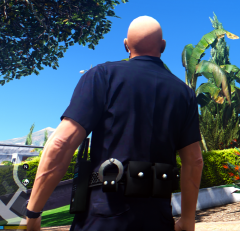 do you mean you need the original textures? , if yes, i will pm you and attach them...those should be in the z3d scene at textures browser anyway :)
 -
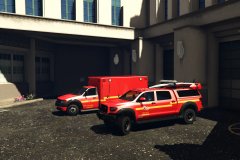 I love the model, keep it up . Which lightbar are you showing on the suv may i ask? vanilla one with grey tinted glass?
 -
Are you going to use the stuff I sent you or other from scratch ?
-
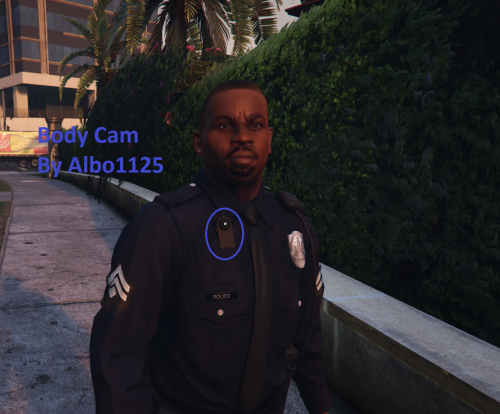 Are you going to add record feature? That would be a great addition and will be funny to see in a mp4. Or video file all the recording of the daily patrol. :) . Keep up the good mods albo.
- 45 comments
- 17 reviews

![Nothing to see [SUP/PILOT]](http://s3-gallery.int-cdn.lcpdfrusercontent.com/monthly_2016_09/small.20160901184642_1.jpg.2716397ae9a54ad9ae62d1acfa77d6c5.jpg)