
sargecommander
Members
-
Joined
-
Last visited
Everything posted by sargecommander
-
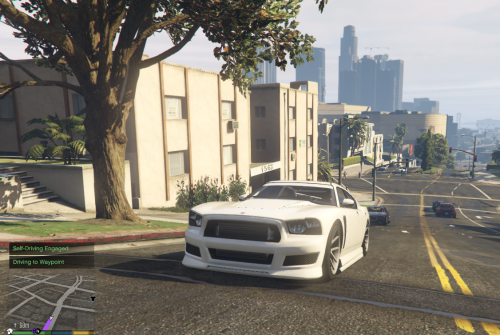 Sounds interesting, can you upload a video or link me to one that demonstrates this?
 -
-
 I don't know if you are familiar with the mod B.E.L (Better Emergency Lighting) but makes the corona size smaller or bigger on your preference. How will your mod effect with the corona size, since B.E.L is a carcols.ymt and your mod is a visualsettings.dat? (Here's B.E.L in case you're wondering what I'm talking about.)
- 7 comments
- 8 reviews
-
.thumb.jpg.bfad1c193dd40b9d539eefd7c5187a5a.jpg) Why make it an OpenIV package installer? I don't use most of your cars because I have no idea what the package changed, where it installed the car, etc. Why not include a package installer AND the car files.
Why make it an OpenIV package installer? I don't use most of your cars because I have no idea what the package changed, where it installed the car, etc. Why not include a package installer AND the car files.- 157 comments
- 46 reviews
-
-
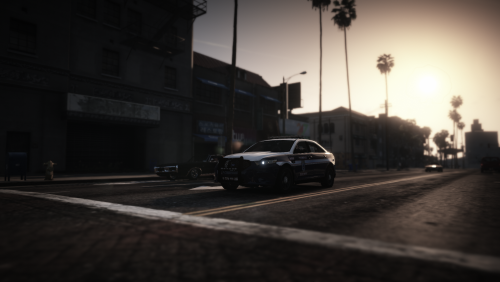 I (Living in Fairfax county) love this, and I hope that eventually you do come around to release the other skins. Very accurate
 -
 Where exactly are the carvariations.meta? (meant to be plural) I know of the main one in mpchristmas2, but where are the rest for the other police vehicles?
- 110 comments
- 23 reviews
-
-
-
In the previous version, you didn't use a package installer, can you include a manual install file too?
- 157 comments
- 46 reviews
-
-
Dude! I've downloaded so many models so that the skins will work. Why don't you link the models?
- 20 comments
- 5 reviews
-
I installed the texture pack below and used most of the models from it (except the Explorer, I used Bugs). When I load into GTA and exit the police station, I am stuck in-front of the police station door on the outside. It doesn't take me through the car selection part. So I spawn a car so I can move, and the map has trouble loading. Any solutions?
-
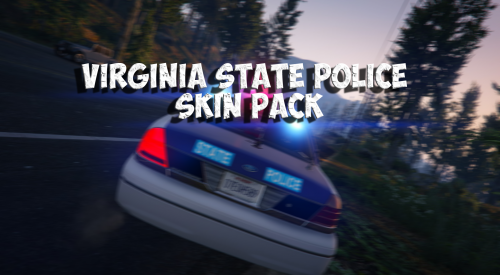
 I LOVE THIS CAR!!!! I'm from Virginia, which pretty much has all their police cars using all blue lights, and the fact that this model doesn't have an issue with showing the red of the original lights, is AMAZING. I'm going to use this a lot, I just need skin packs to update to include this amazing model! You have done an amazing job with this model! ;)
- 112 comments
- 36 reviews
-
 He tried as you can see, the lightbars are blue glass, but currently you can't mod the color of the light, or at least effectively. Also you have the taurus being all gray, there is blue in the middle like the CVPI. Can't wait for the tahoe skin
- 14 comments
- 2 reviews
-
I'm going to use this because I am from VA, but hopefully you will add the tahoe skin pretty soon?
- 14 comments
- 2 reviews
-
-
-
I have no clue, I decided to try again and got in. It later crashed from a callout and it's not letting me back in, so I'm trying to solve it again.
-
FIXED THE PROBLEM DON'T WASTE YOUR TIME
-
Will do, I'll edit this to tell you the answer, so check this one after a couple of minutes. NVM just look at this. It does work, I disabled Vehicle search, thanks for the help man!
-
OK, thanks I will put them in a spoiler. But to your question, no I do not use RDE, the only thing i have different than before is the new Siderunner's Tahoe.
-
I updated LSPDFR, RAGEPluginHook, and all plugins that were updated, and I put in car models that I used before the update. Now, my game always crash right before I load in (The part where it has the plguins loaded and things like that) Here is my crash log if you would like it, and thanks for the help:
-
 Ok will do
 -
Very cool cvpi, Could I get a link to this? Is it compatible with skins that are meant for buggs' and virzza's models?


.thumb.jpg.bfad1c193dd40b9d539eefd7c5187a5a.jpg)

.thumb.jpg.6c80ecc7060134b39a0d153a8d09ac1f.jpg)