
Skip to content
View in the app

A better way to browse. Learn more.

LCPDFR.com

A full-screen app on your home screen with push notifications, badges and more.

To install this app on iOS and iPadOS
  1. Tap the Share icon in Safari
  2. Scroll the menu and tap Add to Home Screen.
  3. Tap Add in the top-right corner.
To install this app on Android
  1. Tap the 3-dot menu (⋮) in the top-right corner of the browser.
  2. Tap Add to Home screen or Install app.
  3. Confirm by tapping Install.
Due to overzealous filtering on Microsoft’s side, some emails to Outlook and Hotmail addresses may not be delivered. If you’re affected, please use a different email address or try again later.

Kae

Members
  • Joined

  • Last visited

Everything posted by Kae

  1. I don't know why it would be the game version as I'm running fine on 1011. Go to your root GTA V directory and right click GTAV.exe. Click properties and click the details tab. Send a picture of the whole tab.
  2. Well, if it's crashing a specific place with no mods at all other than Simple Trainer, the only thing I can really suggest is to reinstall the game.
  3. Can you please upload your RAGEPluginHook.log file in your root GTA V directory please? I may be able to help you if I can figure out why the game is crashing.
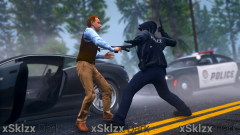
  4. Images added to a gallery album owned by Kae in GTA V Galleries
    An album for all my LSPDFR screenshots while on patrol.

Account

Navigation

Search

Search

Configure browser push notifications

Chrome (Android)
  1. Tap the lock icon next to the address bar.
  2. Tap Permissions → Notifications.
  3. Adjust your preference.
Chrome (Desktop)
  1. Click the padlock icon in the address bar.
  2. Select Site settings.
  3. Find Notifications and adjust your preference.