


JACK
Members
-
Joined
-
Last visited
Everything posted by JACK
-
CTRL+P force'es it on duty, and when it turns blurry that only happens when you try and do this on multiplayer.
-
oooo I wonder what new things will be in V.3, have you thought of adding a auto cam, for instance like press ALT D to turn on ( like normal ) the things look normal like usual ( I mean the unit number and all the other stuff that pops up ) and say you just have a dash cam view and you don't want the white circle thing to come on. So ur on patrol ( with dash cam and dash cam on ) and a guy behind you is speeding really fast but slows down when he gets near you like usual. Well you could add something like it automaticly detects if he's speeding from like 100 feet away or so, and when it detects he's speeding it comes up with say 65 MPH flashing red. That would be cool than having to manually do it with alt R.Then again it isnt my mod it's just a suggestion :)
-
Thats an idea, but I think just making the screen blur out and making the car dissapear would be easier.
-
You maybe saw the one that he found? Edit: I found the one u found and its just the car not the actual mod.
-
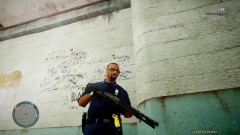 I like the glasses and the shotgun.
 -
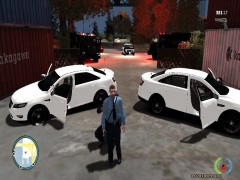
From the album: LCPDFR ( GTAIV ) Police action pictures
Shootout ended up with many dead but with cleaver cordination and a good plan none of my men were injured :) It was funny how the noose officer behind me was peaking around my leg.© JACK
-
This album has police action like deadly shootings, close calls etc.
-
Shootout In Charge Island
-
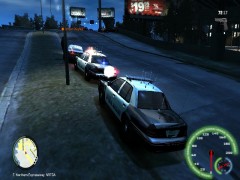 Online Roleplay, Traffic Stop with nice ENB
-
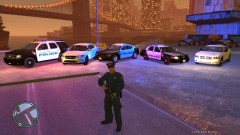 BS Emergency Services
-
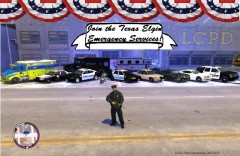 BaySideRoleplay - Join Us today!
-
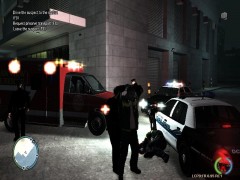 GTAIV:Ambulance driver kills his partner.
-
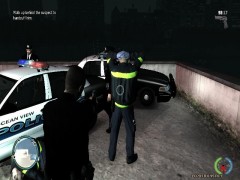 GTAIV:Ambulance driver kills his partner.
-
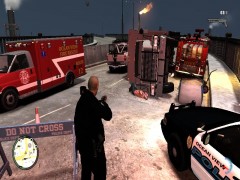 Deadly Pursuit ( All Emergency Response here. )
-
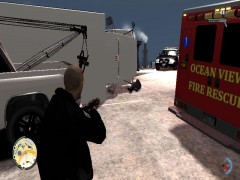 Deadly Pursuit ( What happends when you run from the police )
-
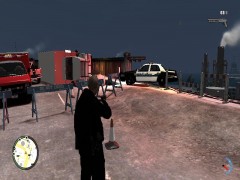 Deadly pursuit ( my car and the suspects car. )
-
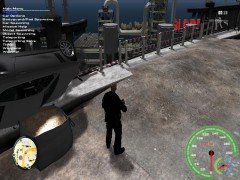 Deadly pursuit ( almost in the river )
-
-
From the album: LCPDFR ( GTAIV ) Police action pictures
I love how everything looks at night with ENB settings. Another officer that was at a traffic stop needed another unit due to a expired Liscense and A warrent for his arrest. So I responded Code 2 to the seen and was standing by.© JACK
-
From the album: LCPDFR ( GTAIV ) Police action pictures
Our Emergency Services vehicles. This is IMGV.2. Wanna join us, go to my profile and look at were it says about me, then look at the bottom and you will find the link to the website. Fill out an application, Go on teamspeak, and ur done!© JACK
-
politics, and rumors is what facebook is about ha ha.
-
When I put in the new lcpdfr RC2-R2, it would make the sound then cut off, I dont know if its just me or something but I'll look into it later on.
-
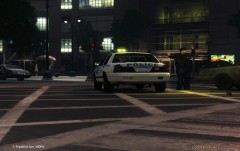 How did you get the officer in the back ground to that kind of animation? Interesting see by the way.
 -
I have been testing it and it has a problem with the new lcpdfr for some reason, it makes the sound then it stops then i shoot it again and it fixes its self, its good so far, I would suggest may be making it a little longer it Beta 2 then i'll see how it works, but other than that I think its going great so far!
-
Well if gta V even comes out for computer, thats the problem. I would believe that since in the video that was released from rockstar and all the new objects in it, ( dogs, cars, ets ) that the lcpdfr would have to be rebuilt Completely because it would be a pain trying to recode everything. Also it would probly be unlikely for G17 to stop making lcpdfr for gta iv just because its a great game. But till the game actually comes out and is disected to see if thats all possible, no one can really cant say anything.
-
From the album: LCPDFR ( GTAIV ) Police action pictures
Join the elgin emergency services today! apply on the website to get started. http://major-gaming.com/topic/595-bsves-applications/#entry2067© JACK
-
-
-
CLOSED, TOPIC NO LONGER EXISTS, MOVE TO THE NEXT TOPIC.
-
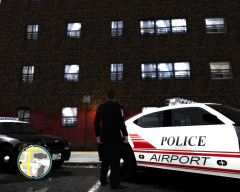 You make the skins? if so their nice :)
 -
unfortunately your right.
-
aaah, full editor. And maybe its to bright for it ( lol jk ) but I guess internet explorer failed to load the page correctly. Thanks :) @ molten : IE used to be the top browser . But I have found that safari works ok too. Firefox took a long time to load for me for some reason. +1 :)
-
The things highlighted in red explains what I see. http://imageshack.us...3105071391.png/ I ment Few* in the title, when ur tired you cant see well :biggrin:
-
in other words it would eventually make ur game crash like 10 minuites after its on. Go ahead and try and make one tho if you want...
-
would be interesting, but els would always have to be on.
-
Merry Christmas to you guys to! Glad you enjoyed it, 3 damn weeks of picking out hours of video parts then converting it into under 2 minuites is alot of work ha ha.


