Skip to content
View in the app

A better way to browse. Learn more.

LCPDFR.com

A full-screen app on your home screen with push notifications, badges and more.

To install this app on iOS and iPadOS
  1. Tap the Share icon in Safari
  2. Scroll the menu and tap Add to Home Screen.
  3. Tap Add in the top-right corner.
To install this app on Android
  1. Tap the 3-dot menu (⋮) in the top-right corner of the browser.
  2. Tap Add to Home screen or Install app.
  3. Confirm by tapping Install.

jerry.m

Members
  • Joined

  • Last visited

Everything posted by jerry.m

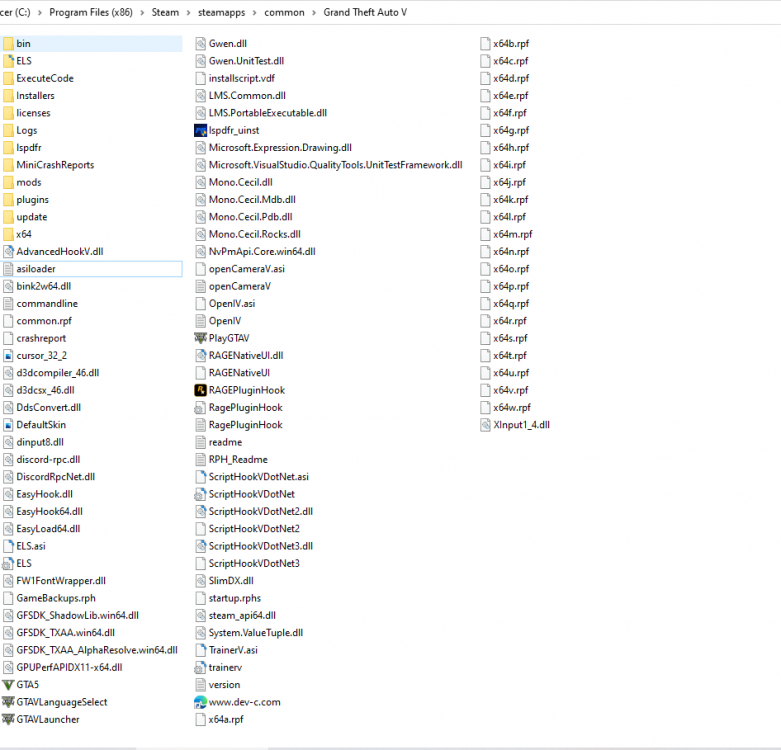
  1. Hi, So after the update, I reinstalled the game and made sure everything is up to date, but ELS and my simple trainer is not loading. I'm not sure why. I even went into Open IV, uninstalled the ASI's and re-installed, restarted the computer but nope, doesn't work. Any suggestions would help..here's the my asi log and screenshot of directory.
  2. Is there a way to make it replace both Sheriff, instead of just two? That may my theme matches.
  3. where did you get the texture for the model? its a nice jacket

Account

Navigation

Search

Search

Configure browser push notifications

Chrome (Android)
  1. Tap the lock icon next to the address bar.
  2. Tap Permissions → Notifications.
  3. Adjust your preference.
Chrome (Desktop)
  1. Click the padlock icon in the address bar.
  2. Select Site settings.
  3. Find Notifications and adjust your preference.