
moncool17
-
Joined
Everything posted by moncool17
-
I like it! Computer could use an upgrade, but the frame rate is tolerable. Your microphone audio is a little too quiet, but everything else seems fine. Good luck with your channel, I like it and I hope others do too
-
Did you properly uninstall everything when you tried installing the second time? And do you get a script error, a crash, or just nothing happens? Try deleting all the LCPDFR files and then try installing LCPDFR 1.1 using the automatic installer. Make sure that you don't check both DSOUND and XLIVELESS ASI loaders. Only check one of those (I recommend checking DSOUND). Tell me if that works, I hope it helped
-
Alright, let's run through the list: 1) Make sure you have Alexander Blade's ScriptHook installed and running properly 2) Make sure that LUA.asi (Or whatever the name of that file is) is in your GTA 5 directory. Not the scripts folder, just the Grand Theft Auto V folder 3) Make sure that your LUA mods are in the addins folder in your scripts folder. Anywhere else and they don't work 4) Make sure the files were not edited in any way. The slightest edit and the whole script could be ruined 5) Make sure the files are not "read only". If they are, then they cannot be used. Make sure that "read only" is off for all your LUA files 6) Are you using a mod manager? Some of those programs mess with LUA and don't let it work right 7) If all else fails, reinstall it I don't think you missing any Microsoft application that handles LUA, especially not a C++ redistributable. If you were missing a Microsoft application, then Steam would've downloaded it upon first start-up. Tell me if any of this works, I hope it helps
-
ScriptHookDotNet handles .dll's in the scripts folder in the GTA 5 directory. Police Mod is an .asi which is handled by Alexander Blades ScriptHook. I don't think ScriptHookDotNet is necessary for Police Mod
-
Alexander Blades script hook is safe, that's for sure. Open Interiors looks safe, it was inspected and is said to be clean
-
Agreed. I would kill to be a tester. Hell, I'd commit all the crimes in the world for another screenshot. *Wink wink* *Nudge nudge*. (Coodos if you get that reference) P.S. Try clearing you browser cache for better loading times
-
Man, it's going to feel like heaven when LSPDFR is released. Pray for the servers when that happens, I foresee website crashes
-
Oh, then I like that idea. All the developers have to do is put a bike in the vehicle selection part of going on duty. Maybe a cop biker model, but that's not really necessary. No harm in adding this, would do nicely for roleplaying
-
I guess there could be bike only callouts and whatnot, but that seems a little too much work. And you can always just spawn a bike and turn off callouts if need be
-
Dunno about bikes... Way too slow to be fun. Would love to see dogs though
-
It isn't a port, but it has one. That's what I meant
-
Well, one of the biggest thing is the port. GTA 5's port is far better than GTA 4's. That allows for things like the RAGE plugin. Mods will be better than ever
-
I'm thinking of the one where you hold caps lock and get a mini menu and then just select "evacuate area". I think the result is a yellow circle where pedestrians won't go into. I think we're thinking of the same thing :P
-
Could've sworn I've heard you say that before... Wait I know I did. Anyhow, this'll probably be a feature since it was in LCPDFR. No guarantees though
-
Huh, never heard of overclocking a phone. Not really necessary. Anyhow, the processor isn't your issue if you can view other websites just fine. Check your browser/internet settings on your phone. Allow cookies and JavaScript. Honestly though, I don't know if I can help you. I don't know what precisely is wrong, so I don't know how to help. Sorry
-
Gotcha covered
-
Both those speeds are fine for any website, so your connection isn't an issue. To be honest, I don't really know what else could be wrong. Web surfing doesn't require a lot of hardware, and your internet speed is just fine. I suspect something wrong involving your internet browser, but I don't really know what part
-
Oh, sorry. Misread that last post :P
-
That's probably just a bug with Police Mod 1.0c. Since that version is quite unstable, I suggest using Police Mod 1.0b as it is more stable
-
Ok, try this: Go into the game's files. Double click "GTAVLauncher". If that doesn't work, double click GTA5. I'm not completley sure if that'll work, as I use the steam version
-
Yes, my biggest thanks to those who lost their lives for us. Those men and women are so brave, and I have the utmost respect for them.
-
Oops As I said, other devices could be using your internet which means you don't get the full 1 MB/s. Some devices use the internet without you even knowing it .
-
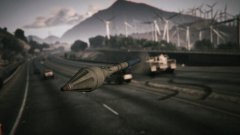 It could be the tank shooting at the player, as the tank's shells are the RPG rocket models
 -
Weird internet connection. Never seen one so slow. Or one that has a faster upload speed than download speed. Regardless, I can practically guarantee that you aren't loading these pages perfectly. The pictures at the top of the page alone are hundreds of kilobytes, and since there are several of them it'll take you minutes just to load that part of the page P.S. Might want to hide that IP in the bottom left
-
Ah, we've found the culprit. Your internet speed is... how do I say this... slower than a stoned turtle (No offense). Not to mention that other devices could be using your internet so you're probably not even getting 1Mb/s on your device. And if your using a phone, then try clearing all background applications to clear up some RAM. But my biggest suggestion is to upgrade your internet