




Alex_Ashfold
-
Joined
-
Last visited
Everything posted by Alex_Ashfold
-
Just go ahead and install the oiv will uninstall previous version for you.
-
If you use Search Warrant or any other plugin that uses a pause menu, replace the RAGENativeUI.dll in your GTA folder with version 1.6.1 which can be found here https://github.com/alexguirre/RAGENativeUI/releases That way you'll be able to use the menu and Search Warrant without issues.
-
-
 no it won't it only modifiy ne neccesary file for EUP to work accordingly
- 2,349 comments
- 238 reviews
-
Previous versions of EUP us the DLC method now we use something different from the original path. Simply use the auto installer I gurantee you it will both uninstall previous old install and install you the newest one.
- 2,349 comments
- 238 reviews
-
 EUP - Serve & Rescue is an addition to the regular EUP apparel that contains a plethora of outfits for the various non-LEO agencies of San Andreas. Extinguish fires with your turnout gear, save lives with an EMT uniform, or do some contract work with a construction outfit. You don't have to fight crime to be a hero. REQUIREMENTS If you were you were looking for the latest version of EUP S&R (2.2) and wish to support our work click the button down below: This mod is a free mod, the beta versions of EUP accessible only through our patreon page, is a tool for us to support the development of the mod and create a platform to interact with the community, 5 years later this mod became my main ''job'' and source of income, thanks to all the fans and supporters. Which means more quality and enhancements, since I can allow all my time to it and invest money into assets and programs. The public version is still important to us and will receive updates, which is made possible by our membership system, during beta stages of EUP For General discussions, beta registration, support, images contest and more follow join our Discord Server: Need help? Is something went wrong? Not sure how to proceed? Leave the comments and reviews alone, we don't really monitor them. Follow the link to EUP Discord for help or comments
- 80 comments
- 28 reviews
-
-

-

- 120
-
-
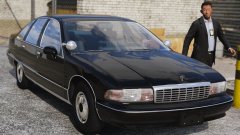 Leaked dickpic :^)
 -
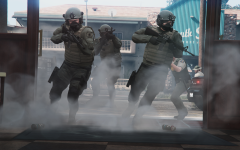
From the album: Emergency Uniforms Pack WIPs
© Eup Team
-
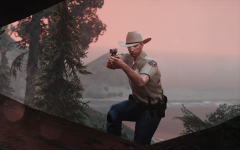 that was kinda the goal, thanks
 -
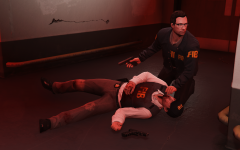
From the album: Emergency Uniforms Pack WIPs
© EUP Team
-
 All the salute anims are incorrect :|
 -
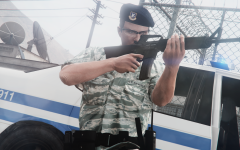
From the album: Emergency Uniforms Pack WIPs
© EUP Team
-
From the album: Emergency Uniforms Pack WIPs
© EUP Team
-
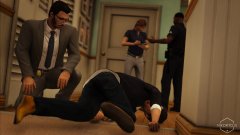
From the album: Emergency Uniforms Pack WIPs
© EUP Team
-
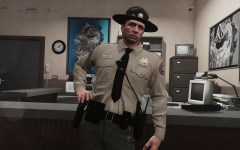
From the album: Emergency Uniforms Pack WIPs
© EUP Team
-
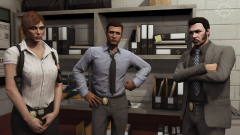 EUP next update is nothing like the content you know in the current public version. So don't worry about those things.
 -
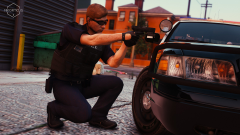
From the album: Emergency Uniforms Pack WIPs
© EUP Team
-
From the album: Emergency Uniforms Pack WIPs
© EUP Team
-
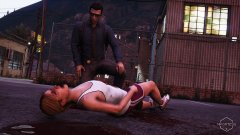
From the album: Emergency Uniforms Pack WIPs
© EUP Team
-

From the album: Emergency Uniforms Pack WIPs
© EUP Team
-
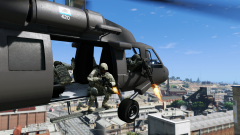 I'm just here for the dank title
 -
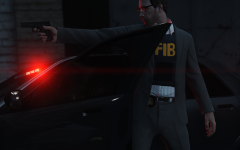 Actually, I was just lazy af
 -
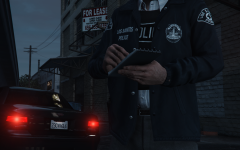
From the album: Emergency Uniforms Pack WIPs
© EUP Team
-
From the album: Emergency Uniforms Pack WIPs
© EUP Team
-
Oh ok I guess I missread this, I would have time for liveries but with RDE Peds modifications and EUP it would be a bit much for me. Anyway looking forward for you project.


