Alex_Ashfold
Insiders
-
Joined
-
Last visited
Everything posted by Alex_Ashfold
-

From the album: Emergency Uniforms Pack WIPs
© EUP Team
-

From the album: Emergency Uniforms Pack WIPs
© EUP Team
-

From the album: Emergency Uniforms Pack WIPs
© EUP Team
-
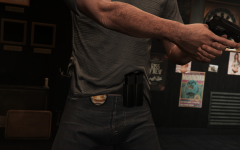
From the album: Emergency Uniforms Pack WIPs
© EUP Team
-

From the album: Emergency Uniforms Pack WIPs
© EUP Team
-

From the album: Emergency Uniforms Pack WIPs
© EUP Team
-
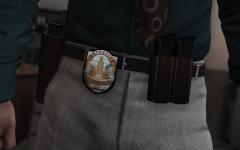
From the album: Emergency Uniforms Pack WIPs
© EUP Team
-

From the album: Emergency Uniforms Pack WIPs
© EUP Team
-
-
-
 with functional holsters with cop holster
 -
From the album: Emergency Uniforms Pack WIPs
© EUP Team
-

From the album: Emergency Uniforms Pack WIPs
© EUP Team
-
 . Until we start ymt editing the first version will looks like this:
 -
I think we all saw that one even on PS3
-
I'm really not sure, I used to have a cleaner trevor mod, maybe it's still in there, I haven't noticed but I did change his hair to fix his baldness.
-
From the album: Emergency Uniforms Pack WIPs
© EUP Team
-
 It's already been covered. you'll find one in the mask category item 12. There will yes. Already being considered but thanks for your feedback. but a separate leg holster, don't think so.
- 2,346 comments
- 236 reviews
-
 like ur dad
 -
-
Next version of RDE will be 100% compatible. If the readme says to put in update/update.rpf>x64>eup then that means this is where it goes, like I wrote in the readme and the mod page the installation location changed. So there is no ''error'' it's all normal. Please follow the instructions accordingly.
-
Just go ahead and install the oiv will uninstall previous version for you.
-
If you use Search Warrant or any other plugin that uses a pause menu, replace the RAGENativeUI.dll in your GTA folder with version 1.6.1 which can be found here https://github.com/alexguirre/RAGENativeUI/releases That way you'll be able to use the menu and Search Warrant without issues.
-
-
no it won't it only modifiy ne neccesary file for EUP to work accordingly
- 2,346 comments
- 236 reviews