




Alex_Ashfold
Insiders
-
Joined
-
Last visited
Everything posted by Alex_Ashfold
-
 ''Looks like we are going to have to do this the hard way!''
 -
-
 Sure I will spend the whole night, even though I work tomorrow, to whip @AlexBraun and @PierGud until they get done with the attachments script so I can include the models and release it tomorrow, just for you ;)
- 2,346 comments
- 236 reviews
-
-

- 4
-
-
Considered ''cool'' then. Gosh Definition of cool: Something considered unique and excluded from a trend movement. I say your interest in MP models decreased due to the popularity of his use as a model for LSPDFR, compared to when it was more unique than using s_m_y_cop_01.
-
Lundy be like: Was using MP models and uniforms before it was cool.
-
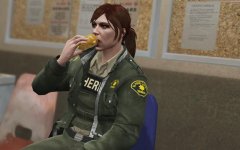 Well thank you a_m_y_rudeweeabo_01
 -
Glad to hear men!
-
xD
-

From the album: Emergency Uniforms Pack WIPs
© EUP Team
-
From the album: Emergency Uniforms Pack WIPs
© EUP Team
-

From the album: Emergency Uniforms Pack WIPs
© EUP Team
-
 I posted my comment before ,adding the second pic, i thought it was obvious that it was a girl.
 -
Bruh look closely at the picture
-
 I don't know, eventually, next version maybe yes or maybe the other version after. Hard to tell since it's totally a different process to obtain the item and requires scripting.
 -
It's normal this hat mdel wasn't released in any public version of EUP
-
Yeah I know which one are we talking about, what's the problem about it?
-
can you fully rephrase your sentence?
-
Sorry i don't understand what you mean
-
From the album: Emergency Uniforms Pack WIPs
© EUP Team
-

From the album: Emergency Uniforms Pack WIPs
© EUP Team
-
From the album: Emergency Uniforms Pack WIPs
© EUP Team
-
![Show Yourself! [WIP]](//s3-gallery.int-cdn.lcpdfrusercontent.com/monthly_2016_07/small.20160731014712_1.jpg.2d7b986a9ab9f059e2f3f3f76e7b7ae2.jpg)
From the album: Emergency Uniforms Pack WIPs
© EUP Team
-
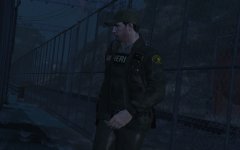
From the album: Emergency Uniforms Pack WIPs
© EUP Team
-
Some single player imported items are not compatible with MP items, make sure you are wearing a single player top with your specific acc or armor item.
-
Done thanks!

![Show Yourself! [WIP]](http://s3-gallery.int-cdn.lcpdfrusercontent.com/monthly_2016_07/small.20160731014712_1.jpg.2d7b986a9ab9f059e2f3f3f76e7b7ae2.jpg)
