


JebronLames
Members
-
Joined
-
Last visited
Everything posted by JebronLames
-
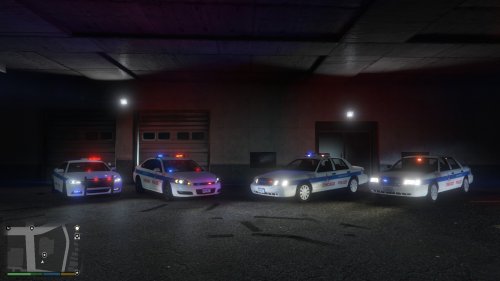 Great from the looks of it. Chicago PD has the best decals and designs in my opinion.
- 5 comments
- 4 reviews
-
-

- 1
-
-
Am getting same issue, bump.
-
Great idea! Bump.
-
Hi, I get this weird issue, I'm playing on a laptop and whenever I pause then close my laptop and open it back up to resume playing; I have no ingame audio. Any causes? Fixes? Thanks
-
Agree 100 percent. Too many times have I started a foot chase then when I finally catch up to the suspect I end up with a one-hit KO with the baton and then I have to call the coroner.
-
Hi, I' m trying to install the new update, but two files: Rage Plugin Hook launcher and LMS.portableexecutable.dll can't be copied into my root directory. I get a popup that says I need to replace with administrator, but then it denies it and says try again but it never copies the files in. What's up? Thanks for the help in advance! If this is a noob issue that I should know the answer to, please don't castrate me too badly. Forgot to mention, I tried to launch LSPDFR without updating the other files and I got this crashlog:
-
Ragehook plugin has just been updated to .25 support the latest patch, just want to let y'all know who don't follow RHP on twitter. Have fun!
-
Recommendation: On the DHS interceptor, make the U.S. Customs and Border Protection text parallel with the lower body side molding. Other than that, looks great. Can't wait to see it finished!
-
Looks awesome! Will definitely be downloading when released and RAGE Hook is patched! Keep up the good work!
-
Update- fixed the issue by uninstalling my Intel GPU drivers and getting the game to register my Nvidia. Reinstalled GTA 5 and voilla- it was silky smooth. Currently running on GeForce optimized settings and its fine. Thanks for all of the support!
-
Agree completely. Bump.
-
Thanks, my laptop is on high-performance mode, but for some reason I can't get Nvidia control panel to open to make sure I am not using the integrated graphic card, any ideas on why that is?
-
Hi, I just downloaded GTA V yesterday, and my FPS is all over the place. It seems completely random as well, at times it is is at 60 and others it is at 15, the average seems to be about 20-25 FPS. I've turned V-sync off, have AA on FXAA and am running medium-high settings. Note: I did try to optimize using GeForce Experience, but my framerate was just as bad. Specs: GTX 860m (2gb) 4Core Intel i7 Haswell @2.4 GhZ 16gb RAM Thanks.
-
Hi all, first post here. I was wondering if my laptop would be able to run GTA V. Specs: Lenovo Y50 GeForce GTX 860m Intel i7 quadcore haswell @ 2.4ghz 16gb RAM Thanks for the feedback in advance.
