SCSDDeputy
Members
-
Joined
-
Last visited
Everything posted by SCSDDeputy
-
-
The Dispatch Program has been uploaded to a seperate website. So head to this link to get it: http://.com/forum/files/file/1-desktop-dispatching-program/ MODERATOR NOTICE Be warned that this is an .exe file, it could literally be anything from a virus to a dispatch program to spyware. We can't verify the integrity of external files and therefore, download is at your own risk EDIT: Fixed the picture sizes so you can actually see them now
-
if you have audacity then you can create your own tones using frequencies. that what i do
-
-
-
-
-
-
-
-
yes, you need to modify the handling line of the model... so if you imported the vehicle to police2, then you need to find the police2 line in the handling.dat and change the variables. look find the vehicle model and replace that handling line with one that will match the model that you imported
-
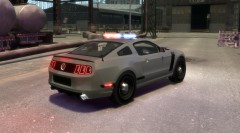 is this going to be released?
 -
ok, but when you imported it back into game did it have that same name?
-
when you did this part: Opened the paintjob.dds.png in photoshop- did it rename the file to that once you edited it in PS and saved it? basically was that the file name when you reimported it into spark?
-
He just gave you a link to an unlocked els fire truck
-
this is a link to some cvpi mirror lights http://gtapolicemods.com/downloads.php?do=file&id=2063
-
i just did it without problems, i cant attach the .wtd because im not permitted, PM me and ill send it to you
-
if im not mistaken, you actually have to rename the file police_sign_1 or what ever the model uses for the textures before you import it. if you use openiv then you have to highlight the file you want to change and select replace, and for that one you dont have to rename the texture
-
FlashDelaySP = 0 // Flash speed delay for ELS lights in SP (in milliseconds) / higher is slower
-
use the search bar on the top of the site and you will find this:
-
you spelled quiet wrong
-
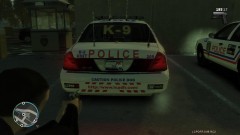 that car has alot of clutter on the back imo
 -
my guess is that you are missing the headlight texture, again, thats a guess
-
upgrading your ram or graphics card will help with the lag
-
i have no idea in paint.net. never used it