Cavasi
Members
-
Joined
-
Last visited
Everything posted by Cavasi
-
 Is the LML Download broken for anyone else? The download page loads and counts down but clicking to start the download doesn't even start it.
- 80 comments
- 28 reviews
-
Yep you're absolutely right. I had to create a replace folder WITHIN the directory I created. Wish that was a bit clearer in the wiki! Thanks.
-
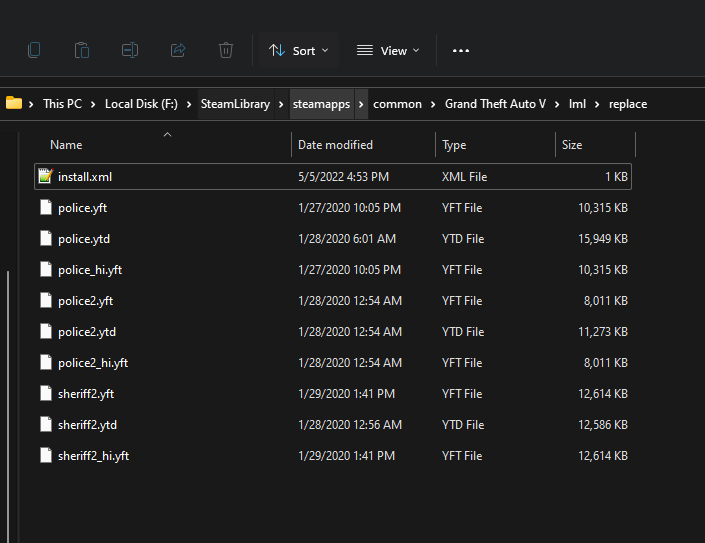
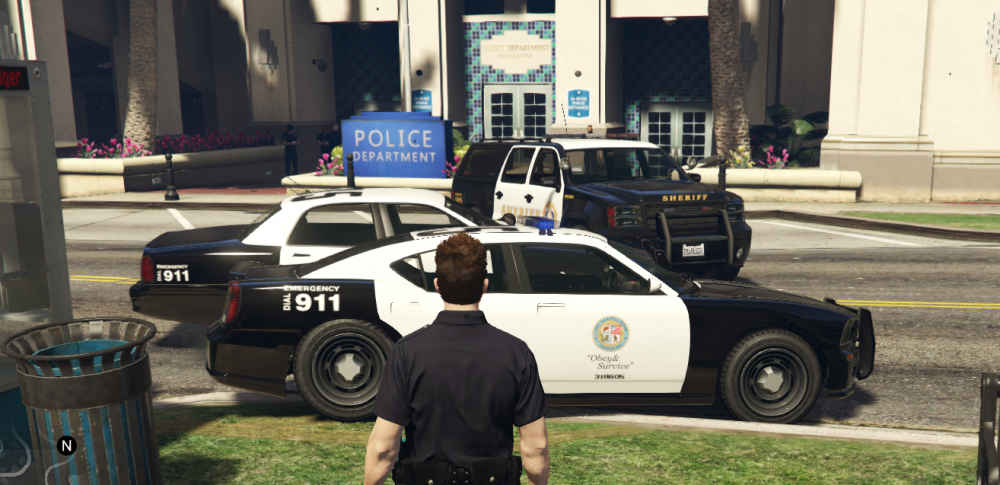
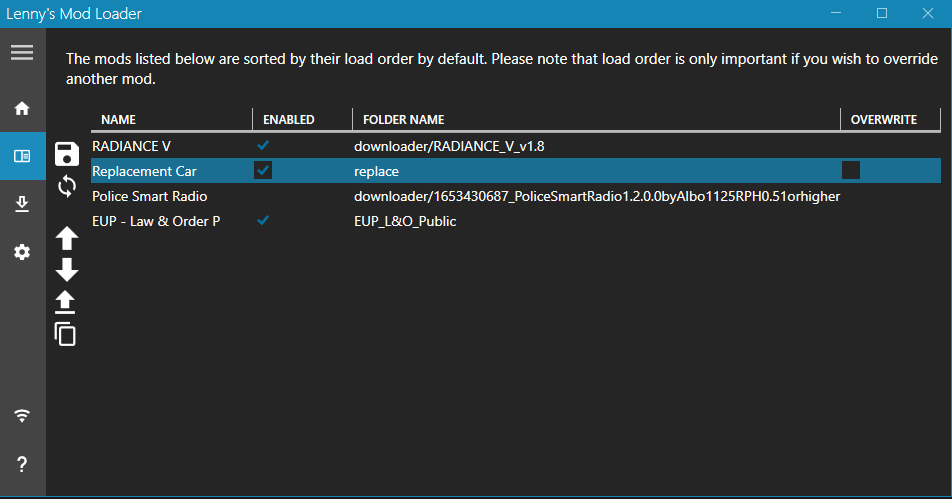
Long time user of LCPDFR and LSPDFR. Took a hiatus and uninstalled my game for a while, came back and decided I wanted to go and re-mod my game. I now have LSPDFR installed with LML and it seems to be running fine so far. I have EUP L&O installed using LML as well as RadianceV and that is working just fine. I followed the tutorial on how to install a replacement vehicle using LML, and I downloaded the LSPD Legacy Pack 1.4.0 for use as my new vehicles. I followed and re-read the guide. My folder `replace`, is inside the `lml` folder with an `install.xml` that looks like this: <EasyInstall> <Name>Replacement Car</Name> <Author>You</Author> <Version>1.0.0</Version> <Link></Link> <Metadata> </Metadata> <Replacements> <Replacement name="New Police Car"> <FileReplacements>replace</FileReplacements> </Replacement> </Replacements> </EasyInstall> My `replace` folder is attached below. When I load into GTA V, none of the models I am supposedly replacing are replaced. It is just the default model... I also have attached a screenshot of what the cars look like in game. One strange thing I am seeing is `police2` is bugging out slightly as seen by the spoiler on the back (I don't remember that being normal? also, it like keeps appearing and then disappearing). They are just the default cars. Other things I have tried: * I made sure that I had a `mods` folder created from OpenIV and copied in update, x64, and common.rpf. That didn't change anything either. Is there something here I'm missing? I may just wind up manually installing this the "old-fashioned" way...
-
-
 This is a very cool mod. I commend the amount of work you have put into this project.
 -
-
-
-
 I appreciate the kind words!! I tried to make it more user friendly and simple for that exact reason! This. I have been programming for more than 3 years now but I have never developed anything for a game that I can share with a community and maybe, if even a few people enjoy it, that sounds like a win in my book. Well if you don't want to use this mod, that's fine by me! I wanted to make something much more user-friendly and simple without the excess clutter. Enjoy your trainer!
 -
GoThere GoThere is a plugin for Grand Theft Auto V that utilizes RagePluginHook as well as RageNativeUI to let players teleport to designated locations on the map easily. There are preset destinations built into the plugin, along with the option for users to create their own destinations from the in-game menu. Usage Simply press the menu key (default F4) to begin using GoThere in-game! Use arrow keys to navigate the menu, just as you would with any other menu. Custom locations can be added in game or manually by modifying the CustomLocations.xml file found in Grand Theft Auto V/Plugins/GoThere. A sample location has been provided within the document that you may use as a template. Options for GoThere can be found in Grand Theft Auto V/Plugins/GoThere inside of the Options.xml file. Add a custom location by navigating to the "Custom Locations" portion of the GoThere Menu, select "Save Current Location", and give it a catchy name. Delete a custom location by pressing the remove location key (default R) once to begin deletion, and pressing again to confirm you would like to delete the location. GoThere also features preset police station destinations meant to be used in tandem with the LSPDFR modification. Navigate the "Stations" list with the left and right arrow keys and press enter to teleport to any desired police station around the map. Console commands are also a feature of this plugin! The commands TeleportTo<Station Name> are included by default in this plugin to enable users to use the console to teleport to their desired police location -- already supported by the plugin! In addition to TeleportTo, there is also a command called GetLocation that is meant to be used for debugging purposes. This command will display the player's current X,Y, and Z coordinates as well as their heading -- this works perfectly for manually adding custom locations. Requirements RageNativeUI (included in GoThere.zip) RagePluginHook Installation Once opening GoThere.zip, simply drag and drop the contents of the "Grand Theft Auto V" folder within the zip archive into your Grand Theft Auto V installation folder and start up the game! Known Bugs None at this time. Feel free to reach out if you find any! Open-Source GoThere is open-source and licensed under the GNU General Public License v3.0. Feel free to contribute to GoThere or just view the code for the plugin here.
-
This is the correct way to do this, however keep in mind that arrays are zero-indexed (meaning the first element is actually element #0). The reason your original code wasn't working was you created an array that contains Vector3 objects. (See link to learn more about what an object is) When you set the value at index 1 of the array, you didn't create an object, hence why your code worked when you used new Vector3(x, y, z) -- you created an object which could then be held in the array that stores that type of object. In your case, you have created an array that contains 3 elements. To set the first element, you would use: hotelLocation[0] = new Vector3(436.8632f, 216.6585f, 104.1104f); To set the second and third elements respectively, you would use: hotelLocation[1] = new Vector3(componentX, componentY, componentZ); hotelLocation[2] = new Vector3(componentX, componentY, componentZ); Since you created an array that contains 3 elements, if you were to attempt to set the value of index #3, you would get an IndexOutOfRangeException because the array is zero-indexed and the size is three so the largest index of the array is 2. hotelLocation[3] = new Vector3(componentX, componentY, componentZ); // Throws IndexOutOfRangeException Output: Unhandled Exception: System.IndexOutOfRangeException: Index was outside the bounds of the array.
-
I'm currently in the process of creating a plugin for GTA V. This is my first time ever creating a plugin with RagePluginHook / RageNativeUI but not my first time with C#. Once finished, I intend on publishing my mod on LSPDFR.com, but I was wondering if anyone could point me in the right direction as to how I could implement update checking into my plugin so I can notify the user when a new update is available. Are there any useful APIs out there that make this easy?
-
-
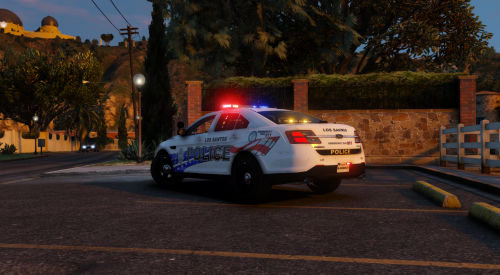 Where can I get the FPIS Model for this? How do i join that guy's discord?
 -
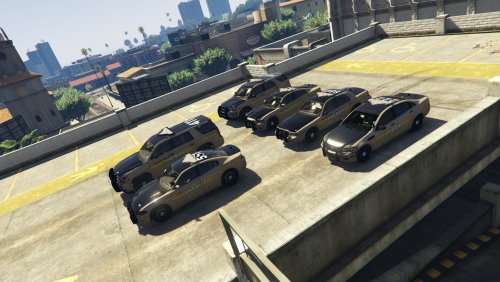 Hey... awesome pack! Is it just me or is cvpi_sign_1 not included in the .rar file? Also, this isn't really a problem with your mod, but I installed the car to an addon slot, and everything works except the rear interior is all red when it's supposed to be black? Do you by chance know how to fix this?
- 4 comments
- 2 reviews
-
I installed the https://www.gta5-mods.com/weapons/max-payne-3-glock-for-v-animatedAnimated Max Payne 3 Glock for LSPDFR to use in my just regular pistol slot, and the icon for the pistol itself is indeed a glock, but when I pull out the gun it's still the 9mm. What did I do wrong? It also appears that when the gun is in my holster with "Cop Holster" it's a glock but when He pulls it out, it''s a 9mm.
-
-
 Is there a reason that no matter if I change the Interaction key to anything it still doesn't work? When I press T to do a walk and turn, it does nothing. I changed it to U, nothing.
- 1,005 comments
- 68 reviews
-
-
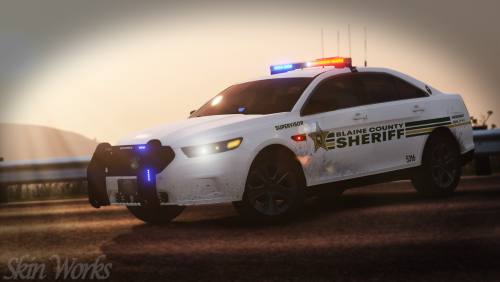 How do you get the rims(hubcaps) on these vehicles? My 2014 Explorer and 2016 Charger both just have the steelies!! The rims look sick!
- 13 comments
- 5 reviews
-
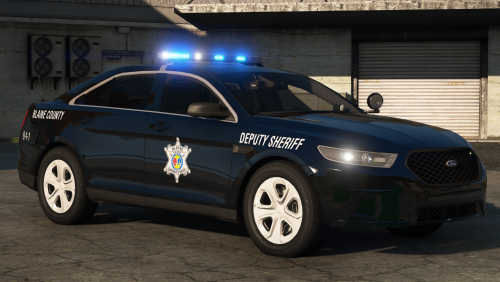 Sweet textures!! Are there ram bars on the front of any of these models? Any way to add them if not?
- 46 comments
- 27 reviews
-
Can someone explain how I install ScripthookVdotNet2? I go to the site and it just wants me to type in command line crap.
- 1,005 comments
- 68 reviews
-
 Nice job!!! I'm just curious, in my game, all the windows but the front are like literally black you cant see in or out, is that one of my settings or is that intentional?
- 61 comments
- 27 reviews
-
I'm not sure what's going on, but I've had plugin crashes pretty frequently ever since I started with LSPDFR whiles ago, but now more than ever, my entire game might crash pretty often. What's going on? Here's a crash report:
-
what