
Addminister
Members
-
Joined
-
Last visited
Everything posted by Addminister
-
 Minimum settings??? Surely a MUST BUY game when LSPDFR launches
 -
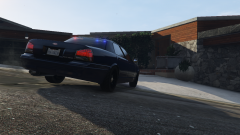
Why is the left rear wheel slightly off the ground?
-
From the videos I saw, he uses an Enb which makes GTA IV look like V, and he uses LCPDFR, and names his videos LSPDFR... But that was before GTA V launched on PC. I don't know much more about his videos..
-
He's asking about GTA V, not IV... Look at the location of the topic.. Grand Theft Auto V -> Support
-
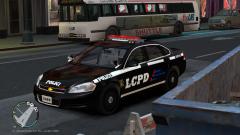 The car and the skin?
 -
Has this been released? If yes, please give me the link.
-
 "Nothing here; move along, let's get all of our jobs done." "Roger that."
 -
Bought GTA IV for LCPDFR, using GTA V for LSPDFR!!
-
Damn it, gotta sleep. Hope to see it tomorrow!
-
Should release in May/June, so that I will have GTA V for PC... I don't have it for consoles yet too, I don't own one (except PS1)
-
They must probably making LSPDFR.com ready!
-
It makes it over-bright when I copy all files to my directory. Should I use a clean install of GTA IV and LCPDFR and then install it? I overwrote it on another enb soo..? The other enb didn't have the over-bright bug..
- 59 comments
- 19 reviews
I'm going to get GTA V from my friend but maybe next month or june.. TIME PLEASE GO FASTER BUT HOLIDAYS DON'T END UNTIL I SAY!!!!!! ITS ALREADY 11:00 AM 29th APRIL HERE!!!!!!Do all the files in "separate files" have els?And setting up an custom resolution in AMDs is complicated. Wait till 1366x768 support comes up.- 129 comments
- 12 reviews
I don't think you will need that 4GB of Video memory. 2GB is enough for most games.But it's els v6. I had seen it just yesterday, I thought about downloading it but it contained whole vehicles.img... I want to download the cars separately. What files should I download?Okay thank you. The pack's awesome. Converted into v8.5. Thanks for your help.Well, I actually have that package, but in OpenIV I opened the Impala and the polygon count was somewhere around 80k. Can you provide me with a guide to convert that pack into els v8.5? And should I turn off ai_els_sp and ai_els_mp? My PC Specs are below: Intel Core i5 4440 Asus GTX 750Ti 2GB GDDR5 8GB RAM 1TB HDD