
alexguirre
Members
-
Joined
-
Last visited
Everything posted by alexguirre
-
The Vector3 there is the spawn location and they go to player's position.
-
-
 Be a weapon I don't think it will be possible via coding, but I think I can do something similar to what you said.
- 473 comments
- 73 reviews
-
-

- 1
-
-
grangrenn is working on that: http://www.lcpdfr.com/forums/topic/50774-wip-rescue-mod-v-fd-ems-lifeguard/
-
-
Releases - Current version v0.5.0 Released Callouts Possible illegal hunting Rocks blocking the road Aircraft crash Reckless driver Wanted felon in vehicle Suicide attempt Animal attack Missing person Public disturbance Hostage situation Arson Officer needs transport Attacked police station Demonstration Extra Features Air ambulance Vet Binoculars Hunting and fishing license check Helicopter camera Ambient Events Someone hunting Public intoxication Future Callouts This callouts may or may not be in a future release. Illegal camping Person littering on park property Trespassing Drunk people on park property Possible illegal fishing Wanted felon on foot Videos I accept any suggestions, so you can post here any ideas you have
-
Using RageHook 16 the only thing that isn't going to work is the ped tracking. And LSPDFR 0.2a comes with RapegHook 17. Thanks for the comment :) There is a config file where you can see the keys and change them.
- 473 comments
- 73 reviews
-
Yeah, I think about that but the problem is that maybe the player gets annoyed if it spends much time with all callouts getting aborted.
-
I will like to have the option to make callouts happen only in certain areas. For example some callouts happen in the city and other in the county.
-
-
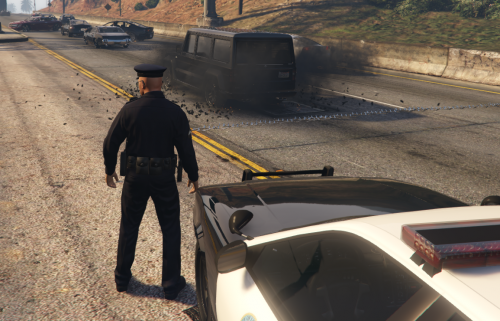 In the latest version, no. You press K, or whatever key you put in the config file,to spawn them and then O, or whatever key you put in the config file, to delete them. EDIT: the readme says that, I know, my bad.
- 131 comments
- 20 reviews
-
@ImFromSweden1 Currently it's under testing, hopefully later today or tomorrow
- 131 comments
- 20 reviews
-
Wait for the next update, few days probably. And I don't recommend using it with the latest GTA V version because it doesn't work properly and performance issues.
- 131 comments
- 20 reviews
-
Sam, where is the API? I really want to start using it.
-
-
@Hugo_Agante as you are the only one who can use the spotlight in the game I don't think that is needed to restrict this to police cars, helis, etc... As well this way it will be easier for people who add police cars(not replace them)
- 473 comments
- 73 reviews
-
-
- 1
-
-
-
I saw that but there is no need to do a DMCA request, it can be useful for someone that doesn't want to use RagePluginHook
- 131 comments
- 20 reviews
-
That's weird. I tested that and it works fine. Maybe you can try to load the plugin after you exit the station
- 131 comments
- 20 reviews
-
Installation Install RAGEPluginHook 1.74+. Drop the "Spotlight.dll" file and "Spotlight Resources" folder into the "Plugins" folder in your game directory. Controls This plugin has 3 input layouts: Keyboard: For toggling the spotlight press I. For moving it use the NumPad (NumPad4, NumPad6, NumPad8 and NumPad2). For tracking peds or vehicles press NumPad3. Controller: For toggling the spotlight press LB + X. For moving it use the left stick. You can change this to the right stick or the DPad in the General.ini file. Mouse: For toggling the spotlight press I. For moving it hold down the left control key and move your mouse. And to open the in-game editor press F11. Check General.ini file to change which keys/buttons should be used, or if any controls should be disabled. Source code
- 473 comments
- 73 reviews
-
-
-

-

- 96
-
-
Just don't press the L key. In the next update you wil be able to change the keys
- 131 comments
- 20 reviews
-
I thought it was a bug
-
-
Probably an outdated RagePluginHook. Try downloading LSPDFR and use that RagePluginHook. Maybe because your computer can't support that number of objects.
- 131 comments
- 20 reviews
-
Please do like Officerphillips69 and send me the crash report. Press F4 and then a screenshot. Controller support will be in the next update.
- 131 comments
- 20 reviews