


NotRyanAnymore
Members
-
Joined
-
Last visited
Everything posted by NotRyanAnymore
-
 My traffic stop overlays is like double. Like there is the original LSPDFR one, then I have this custom traffic stop menu.... How do I only get one of them!!!!!!! PLEASE HELP!
- 3,646 comments
- 306 reviews
-
-

- 1
-
-
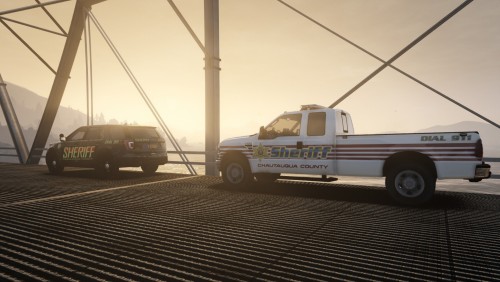 Yeah I have no clue. I installed the vehicle you says it goes on, but I am uncertain on how to add the livery.
 -
Really nice as I live in Chautauqua County!!!!! Trying to figure out how to download them lol. Someone able to help
-
 Better EMS works fine. The only thing we need to be working decently is a tow script.
- 1,743 comments
- 172 reviews
-
Spotlight works 100% no issues
-
NO
-
Albos Callouts work btw. Dont remember the name Im drawing a blank.
-
https://www.gta5-mods.com/scripts/speed-radar Just make a script folder and place it in there. In the file description you can see how to use it. Num pad, .
-
United Callouts now work!
-
-
GTAV mods, then search speed radar. Its very old but still works like a charm! Its just a dll you place in a script folder.
-
Anyone get any other mods to work? I got speed radar, EUP, Native Trainer, Assorted Callouts (Albo updated!), and I believe thats it. let me know if you guys get Computer+ to work or anything like that...after all Albo did update his DLL. Just havent tested it yet
-
Dude its something with your Ragehook or LSPDFR. Remove your trainer if you have one, see if that works. If that doesnt re-add the Ragehook plugins and override old ones. If that does not work do the window borderless thing, remove extra plugins for now. I do not know what to tell you but its trial and error.
-
 Hopefully he can get Computer+ and other mods working too! Welcome back and please update some of your mods! Thanks
- 1,081 comments
- 166 reviews
-
Patchday 20. (THE LATEST)
-
Not Sure yet. After you are done in the station and go on duty. I use EUP outside to edit character further. (Uniform)
-
Right and Right. Also you can use EUP after to edit your model. (HIGHLY RECOMMENDED)
-
B is for like pursuits and calling prisoner transport M or Ctrl+M is for like radio, request callout, walking etc.
-
@Mike Fazio How do you have Computer+ working? I thought that was all Albo?
-
Interaction+ DOES NOT WORK SmartRadio DOES NOT WORK. -Just a heads up as I tested both and they are a no go. Just FYI
-
-
Vehicle models work (NYSP pack for me) and so DOES ELS!!!!! Also PLD. Some Callouts, and some other misc things. And then other mods need to be updated still
-
Alright I got Cheep Callouts to work, NYSP Carpack to work, Also PLD, TrainerV5 and testing EUP now. -I had to run windows borderless to get RAGE to work. (try it...may solve your problem). Also change loading from 1000 to 2000 as this will help and not crash your game.

