
ChiefAl
Members
-
Joined
-
Last visited
Everything posted by ChiefAl
-
From the album: my screens b
-
-
-
-
-
(removed)
-
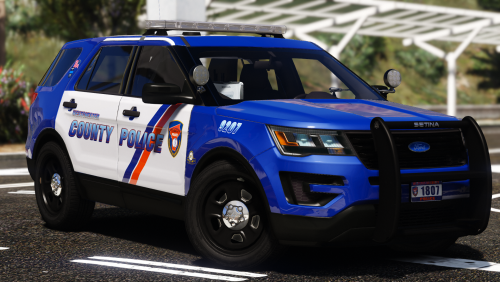 As a Westchester County resident, these are pretty accurate! But, where do we install these?
- 8 comments
- 8 reviews
-
-
Logically, you should do the CHP megapack, why? 1) More cars, you'll be occupied for hours patrolling in every car UNTIL the CVPI is finished. thats all i can come up with soz
-
I'm pretty sure the vehicles.meta would be the file you'd have to change.
-
-
Delete the visualsettings.dat in your common folder. Then, right click on GTA IV in your steam library. Click properties, click on the local files tab and verify game cache. It will replace the visualsettings,dat with the vanilla one.
-
It's your visualsettings.dat This is normal, as it makes the lights brighter. If you want the regular visualsettings.dat, let me know if you have the steam version or retail.
-
This isn't the correct place to put this forum. I'd suggest deleting this. I think this is a better place to put this; http://www.lcpdfr.com/forums/forum/891-suggestions-requests/
-
The manual installer usually works best as it includes dsound.dll. Try re-installing ELS after installing LCPDFR.
-
Please send me your LCPDFR log and your asilog. Your ASI loader is probably outdated from 2010.
-
No problem! Glad I could help a fellow GTAIV player.
-
Please don't bump threads, it's annoying. I'm a forum moderator for a different forum and I hate people who bump. Have you tried installing the latest GFWL here? http://www.xbox.com/en-IE/Live/PC/DownloadClient After downloading, restart your computer and start LaunchGTAIV as an administrator and in compatibility mode for Windows 7. Please let me know if this solution has helped!
-
xliveless disables multiplayer and your save game. Dsound allows you to play multiplayer, but you can't have a completed save game, it'll crash. You should remove both xlive files to prevent crashing, dsound is better overall.
-
All you need is Police Helper. Police Helper already has the Coroner and Tow Truck scripts in it. Having all three slows down computer performance while playing. Crashes are normal, this is GTA IV, you are gonna expect crashes.
-
No problem! Glad I could help.
-
You can swap them out, however, using them together will cause an immediate crash upon loading in. Just remove the dsound.dll and place in the x_live files and vice versa.
-
So, I saw other users having this issue, I tried the solutions given to me, and no luck. I have tried, raged and tried, but nothing. Here are some logs. My issue is that LCPDFR, Sam's Indicator script and ELS 8.5 doesn't work. Someone, please help. LCPDFR 1.1 I'm using GTA IV 1.0.7.0 NVIDIA GTX 745 Intel Core i3 6gb RAM asilog.txt LCPDFR.log ScriptHook.log ScriptHookDotNet.log
-
You should be fine. This is nothing to worry about. These are supposed to load up on game start-up as these are scripts. When modding GTA IV, it usually affects being able to play the story mode, due to script keybindings. If you have a vanilla backup, rename your GTAIV to GTAIV - Modded and change your vanilla backup to GTAIV. Then, you switch the names to select between modded or vanilla.
-