


DaWoodz
Members
-
Joined
-
Last visited
Everything posted by DaWoodz
-
I thought the handling was in update update common data but it doesn't find sheriff2
-
that's what I meant I mean.
-
what would be a good vehicle to change handling too? it said Brawler or Brawler2
-
I found the issue when I was renaming had a comma I guess instead of a dot and I also named it Sheriff2 instead of sheriff2 now all I have to do is change handling to something heavier.
-
ok the issue I have where would I find those files at paths please because with his files there were none, so I thought I just need to drag and drop the main files but those didn't work with the cvpi pack you tried to help me with.. I guess I just need to understand it a bit better ... I had no problems til this last update.. I had the it working in patchday9ng but now it's up to 12 so I'm a bit lost sorry. I'm not a newbie just need to understand better.
-
I spawned a white unfinished model in the game just tried look like some textures were missing....
-
all three are in there .. yft, ytd hi_yft
-
NO but I will check
-
yes I put them in and I have a sherbert colored model now. it's in custom cars dlcI'm to install Gump's 2013 Tahoe with using that DLC above but when I try to install model is there but texture for skin is not.. If anyone out in community that could help me resolve this issue because I don't understand what I do to get all the metas to work please and thank you.no.. I only can spawn the ones that have no extra files... so may I ask what I did wrong?yes that is how it is originally layed out from the installI believe so... it's a bit new to me using the DLC custom car folder. this was my vehicle meta file vehicles.meta carvariations.meta so I'm a bit confused.yes I've spawned other vehicles fine just a few having small issue with.. I have the newest patch could that make the difference?I drag and drop from the author of that file.it's their because of me... I put it thereI installed it in Darkmyres customcar DLC and in the carvar file their.. Then I launched the game and it wouldn't spawn and said invalid model.I'm using customcar DLC because I have the new patch which made me start all over... I was wondering if someone could tell me what I'm doing wrong and help me through it thank you.Can I revert .791 version when I do it asks me to update. I was just wondering if there's a workaround to still use .791I did back it up but it wants to update againI really don't want my game be ruined because of the update so could someone help me understand how to recover the game with out deleting the mods folder
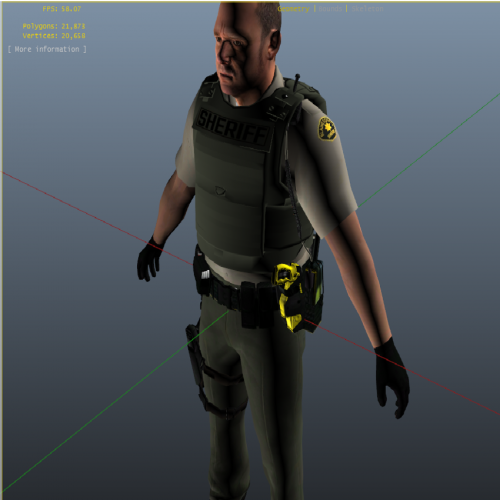 Can u do a version with yellow from Berrien County MI for SHERIFF?? please and thank you
- 26 comments
- 14 reviews
 I'm from Berrien County and I don't have the time or photoshop to create a skin for my county ... My request I believe gave u the inspiration for them, so I was kindly asking could you make the skins for Berrien County name for me personally it would be appreciated so much...I play sp all the time my father is ill and probably going to pass this is my escape.. if you know anybody that can do custom peds too let me know please and ty..
- 64 comments
- 32 reviews


