
OfficerDraydus
Members
-
Joined
-
Last visited
Everything posted by OfficerDraydus
-
yeah I'm still confused on what the importer tool does, if it means vehicle mods that's awesome
-
So does that mean car mods for GTA V or nah? I'm bit of a noob when it comes to stuff like this so sorry if it's a stupid question haha
-
dont quote me on this because I'm not 100% sure, but I think the importer tool is for bringing in models to GTA V like I say, I'm not completely sure but by the looks of what the guy wrote on the forums it seems that way, but I might have it the wrong way
-
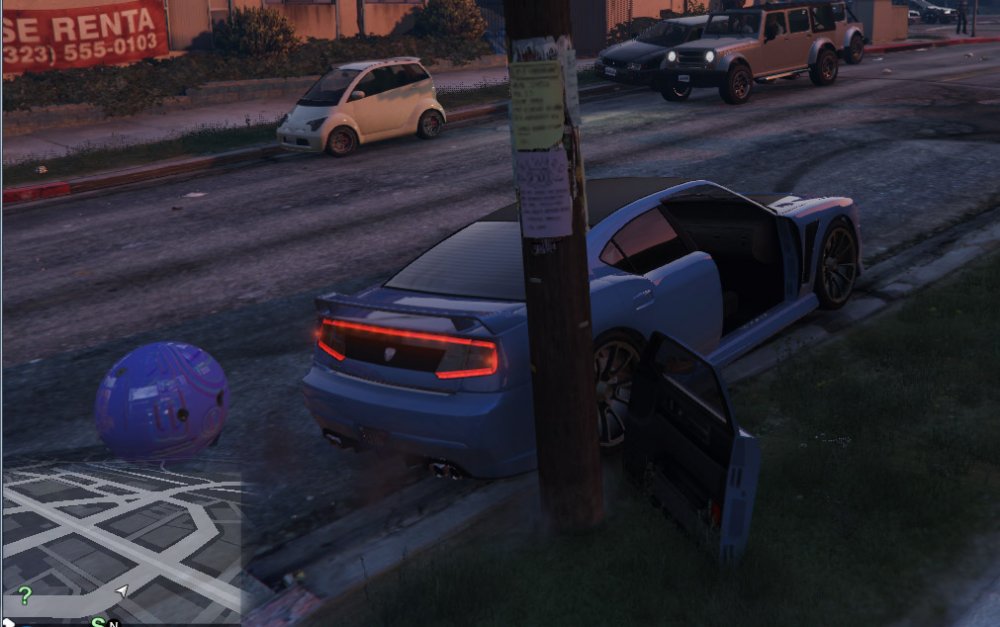
According to this post, the developer for Zmodeler said he is releasing an import tool for GTA V this weekend. Now I'm no developer myself, but I believe this will allow us to import vehicle models into GTA V! If so that's awesome. Edit - Found an image that he posted on the forum, the image shows a ball model attached to the back of a Buffalo 2. This is part of the testing that he has done so I added the image for anyone interested:
-
Awesome work, guys
-
Modders, have fun with that API, looking forward to see what comes out of it :D
-
It works fine dude, just do a reinstall of them both, probably something that was incorrectly installed and in regards to Scripthook, LSPDFR doesn't use that at all
-
I don't think you'll ever find children in vanilla GTA purely because of the 'graphic' nature of the game
-
I don't think you'll find any kids in GTA
-
-
-
-
1 hr 45 for me man
-
i cannot control my body after that trailer
-
IMMINENT ARRIVAL INBOUND
-
I think Sam already mentioned that this will be a thing :D