


cakuzma
Members
-
Joined
-
Last visited
-
-
-
openIV>mods>common.rpf>data>ai>vehicleaihandlinginfo.meta this is what i changed mine to you could try adjusting the speed value there, they take turns faster now, but sometimes on straight roads there are still numnuts that drive 20mph, i donno what controlls thoes cars , you could also try editing the pathing nodes in codewalker, but there are LOT of nodes to edit so i dint do that edit on my end
-
 nofreeusernames123 reacted to a post in a topic:
Anyone feel like LSPDFR base game is really incomplete?
nofreeusernames123 reacted to a post in a topic:
Anyone feel like LSPDFR base game is really incomplete?
-
-
-
so that tells us that something in your mods folder is making the planes act like cars, probaly some car mod you installed or something, the only way to fix / find it is to reinstall all your mods that go in that folder 1 by 1, IE : install mod, run game, see if it happens, if not , install next mod.... it will take a while as you said you have plently of car mods, good luck and hope you find / fix it
-
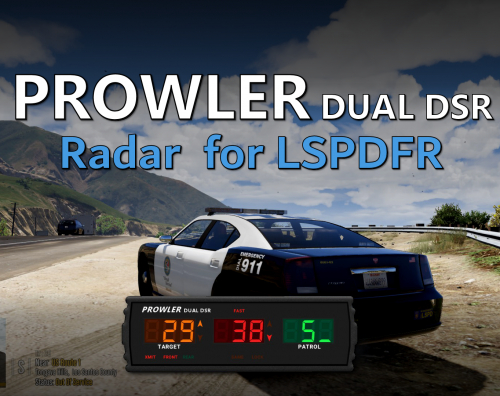 since you linked this version, i assume you got it working for lspdfr? can you explain how you did that, as i thought that one you linked is for fiveM which isnt what me and the poster you quoted wanted....
- 235 comments
- 37 reviews
-
i always felt as if lspdfr base was like scripthookv, its not a mod that you interact with but its more of a mod that allows other mods to do its work , yea you can play lspdfr with out other plugins, but i think it was always up to the community to add what they wanted to it, which i love , if they didnt allow that, we wouldnt have all the wonderful plugins and scripts we do now for it
-
you have any car mods? because what it looks like to me is that for some reason the planes are having the handling or pathing of a car, as you can see at 3.19 in the vid, the plane is trying to "drive" on the road, but is clipping everyign and getting damaged, what also makes me thing this is that there is one on the bridge above you as well, trying to "drive" over it as if its a car, i would change your mods folder to _mods and re run the game to see if you still see this issue, if you do then you know its not a issue with your mods folder (renameing mods to _mods will disabled the mods folder)
-
going by the first log you posted line 503 [1/8/2024 2:43:07 PM.855] LSPD First Response: Exception message: Could not load file or assembly 'RAGENativeUI, Version=1.6.1.0, Culture=neutral, PublicKeyToken=null' or one of its dependencies. The system cannot find the file specified. Could not load file or assembly 'RAGENativeUI, RAGENativeUI 1.9.2 Latest - https://github.com/alexguirre/RAGENativeUI/releases
-
I use this , what it does is when activated, it locks you car to the street speed , so say the street your on speed limit is 25, you car will not go over 25mph https://www.gta5-mods.com/scripts/speed-limit-cruise-control-lua
-
-
It was for my steering wheel, but i since moved to a xbox 1 controller, but it still works with it Manual Transmission | Steering wheel support 5.6.1 <<< Clickable link
-
-
Sounds like your story mode is at the part where Michael is banned from the city , even tho the story mode is separate from lspdfr, some stuff like that still comes over, you might have to play your story mode a bit more until Michael is allowed back into the city or just stay away from the city for now
-
Not sure if this is related to your issue as you started the video already chasing someone , but there is a option in the lspdfr.ini file located in Grand Theft Auto V\lspdfr\ under defaults (litterly 4th line under defaults) called Ambient.DisableEscapedSuspectEncounter = true or false normally its set to false, change it to true and you wont get red dots that show up on your screen anymore (they are 2nd chances of people that got away from you) try setting that and see if you still get them, if you do, then you have another script causing it
-
Its due to the cars your downloading, a lot of creators make texture of thoes cars at 10k or so, and for a lot of stuff its not needed (do you really need tire texures / gun textures that you cant use at 10k?) you can open the car in openIV and extract the textures and use a texture editing software to reduce the size (i do this to every modded car i download, the only texture i dont touch are the car skins , but tires, guns on the gun rack , stuff like that , i lower the texture) here is a video that shows whats happening, and how to fix it, I follow this guy all the time when i download new cars and I never see texture popups like what your explaining
-
hmm actually i might not be help, as my MT is still on v5.5.1 as i dint have any issues with that version so i never needed to update, so my version still has the camera settings in the mod itself , and my camera movement settings are off but i did notice that i can move the camera while driving, but it does snap back into place after a few secs
-
I recently updated my gta5 and i use that mod all the time, when i get home from work in 6hrs ill load up my game and have a look at my settings for the MT mod, and post them here , maybe you made a change to a setting by accident (i know i done it a few times lol)
-
That mod was last updated in "Updated August 2, 2015" so im guessing its not working with lspdfr 4.9, the version it says it works with is 0.2B which is a very old build, i dont even think that version is avail anymore
-
-
-
The steering wheel mod is from Manual Transmission | Steering wheel support 5.6.1 the vehicle information mod is from CarHud and HeliHUD Modified [.LUA] 4.0 I used both these mods in my game (i havent touched gta 5 in almost a year, got too frustrating trying to keep updating it every patch they did) for the Vehicle information mod you also need this installed in order for it to work at all Lua Plugin for Script Hook V (Reloaded) ForUsers_JM36-v20230125.0-Stable and another mod i like to use for role play is this one Speed Limit Cruise Control [.Lua] v6 what it does it when you activate it, it limits your car to the speed of the road, and if it detects a car in front of you , it limits you to that cars speed I use this when im not on a call and just driving around

