Purvess
Members
-
Joined
-
Last visited
Everything posted by Purvess
-
Nothing bad can be said I reckon but features like: Slowing down traffic pursuitsA taser in your inventoryPartnersIf possible the ability to start with a key binding like Alt+P in LCPDFRMore jail cellsInstead of random acsessories let you choose what hat or glasses to wairAir patrolsANPR and reg and license checksBut so far great work and keep it up!
-
I bought GTAV from the rockstar warehouse in January and I currently have it installed. I have also just installed LSPDFR and after doing so I have noticed that the backup I made of the game has dissapered and never to be found again. I was wondering if any one who has a vanilla copy would be able to list the names in the directory so i can copy them out of the modded folder into a new one. Thanks
-
You can do what I did and change "paul.dll" in the main directory to "paul.old.dll" and then social club is disabled but you can still go online.
-
I would suggest reinstalling certain scripts and LCPDFR and see if that resolves your problem
-
Can you attach the log files please.
-
I get this message all the time and my GTA runs fine. I usually ignore it to be honest.
-
-
I had this issue when the newest update came out. All I did was uninstall LCPD:FR and removed the ELS V8 files and reinstalled them. Hope this helps
-
-
Since I instaled the 1.1 update my LCPD:FR won't start. Basically when i come on GTA i get the error message saying LCPD:FR has encountered an error and i need to restart. I checked the diagnostics tool to see if my installation is correct and all it said was I needed to check the log file.I have attached the logfile to this, could one of you gifted peoples look at it please and try and work out what i need to do thanks.
-
Traffic, Bikes
-
As I am from Scotland I am very much in to the British side of LCPDFR. I was wondering if any one out there knows of could make like a skin for the road blocks that says "Police Accident" on it like the ones the British police forces use in real life. I have attached a picture of what i mean for anyone who doesnt know what I am on about. Thanks, Purvess
-
-
Loving the rest of the pack but having issues installing the station stuff. Can anyone help as I dont really understand the instructions>
- 22 comments
- 5 reviews
-
-

- 1
-
-
-
Some of the screenshots from my MET Police patrols
-
-
-
-
-
I absolutly love this makes British RP so much better. Is there any chance that the voice for the Officers can be changed to British aswell or is that not possible because im sick of the annoying American ones when you try to pull over a car.
- 14 comments
- 6 reviews
-
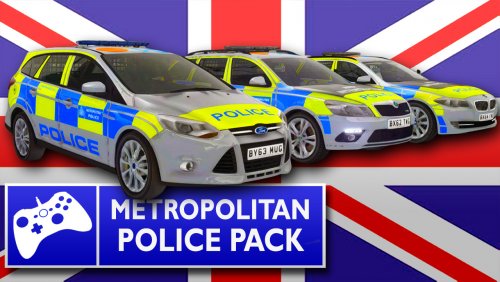 When ever i install this and extract the .rar file it just says that there is errors and it cant extract.
- 26 comments
- 19 reviews
-
Is any one willing to make a police scotland pack for me as all the british packs seem to MET and i cant find any police scotland ones.
-
I have the exact same problem with mine. I installed ELS V8 few days back and ever since then my LCPDFR wont start and it says there is an error. I don't know if it is because not all my skins are ELS enabled but il be damned if i know.