



Sameer
Members
-
Joined
-
Last visited
Everything posted by Sameer
-
Thats the difference between him and us. We are not like him. Even if the authorities would have caught him i wouldn't want him to be tortured.If we act like him what difference will it make? I would just forgive him; not for his act but for making peace with the past and myself. "An eye for an eye only ends up making the whole world blind"- M.K. Gandhi Thats all i have to say.
-
I think its nothing although i cant help but notice but it was said that LCPDFR 1.0 would be released "later this year" so it may be about that or even ELS.Net.. it can be anything or it can be nothing.. hell it must be something!!
-
FREEDOM MODIFICATIONS Modification Information File/ GTA: IV Vehicle Model/November 2013/Author: SAMEER. _______________________________________________________________________________________________________________________________________ Overview Ford Crown Victoria Police Interceptor Version: DSF_CVPI_V2.5 ELS Light bar: Whelen Edge Multiple Liveries: Yes Optimized for: Police Patrol Installation Use Open IV to replace the corresponding files within vehicles.img with the .wft and .wtd files provided in this package. If the model supports multiple liveries, open the vehicles.ide file in your Grand Theft Auto IVcommondata folder, find the line beginning with the name of the model, and at the end of that line add +livery. Notes This vehicle is ELS enabled and requires the Emergency Lighting System to work correctly. This vehicle is optimized to use the DEFAULT POLICE 2 Handling Line. This modification is meant for gaming purposes only. This modification was originally released on LCPDFR.COM, and GTAPOLICEMODS.COM. For BEST ELS Lighting Stage effect use the default_settings.ini file provided (For ELS V7 Users Only) Credits and Acknowledgements Ford Crown Victoria, originally by UBISOFT REFLECTIONS for Driver SF, converted to GTA 4 by F5544 and Further modified to its current state by SAMEER. Whelen Edge light bar originally by KevinDV, Further customized and modified to current state by SAMEER. Go Rhino Pushbar made & converted by Bxbugs123, main textures by BXBUGS123. Police Console originally by BXBUGS123 for GTA SA, modified to GTA 4 by SAMEER. Taillight and its Textures by SGT. Kanyo originally found on his 2003 LAPD CVPI (Unlocked Model). Soundoff Predator 2 CVPI brake light surround by NickieB. New Template and UV Mapping by SAMEER. Vehicle and License Plate Textures by SAMEER. License Plate texture/template by Lt. Caine found in some of his modifications for GTA:SA. This Modification was made on REQUEST by NoahF on LCPDFR.com. 2011 CVPI Steel Rims by TraumaPak Terms of Use by Lt. Caine. Terms If you wish to modify the content of this package with the intent of distribution, authorization of the author is required. This product is freeware and may not be exploited for personal, financial or commercial gain. The product is provided without any form of warranty. Therefore, responsibility for any damages caused by this product or its misuse rest solely with the user, as the author(s) will accept no liability. You may redistribute this product unless instructed otherwise above as long as the following condition(s) are met: The contents of the archive file containing this file and the product must not be modified or tampered with; this file must remain in its original state and must not be modified in any way; this file must be alongside the product it is assigned to at all times when being distributed; all proper credits clearly are given. © RESPECTIVE OWNERS. (FREEDOM MODIFICATIONS 2013-2014)
- 3 comments
- 3 reviews
-
Oh yes there is this project was dead because of my exams but now i am back and yes i have ported the Lt Caines 3D charger interior to this model. Pictures will follow soon.
-
From the album: FREEDOM MODIFICATIONS
Coming Soon. Made on request by NoahF -
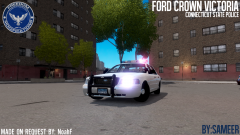
From the album: FREEDOM MODIFICATIONS
Made on request by NoahF. -
Hello NoahF, Since i finished my exams today i am free for brief period of time and i think ill accept your request. Please PM me some other details like the LSTGs of the car like what lights use the Secondary and Warning lights option and the flash pattern of the car. Thank You. Regards, Sameer.
-
Well i think the DSF model is pretty accurate size and model wise. The taxi model of DSF does looks big but i think it comes from a different author. If you use one by F5544 its pretty cool and correctly sized.
-
Wow WOw WoW! that looks amazing. I really like the skin... nice work.
-
Cold Case is one of my favorites... From my country i love the Police Dial 100.. it follows day to day routine of different police stations from the New Delhi Police force
-
From the album: FREEDOM MODIFICATIONS
Coming Soon. -
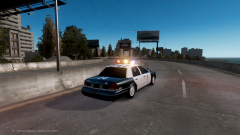
From the album: FREEDOM MODIFICATIONS
Coming Soon. -
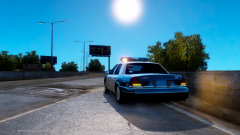
From the album: FREEDOM MODIFICATIONS
Fully working rear indicators for upcoming '98 CVPI Model. ----TAIL LIGHTS---- Original by: Ubisoft Reflections for DSF Converted to IV by: F5544 Modified to current state by: Sameer Textures for taillight glass from: SGT.Kanyo's Unlocked CVPI. -
-
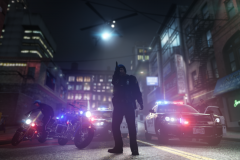 WOW! awesomeness at its Awesomeness.... this is epic! I just love it and cant stop looking at it.
 -
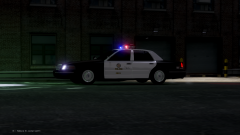 Yes i know buddy. I am just doing one with the chrome hubcaps. And also ill be doing many more versions of different agencies. Thanks a lot for the unlocked version. I'll get a proper idea of the LAPD lights setup.
 -
Hey its a DSF CVPI converted to IV by F5544. It can be found in the development section. I have further modified the model with different textures and parts to make it look like this.
-
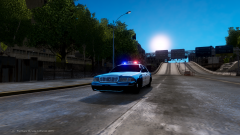
From the album: FREEDOM MODIFICATIONS
Coming Soon. -
From the album: FREEDOM MODIFICATIONS
Coming Soon. In various agencies version. -
Well you are not alone my friend. I check it almost everyday hoping to see something like "LCPDFR 1.0 Released!" ;-P Eagerly waiting for the next version.
-
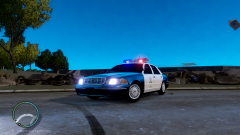
From the album: FREEDOM MODIFICATIONS
Been sitting in my computer for tooooo long. Will be releasing soon (after some final touch ups) in following versions (All with chrome hubcaps and no steelies and both ELS and Non ELS): LAPD_LCPD SFPD_LCPD Seattle PD_Liberty PD. More Suggestions are welcome. Freedom Modifications. -
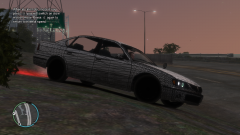
From the album: FREEDOM MODIFICATIONS
A declasse police patrol... (WIP) Tired of working on the crown vics,chargers and other stuff..... finally decided to take a break and do somethin more fictious..... NOTE: FIXED THE INFAMOUS LOD bug. The "Game crashes when shot at windows" bug is no longer a threat to this beauty. (Tried n tested again n gain for the past week with 2 hours of continuous gameplay and random shooting at the car. NO CRASHES) More pics and updates will be coming soon. Stay tuned. -
Its funny how this game strikingly resembles the TV Series ---Person of Interest--- the vigilante missions should be cool i think.
-
ill go home first (Grove Street) if its still there.... (i really hope it does) and then i am gonna explore cop cars
-
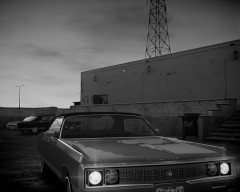 And i thought, REAL Life pics are not allowed in the gallery.......... ;-)


