


Space.
Members
-
Joined
-
Last visited
Everything posted by Space.
-
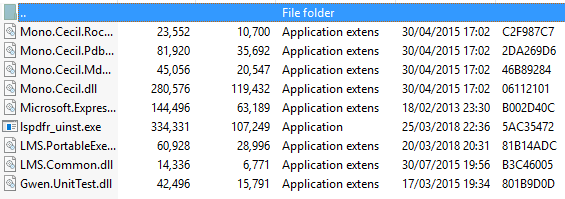
Seems I can download everything except LSPDFR itself, when I try to download I either get an instant download failed or I manage to download it but I only get certain files. Tried downloading for the past 8 or so hours now, using Firefox, Chrome and Edge. I've also tried downloading both the Manual & Installer. (if I manage to download, this is all I get)

-
 Disregard, I guess STP's inability to function only with Interaction+ installed was a very strange coincidence. Sorry for the inconvenience.
- 1,005 comments
- 68 reviews
-
 Yeah wasn't sure about the dirt texture but I'm almost 100% sure it is something to do with the windows because if I broke them to the point where they had the 'shattered' effect, the lights worked perfectly.
- 66 comments
- 26 reviews
-
-

- 1
-
-
The problem with the impala is something to do with the windows because if you break them, the lights do work. Maybe it's something to do with the dirt textures? (not sure)
- 66 comments
- 26 reviews
-
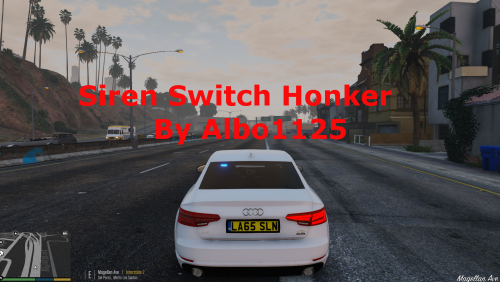 Would it be possible to use this with ELS? I see theres a config option for what key triggers the sound, but ELS has multiple keys (E, G, T, 1, 2, 3, 4 etc..). Is it possible to add multiple keys to the option? Or if anybody knows what audio files ELS uses for the clicks I suppose we could replace that with the ones from Siren Switch Honker. Any ideas? @Albo1125
- 48 comments
- 18 reviews
-
-
 Any chance we could get an option to rebind some of the keybindings for placing etc? Only my middle mouse button doesn't work making this plugin a bit impossible to use.
- 299 comments
- 25 reviews
-
-
- 1
-
-
 Truely a phenomenal mod that adds that extra bit of realism to LSPDFR by making things feel more alive. There's nothing more unrealistic than having all the cops leave the scene after a mass shooting! Great work on the mod and I can't wait to see what else you can bring to the table. 🙂
- 101 comments
- 18 reviews
-
-
Been answered by Double Doppler himself.
-
Wondering if anybody knows what peds are being used in Double Doppler's videos, they can be seen here: https://youtu.be/Ih24k5GlsdM?t=10m51s I'm referring to the ped that he is using, not the one that the AI is using. I'm aware that is a modification by AmateurModder, however wondering if anybody knows what peds he is using. If anybody knows I would highly appreciate you letting me know, thanks.
-
Ah ok, hopefully it becomes an option in the future. 🙂
-
I understand this, what I'm trying to do is replace the current clicks audio with the ones from Albo's Siren Switch Honker.
-
Hey I noticed there was an option to enable/disable siren/horn clicks when switching between tones, but how would I go about changing the audio files for these 'clicks'? I would like to use Albo's Siren Switch Honker but that doesn't really work well with ELS so I'm looking at alternatives. Thanks.
-
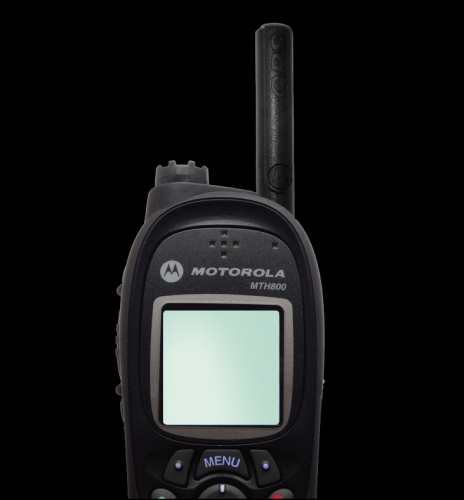 Hiya, I managed to do it myself, just incase you wanna add it to the download, here it is. Far from the best, but it works! //PoliceSmartRadio UIPositioning INI file by Albo1125. Last edited for version 1.0.0.0. //Feel free to redistribute an edited version of this INI file with custom UI packs you create and/or upload. //All values below must be integers (round numbers). //They should only be edited if you're using customised UI images/are willing to experiment/know what you're doing. [General] //Number of items per page. You must specify positioning settings for this exact number of buttons below. ButtonsPerPage=3 //All offsets below are relative to the starting coordinates (0,0) of Background.png. //See documentation for further information. You must likely edit the below values when using a customised UI. [Button1] XOffset=100 YOffset=521 [Button2] XOffset=100 YOffset=569 [Button3] XOffset=100 YOffset=625
- 7 comments
- 2 reviews
-
-
- 1
-
-
You can edit the keybindings in the "ContextualMenuAPI.ini" file in your "scripts" folder. In the "ContextualMenuAPI.ini" you can edit certain settings that change how fast the scrolling is in the menu. (Or atleast that is how it is interpreted)
- 101 comments
- 18 reviews
-
-
- 1
-
-
Do you think we could get an option to customize keybindings? Disregard previous, just now realised I can edit those in the menu .ini, sorry!
- 101 comments
- 18 reviews
-
-
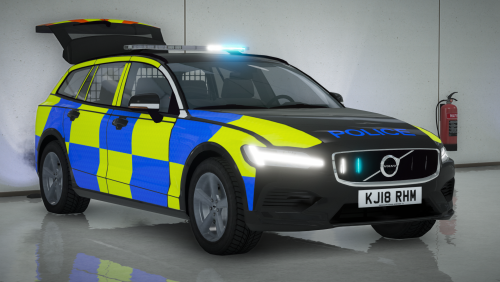 Absolutely beautiful vehicle, a ton of effort has been put into making this as amazing as it is, and it couldn't be any better.
- 9 comments
- 2 reviews
-
-
- 1
-
-
 Sorry to be a bother (once again!) but do you know what I would have to customize to make it so LocalSWAT (s_m_y_ranger_01) ped responds with firearms and not tasers? Thanks.
- 24 comments
- 2 reviews
-
-
-
Turns out this isn't the case if you only install the weapons.meta, but then suspects have tasers or are completely unarmed.
- 24 comments
- 2 reviews
-
Small issue with this version (LSPDFR version), you can no longer select to be unarmed, you must always have a weapon out.
- 24 comments
- 2 reviews
-
