


Francis
Members
-
Joined
-
Last visited
Everything posted by Francis
-
http://humster3d.com/2014/10/28/smith-wesson-mp-45/;)
-
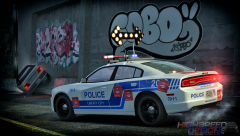 The second one next to the far left one souldn't be lit up when pointing LEFT, and the far right one should be.
 -
 Owwww man j'ai hâte -_- me souviens quand on testait LCPDFR 1.0, jtais aux anges xD si ta besoin de kekchose hesite pas jsuis a québec ;) vive labeaume! ahahahaha
 -
Toi c'est quoi ton esti de problème? Stai clairement sarcastique -_- jai hate qui soit pret, au contraire.. bouffon lol. Dailleurs jte suis sur youtube fak je savais que tallais faire un skin de meme et jle trouve débile
-
That's enough ... don't you think? O_O
-
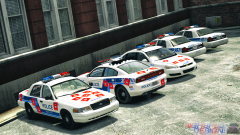 This is going straight in my game.
 -
No he means the bulbs that light up.
-
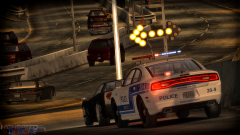 I'm pretty sure the last arrow point should be lit up too! ;)
 -
Do I count? :(
-
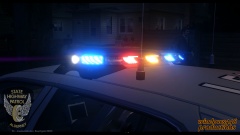 Is it KevinDV's?
 -
I actually noticed this in my game just yesterday too... Except I never reinstalled it? It just stopped working randomly?
-
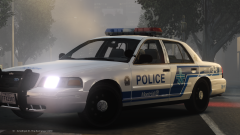 Gimmie gimmie gimmie gimmie gimmie gimmie gimmieeee hahaha
 -
-
-
Is there anything that ressembles a Dodge Caravan?
-
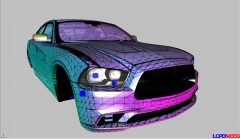 When is this coming do you have an idea?
 -
The SRT is the Hellcat. Charger doesn't have a SRT counterpart just like the Challenger didn't, they both launched with the SRT as part of the Hellcat engine. The only SRT Dodge made before that is the Viper (if we don't include SRT6s and SRT8s of the smaller models of course). Yes there were SRT8 Chargers but talking about a SRT-period, nope.
-
The new 2015 Charger SRT would certainly be in my favorites, or the new 2015 Durango R/T, hell even throw in some SRT-like upgrades and I'll be a happy snowman!
-
Exactly, Roman's company was Bellic ENTERPRISES, not Bellic Industries. Really nice work though!
- 7 comments
- 2 reviews
-
-
Whelen Slimlighters ;)
-
It's kind of weird how the side lights (square ones) seem covered. Like only the 4 sides actually light up in thin lines.
- 20 comments
- 7 reviews
-
-
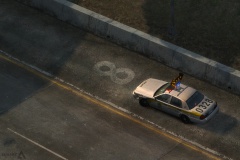 Is this gonna be available soon too? Considering ELS8 now supports the arrow boards, you definitely included that feature for the SQ :P
 -
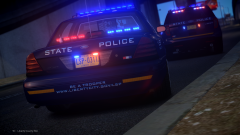 Looks a lot like a Feniex Pegasus! REALLY nice work!


