OfficerFive0
Members
-
Joined
-
Last visited
Everything posted by OfficerFive0
-
.thumb.png.04a1687a445e54a18a959b7926b87d7b.png) I'm not understanding the problem you're having. First you say there are no lights, then you say they show up without the vcf's?
I'm not understanding the problem you're having. First you say there are no lights, then you say they show up without the vcf's?- 217 comments
- 38 reviews
-
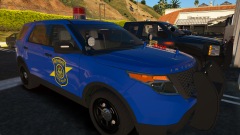 At this point in time, there is no release date, since I'm still in the development stage.
 -
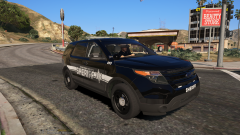 This model will be released in a pack with other michigan cars. At this point in time, there is no release date, since I'm still in the development stage.
 -
Unfortunately, its impossible to have the lightbar r/b in the rear without editing the model. Regarding future updates to this pack, I do like the idea of adding more vehicles to the pack. But I'd restart from the ground up, pretty much everything in this pack is below standards, and very outdated. So it would be new base models, newer versions of the lights and equipment.
- 217 comments
- 38 reviews
-
-
 You set them how you want them, either els or non-els.
 -
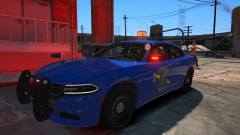 Until I announce a date, there is no release date, or estimate. when its done, its done. as for the beta, its in my discord. https://discord.gg/7b3gCZz
 -
I dont know which tutorials you are referring to, this is what I learned. I'd suggest trying it in the update.rpf and see if that works. Also carcols.meta or carcols.ymt?
-
carcols should be in update.rpf, not the dlc.rpf
-
Fedsig MicroPulse Wide Angle Includes chrome and black mount, and interior version. Pictures by @Slendis By downloading this file, you agree not to redistribute as your unlocked resource, unless permission is granted by the Author (Five0/OfficerFive0) Please DO NOT claim you "Heavily Edited" this file, if all you did was move some vertices, or scale.
-
Assign it to the template material, and remap it. Assuming you're using matt's base model, here's a template where I added livery plates
-
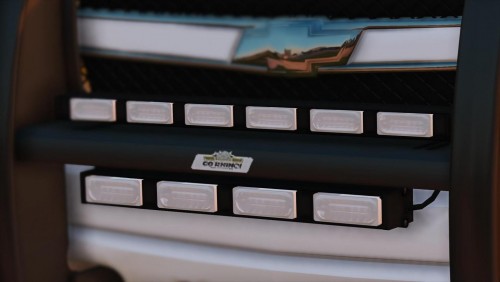 Whelen Dominator Pack Includes Tir3 and Linz6 varients and 2,4,6 and 8 lengths. Pictures by @Slendis You also need to download this file, as it includes some basic textures that I always use. By downloading this file, you agree not to redistribute as your unlocked resource, unless permission is granted by the Author (Five0/OfficerFive0) Please DO NOT claim you "Heavily Edited" this file, if all you did was move some vertices, or scale.
 -
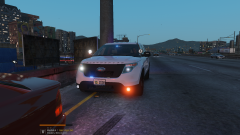
From the album: Michigan Mega Pack
-
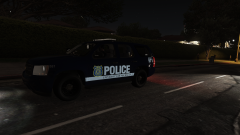
From the album: Michigan Mega Pack
-
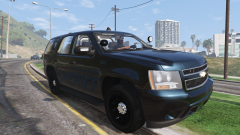
From the album: Michigan Mega Pack
-
So at one point, the materials or something got messed up. I'd advise to just restart from the beginning.
-
when you first imported/opened the base car, what did it look like?
-
sorry, in zmodeler
-
when you select the car, is it a single material, or a whole list of materials?
-
and do you have all the textures in the ytd?
-
what does it look like in openiv?
-
Its no problem. when you open up one of the materials in the material browser, does it have any textures in it?
-
what does your texture browser look like? Also, that isnt your material browser, this is
-
What does it look like in zmod?
-
Ok, so there's several different issues here. First would be the exporting issue. When working with a model in zmod, it should be named model_hi. (Replace model with this model name). When you export, export as model_hi, then model. That way, the model_hi will only contain the L0, and model will contain all the other lods. But besides that, the model in in zmod must match what you're exporting it as. So in your case, it would be police6_hi, and you would export it as police6_hi and police6. Regarding the shader error, somewhere on your model, there is something that is using the default material, so you do need to select by material. But when you do so, be sure to be in polygon mode.

.thumb.png.04a1687a445e54a18a959b7926b87d7b.png)