


OfficerFive0
Members
-
Joined
-
Last visited
Everything posted by OfficerFive0
-
here this was on the mod page
-
perhaps something like this with the glow in dark letters
-
yes but there are some cars that make it look like rotators if u want i can make a video of it to show you
-
from what i know only police police2 and police3 work with rotators
-
-
looks good!
-
well originally it wwas 44100 then changed it to 48000 and it was the same bu thwne i changed it to 24000 it was the same clicking sound but lower pitched
-
i know they didnt use the impala but that was the only car i found using a kojack light i did find the light itself but im not able to edit a car without having problems with it
-
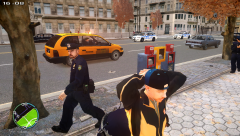
From the album: Daily Patrol Photos
-
 wow thanks!
 -
depends on the mods
-
ok so i just have to tweak it till wala what bitrate is recommended?
-
but how would one wav affect another one btw i used the original horns.ivaud
-
i cut the tone in half and still didn't work plus some civilian horns have the same sound and i didn't touch them.
-
ok ill try it anyone know what the max amount of time for siren 2?
-
yea in this pack most civilian cars are from a 1980s pack
-
anyone know of specifics of when u want to create a custom siren. i first wanted to mix and match a few sirens but then some tones are just a clicking tone.
-
is this good?
-
-
yea this is a wip pack im making heres a link for the post '?do=embed' frameborder='0' data-embedContent>>
-
-
yea i just saw it was removed
-
can u send me those pics?
-
here's some screenshots
-
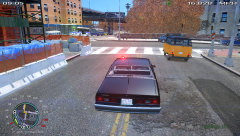
From the album: Daily Patrol Photos

