
Andrew Lincoln
Members
-
Joined
-
Last visited
Everything posted by Andrew Lincoln
-
Yes sorry. Well there you go, the original model author. It does work with any CVPI model by F5544 but some have custom license plates which this currently hasn't.
-
The CVPI used is POLICESCO's Arjent version. The best CVPI out at the moment, of course until BxBugs123 and Co release their amazing looking CVPI, Charger and so. You can find it on GTA-5-MODS.COM.
-
Thanks, I already have an outline/stroke but it is only on about 1px. So perhaps an increase to 2 or 3 pixels will give a greater look.
-
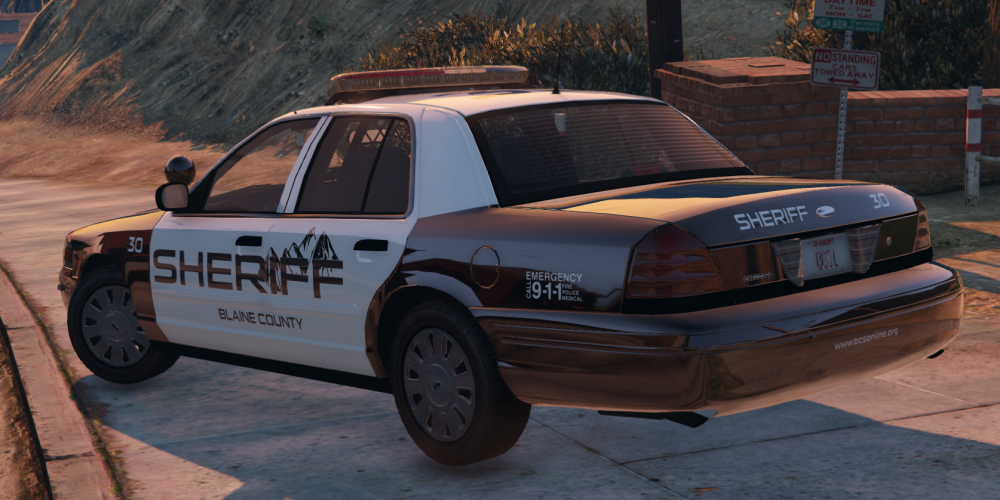
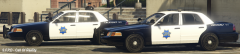
I would also like to welcome Blaine County Sheriff's version.
-
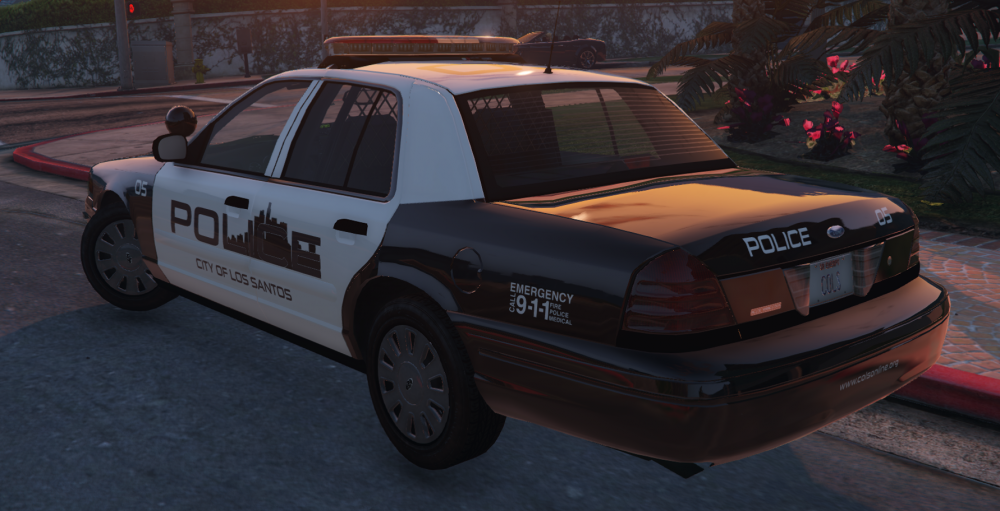
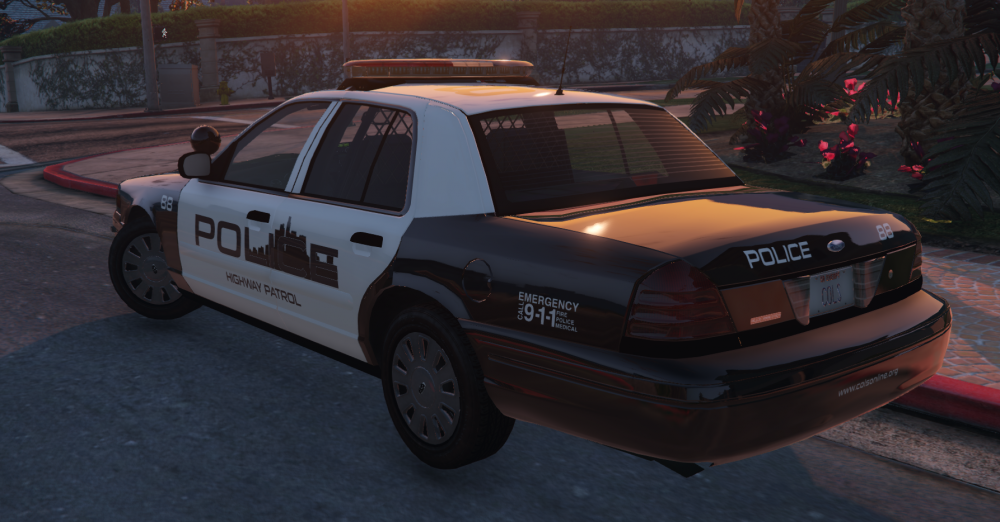
Here is V2, with a simple Highway Patrol texture change (Beta).
-
Thanks for the constructive critisism. I already have plans to add stuff to the texture but thanks for the ideas, sure to take them onboard.
-
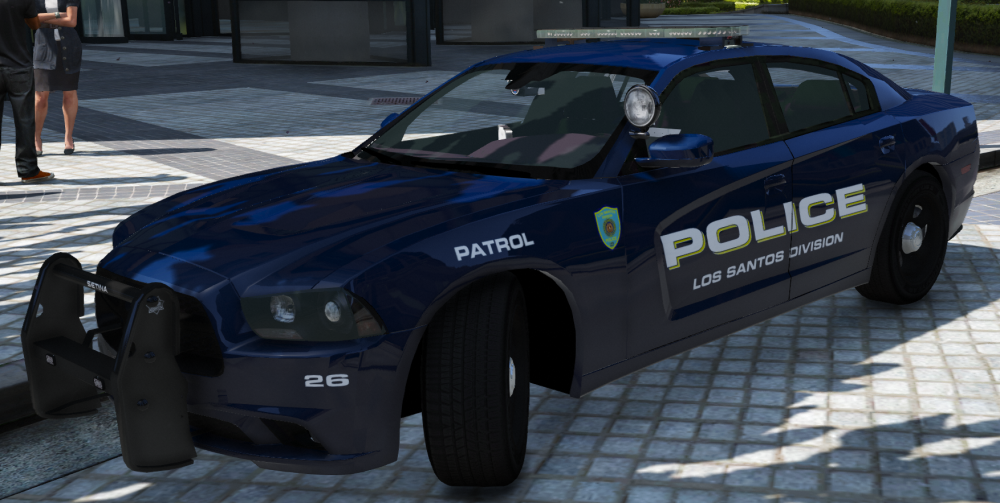
The Police Department are bringing a new vehicle into Los Santos, the 2012 Dodge Charger. Based off Robbinsville Township, still to do: - Assess the colours - Font scaling - Rear Bumper - License Plate - Some other various decals *Will complete texture in the next couple of days, follow for updates*
-
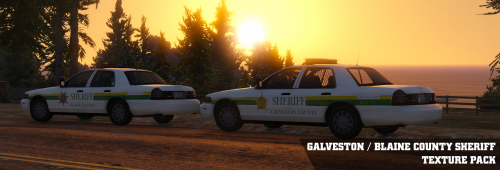 Yes I did find the BCSO on google. It was the only one I could find which looked somewhat like Galveston County Sheriff and had Blaine County on it. I will look into changing the colours, thanks for the constructive criticism.
 -
INFORMATION FILE TYPE: VEHICLE TEXTURE RELEASE DATE: 6/12/2015 AUTHOR/CREDIT: CALL OF REALITY UPLOADED TO: LCPDFR.COM AND GTA-5-MODS.COM CONTACT: CALLOFREALITYBE@GMAIL.COM OR VIA LCPDFR.COM TO INSTALL THE TEXTURE PACK, FOLLOW ALL STEPS REQUIRED. IF YOU DO NOT INSTALL THE CARVARIATIONS AND VEHICLES METAS, THE VEHICLES WILL NOT WORK. THIS TEXTURE PACK INCLUDES TWO FORCES, GALVESTON COUNTY SHERIFF AND BLAINE COUNTY SHERIFF. I HAVE ALSO EDITED OTHER PARTS OF THE CAR SO THAT EVERYTHING FITS INTO PLACE (AKA LAPD DECALS ON LAPTOP) ONCE A MARKED CHEVROLET CAPRICE IS RELEASED, I WILL BE DOING A TEXTURE FOR THAT. VEHICLE LINKS: FORD CROWN VICTORIA POLICE INTERCEPTOR:https://www.gta5-mods.com/vehicles/lapd-cvpi-with-code-3-defender FORD CROWN VICTORIA POLICE INTERCEPTOR (UNMARKED/SLICKTOP):http://www.lcpdfr.com/files/file/9073-unmarked-cvpi-pack/ TERMS AND CONDITIONS: YOU MAY EDIT THE FILE FOR PERSONAL USE. DO NOT UPLOAD ANY EDITS OR THE TEXTURE ITSELF ANYWHERE WITHOUT CONSENT OF THE AUTHOR! - CALL OF REALITY
-
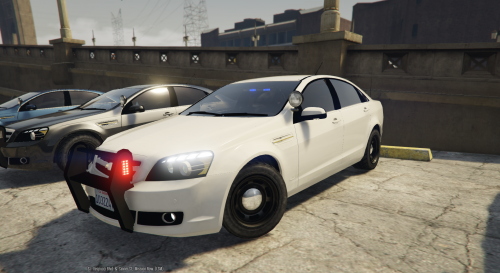 POLICESCO, Could you release a template with your Caprice model? A marked version would be pretty amazing.
- 34 comments
- 10 reviews
-
-

- 1
-
-
-
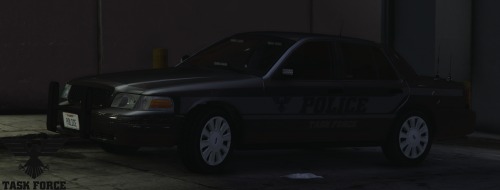 CALL OF REALITY - STEALTH TASK FORCE CVPI FILE TYPE: VEHICLE TEXTURE RELEASE DATE: 1/12/2015 UPDATED: N/A AUTHOR/CREDIT: NIGHTKID FOR MODEL, CALL OF REALITY FOR TEXTURE (TEXTURE WORKS WITH ANY DSF MODEL) UPLOADED TO: LCPDFR.COM AND GTA-5-MODS.COM CONTACT: CALLOFREALITYBE@GMAIL.COM INSTALLATION: 1. USE OPENIV TO NAVIGATE TO - X64E/LEVELS/GTA5/VEHICLES 2. ENABLE EDIT MODE 3. DRAG AND DROP 'POLICE4.YTD' INTO LOCATION 4. INSTALLED FILES INCLUDED: POLICE.YTD PICTURES README PSD FILE TERMS AND CONDITIONS: DO NOT REUPLOAD OR REDISTRIBUTE (LINK THE DOWNLOAD PAGE) YOU MAY EDIT THE TEXTURE FOR PERSONAL USE - CALL OF REALITY
 -
I was thinking of doing exactly that. The vehicle I based it on was like how it is, but I'll try both. Thanks.
-
Welcome to the world of WIPs.
-
From the album: Call Of Reality's WIPs
-
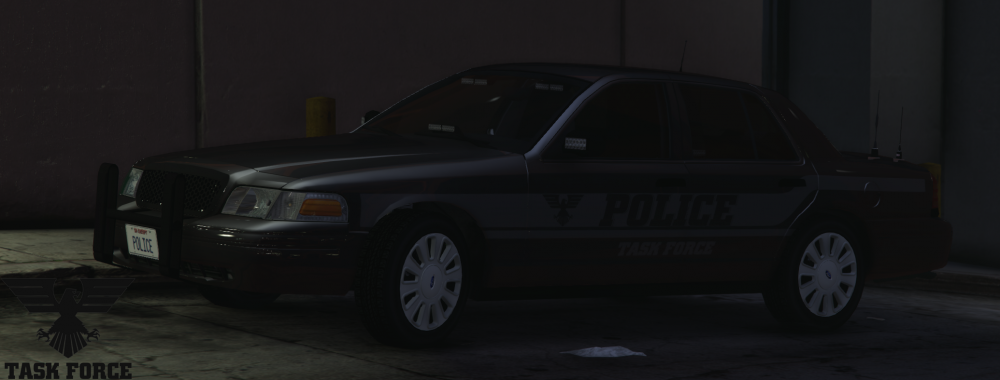
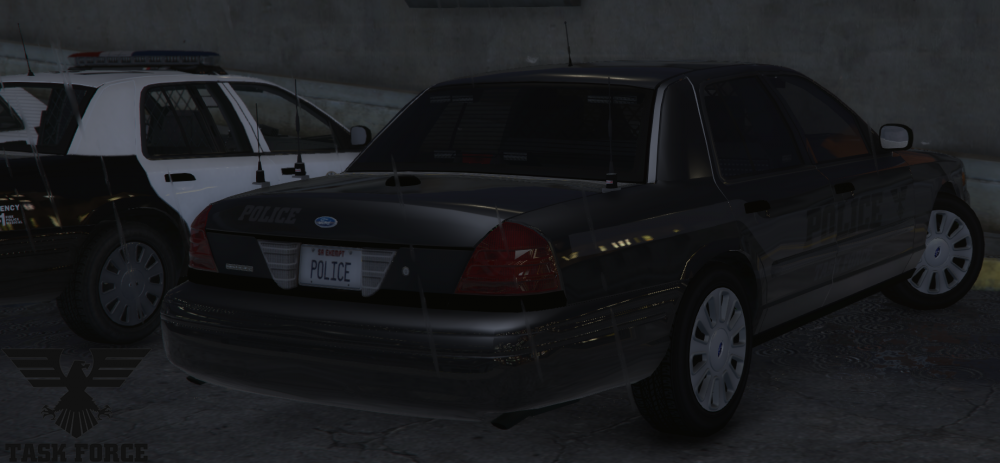
This is my current project on designing textures for a Task Force series. They do not include any locations allowing the user to install these textures with any force, but of course it is a fictional textrue series. Below are the current textures already made: Front and side view of the vehicle. Rear view of the vehicle. Vehicle used is NIGHTKID's Unmarked CVPI's.
-
 Do you think you'll upload a civillian version as well? The Explorer is so nice.
- 563 comments
- 116 reviews
-
For help with installing vehicles in GTA V, I advise you watch tutorials on YouTube. I would recommend you watch Jeff Favignano's tutorial as it is in-depth with commentary. He also does other installation tutorials for GTA V, so check them out. Link for video: https://www.youtube.com/watch?v=-M05f2MYo70
-
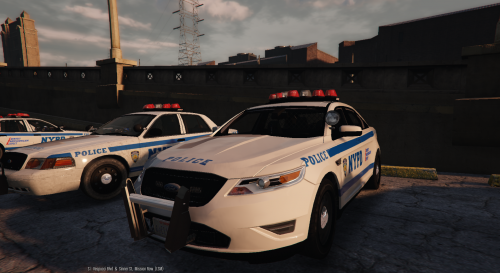 Ok I won't bother anymore, I think its because Police1 has the rota lightbar already.
- 31 comments
- 4 reviews
-
I put the Impala in Police2 because CVPI takes Police1 and Taurus in the Police3 slot (where the files say for Taurus).
- 31 comments
- 4 reviews
-
I'm having a few problems. The Taurus and Impala's lightbar doesn't seem to work properly as the lightbar has these blocks on them and the actual lights don't correspond. The CVPI is fine and works but these two don't. I also added the handling but thats handling. Is there any way of getting it to work correctly?
- 31 comments
- 4 reviews
-
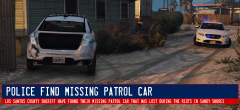
From the album: Call Of Reality's WIPs
Just a quick simple graphic. -
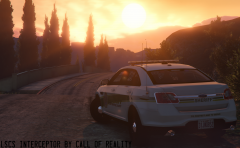
From the album: Call Of Reality's WIPs
Los Santos County Sheriff Interceptor... -
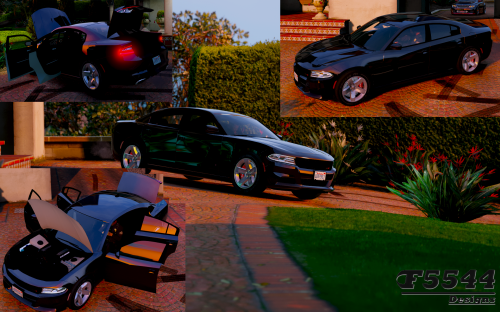
.thumb.png.5d167d655367dab77ce242b450b2b7ae.png) Military Police Texture Pack V1.2 I personally have been doing a few patrols in Fort Zancudo and using an LA County Sheriff vehicle wasn't fundemental. Therefore I decided to make my own Military Police texture. It may not be the ideal or actual cars Military Police use but I have chosen the Explorer and Charger anyway. If the texture comes to be successful I would be happy to do more textures. As far as I'm aware this is a completely fictional texture pack, so I'm not aiming for a certain Military Police design. Since Fort Zancudo is the only military base in GTA V the texture has been Fort Zancudo inspired; this texture does have comparisons with CHP with the one white door on either side and arced text but like I said the texture is not based on anything. Each of the vehicles I am using will probably have the Federal Signal Arjent lightbar as it keeps the texture pack authentic and professional. My future plans are to have some textured officers to go with the vehicles but personally I think I'm far from doing any ped textures. I am also keen on doing a CVPI which, once again also has a Federal Signal Arjent lightbar. To install these textures, download the vehicles below: 2010 - 2015 Ford Explorer http://www.lcpdfr.com/files/file/9136-ford-explorer-lapd-2010-2015/ 2011 Dodge Charger http://www.lcpdfr.com/files/file/9289-dodge-charger-2011-arjent-lspd/ Make sure you follow all the guides on installing the vehicle which is included with the vehicle files. To install the texture simply follow the guide below: 1. Find the vehilces files in OpenIV (Use the vehicles installation guide to find them) 2. Enable edit mode and click on the .ytd file 4. Find the texture slots and replace the original textures with the Military Police. IF YOU USE THE EXPLORER FOR PATROLS WITH LAPD, ONLY REPLACE ONE TEXTURE SLOT TO MINIMISE THE CHANCE OF HAVING MILITARY POLICE OUTSIDE OF FORT ZANCUDO. Changelog: Added a 2011 Dodge Charger. DO NOT REUPLOAD ANYWHERE ELSE WITHOUT THE AUTHORS CONSENT! Uploaded to LCPDFR.COM and GTAV-MODS.COM Author is Call Of Reality
Military Police Texture Pack V1.2 I personally have been doing a few patrols in Fort Zancudo and using an LA County Sheriff vehicle wasn't fundemental. Therefore I decided to make my own Military Police texture. It may not be the ideal or actual cars Military Police use but I have chosen the Explorer and Charger anyway. If the texture comes to be successful I would be happy to do more textures. As far as I'm aware this is a completely fictional texture pack, so I'm not aiming for a certain Military Police design. Since Fort Zancudo is the only military base in GTA V the texture has been Fort Zancudo inspired; this texture does have comparisons with CHP with the one white door on either side and arced text but like I said the texture is not based on anything. Each of the vehicles I am using will probably have the Federal Signal Arjent lightbar as it keeps the texture pack authentic and professional. My future plans are to have some textured officers to go with the vehicles but personally I think I'm far from doing any ped textures. I am also keen on doing a CVPI which, once again also has a Federal Signal Arjent lightbar. To install these textures, download the vehicles below: 2010 - 2015 Ford Explorer http://www.lcpdfr.com/files/file/9136-ford-explorer-lapd-2010-2015/ 2011 Dodge Charger http://www.lcpdfr.com/files/file/9289-dodge-charger-2011-arjent-lspd/ Make sure you follow all the guides on installing the vehicle which is included with the vehicle files. To install the texture simply follow the guide below: 1. Find the vehilces files in OpenIV (Use the vehicles installation guide to find them) 2. Enable edit mode and click on the .ytd file 4. Find the texture slots and replace the original textures with the Military Police. IF YOU USE THE EXPLORER FOR PATROLS WITH LAPD, ONLY REPLACE ONE TEXTURE SLOT TO MINIMISE THE CHANCE OF HAVING MILITARY POLICE OUTSIDE OF FORT ZANCUDO. Changelog: Added a 2011 Dodge Charger. DO NOT REUPLOAD ANYWHERE ELSE WITHOUT THE AUTHORS CONSENT! Uploaded to LCPDFR.COM and GTAV-MODS.COM Author is Call Of Reality -






.thumb.png.5d167d655367dab77ce242b450b2b7ae.png)