
GravelRoadCop
Members
-
Joined
Everything posted by GravelRoadCop
-
Nooby question but where can i find the carvariations.meta to tweak the vanilla police vehicles ?
-
Does this mean that i can manipulate the ambulance to use the fire department sirens ? All i have to do is just switch around the coding according to your list above ? Where can i find this carvariations.meta ?
-
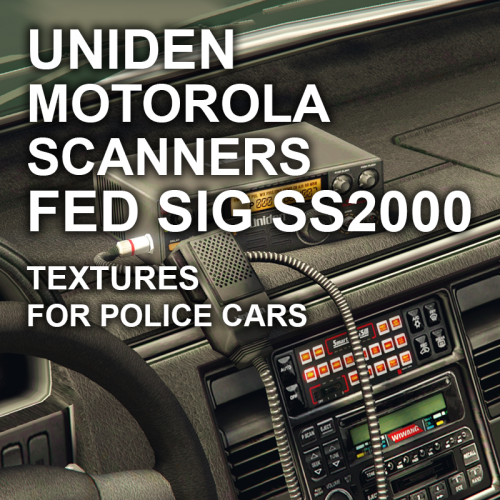 Looks awesome with my Motorola radio tones and smart siren mod. Well done, thinking out of the box.
- 2 comments
- 5 reviews
-
-

- 1
-
-
One thing for sure, You and the team have made steady progress in turbulent waters. We have full confidence in you and your abilities to maintain this community as a strong foundation. People will know about you and the LCPDFR/LSPDFR for history to come. You created and ignited possibilities, curiosity and opportunities.
-
Right, sorry to hear this, mate. I would be led to believe that the LSPDFR team has exclusive, immediate contact with the RPH team. I can see the importance in maintain an open-line communication to ensure that the integrity of the RPH and mods remains as a steady pillar to capitalize GTA V to endless possibilities. Let alone the LSPDFR, the light tower of GTA V modding community.
-
Are you in contact with MulleDK19 right now ?
-
Does the latest ragehook version work with the current LSPDFR ? Sorry for nooby question. It works on Steam version.
-
Damn, you guys are getting peanuts ... Sorry to hear about that. No matter where, the front line emergency service workers should be compensated greatly for risking their lives to help others.
-
$ 400 bi weekly ?
-
 -- Motorola XTS 5000 Chirp and Dispatch alert tone by DrunkPolice/LEDesigns 7/21/2015 !!!! Always make sure you backup your files, I'm not responsible for any corrupt files !!! https://www.youtube.com/watch?v=v7dC1MQGV5k&feature=youtu.be Realistic dispatch and officer radio tones replacing LSPDFR stock tones. INSTALLATION: Go to your GTA V main dictionary Find your LSPDFR folder, open it, then go in Police Scanner folder Inside police scanner folder is a folder called 'RESIDENT' Navigate to the Motorola Dispatch Tones rar and drag the files to the above dictionary path. Click 'Ok' to replace. ---- Backup files included if you are not happy with it. ---- CREDITS: - Dispatch and XTS 5000 Chirp -- DrunkPolice/LEDesigns 2015 - Motorola Solutions - LSPDFR LET ME KNOW IF THERE ARE ANY ISSUES, UNKNOWN IF BUGS MAY ARISES. PLEASE LEAVE A REVIEW !!!!
- 2 comments
- 5 reviews
-
No, but the day is getting closer. http://forum.zmodeler2.com/viewtopic.php?f=11&t=7222&sid=37865e1f6935f731b9022287d20b7934
-
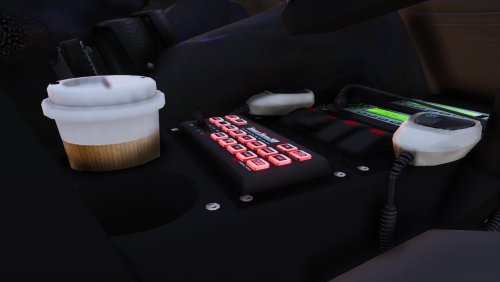 1 – Run OpenIV, Select GTA V for Windows2 – Go to the 'x64' folder, then audio > sfx > resident.rpf -- Inside Resident.rpf should be 16 .awc file, one of it is called vehicles.awc3 – Export file to openFormats and Export vehicles.awc into a folder somewhere on your computer. Once you do that, drag the 3 new siren files into the folder. 4 – Switch to "Edit mode" ( make sure you're still in the x64 > audio > sfx > resident.rpf) 5 – Import .OAC file into OpenIV and click edit again to save. Does this make any sense ??
- 83 comments
- 19 reviews
-
-
- 1
-
-
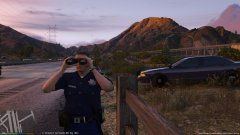
Thanks, it's neat. I'm using my custom sheriff skin, haven't released it yet.
- 83 comments
- 19 reviews
-
-
- 1
-
-
In 'OpenIV', go to the 'x64' folder, then audio > sfx > resident.rpf Inside Resident.rpf should be 16 .awc file, one of it is called vehicles.awc Export vehicles.awc into a folder somewhere on your computer. Once you do that, drag the 3 new siren files into the folder. Go back to OpenIV, Right click in an empty space, and the Import OpenFormats ( make sure you're still in the x64 > audio > sfx > resident.rpf) Navigate to the folder you put the 'vehicles' folder and the 'vehicles.oac' into, and select the 'Vehicles.oac'. Proceed to click OK
- 83 comments
- 19 reviews
-
-
Federal Signal Smart Siren SS2000SM by Gravelroadcop 12/23/2017 At the time of releasing this, this is the highest quality of the Federal Signal Smart Siren 22000SM available to the community. The purity of the tones wouldn't be available if it wasn't for @nertervern, who recorded the tones using his own personal SS2000SM and professional audio recording tools. He donated the sirens to me and I was able to cut & edit them for Grand Theft Auto V. About this modification : Purest sound quality of all available Federal Signal Smart Siren mods in the LSPDFR community. Please note that the sirens will not sound 'natural.' If you want the sirens to sound like they are post-processed from the siren speaker, then extract the siren tones from the "natural" folder. Available tones : Wail, Yelp, Priority, Ambulance and Air-horn. To apply this siren to any other emergency vehicle slots, you will need to refer to an attached notepad file entitled " List ( READ THIS ! )." Inside the note will contain a list of siren hashtags that you can use to rename preexisting tones to a different slot. Installation : Before starting, always make sure to create backups before overwriting any original game files. To prevent this from happening, use the "mod" folder method through OpenIV. - Somewhere on your desktop, create a new folder ( or refer to your modded siren folder that contains the vehicle.oac.) Name it anything. - Open 'OpenIV' - In 'OpenIV', go to the 'x64' folder, then audio > sfx > resident.rpf ( Make sure you are using the "mod" folder method.) - Inside Resident.rpf should be 16 .awc files. - Click Edit - Right click on vehicles.awc and export to openformats somewhere on your desktop. ( If you already have a siren mod installed, just use the vehicle folder it came with.) - Drag all the SS2000 siren tones inside the vehicles folder that you just created. - Go back to OpenIV, go to the 'x64' folder, then audio > sfx > resident.rpf - CLICK EDIT - NEW - Import OpenFormats - Navigate to the folder you put the 'vehicles' folder and the 'vehicles.oac' into, and select the modded 'Vehicles.oac'. Proceed to click OK. - Enjoy your new Smart Siren SS2000 tones ! IMPORTANT NOTE : This siren pack is compatible with SirenMastery. Redistribution : You may use this mod as long as you follow these terms: • Don't redistribute without my permission. • Don't edit any file and redistribute it without my permission. • I am not responsible for any damage that may be caused to your PC or game directory during a) the installation b) usage or c) removal of this mod. You are responsible for backing up your files! • If you want to include this mod in a pack, please contact me. Clan and private packs are an exception, as long as they stay 'private'. Correct credits must be given at ALL times. Credits : Federal Signal Corps. for original siren tones. @nertervernfor recording the tones using his own personal SS2000SM siren. Sirens edited and optimized by Gravelroadcop.
- 83 comments
- 19 reviews
-
-
- 16
-
-
-
Hello, I have been struggling with this issue that never seems to be fixed no matter what i try to do. I have tried using my original back up files to revert the effects, i have tried asking people for their water.ytd and other related files to see if it's corrected to no avail. I'm at lost. I don't know what i had touched or edited, but every time i approach the water it foams like crazy. I only used two different water mods, the wave mod and the 4k water mod. Here are some pictures to show you what i am experiencing.
-
-
-
-
-
-
-