
GravelRoadCop
Members
-
Joined
Everything posted by GravelRoadCop
-
 Including the Polmav as well ?
 -
-
-
© GravelRoadCop/Drunkpolice 2015
-
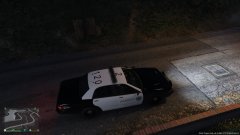 Looks good.
 -
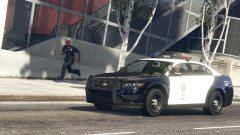 Can you tell us what changes you did ?
 -
+1 They are just testing it out. There is no personal favors or favorites happening in this case.
-
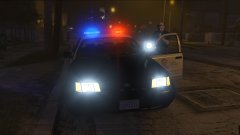 Are you able to map red/blue lights in the corner amber housings on the headlights ? I believe Bxbugs123 did this and i was wondering if you will be too. I look forward to driving this in a year when you release this ;)
 -
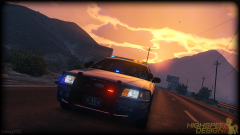 Good job, bxbugs. Good job, bxbugs.
 -
What about branding each parts with your name before putting it in the vehicle ? Something like a barcode or whatever that indicates it was your work.
-
No matter how the wind howls, the mountain cannot bow to it. The turbulent we feel now, are going to leave stones of lessons and solutions to curb anti-modding and protect the author's due diligence against theft and other reasons that infringes their rights. For the scars this community has received, have always recovered as a stronger foundation for the GTA police modding community and as a light tower for opportunity.
-
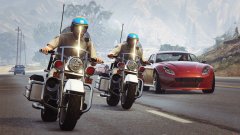 Ok good work nonetheless, it's nice to have vintage themed packs from you. pat on the back, Lundy.
 -
Lundy, will they have the light reflective material applied so when the lights are activated, it reflects off surrounding environment ?
-
 I would personally love if you stfu and stop pestering him about the cvpi. You sound like a spoiled entitled brat. Stop preaching the rules in his face. bxbugs123 will release any of his models only wen he feels like it. Nobody owns it, paid for it or call the shots for him. Have patience, and just wait.
 -
You don't know what you're talking about.
-
You don't say. I've been around since San Andreas modding and i remember when everyone actually understood the concept of crediting other people's work but nope, you have a forum where there are wolfs hiding among the sheeps. There's too many drama and deep scars in communities we know and wont mention their names, but you are right, its sad that we have reached to the point where no one trusts anyone.
-
What's that suppose to mean ?
-
It happened in GTA IV because everyone wanted to show how big their egos are and eventually enough modeling communities in GTA IV became a parasite. It will never be like the San Andreas days where people respected other people's work. I dont think you were even old enough to experience GTA SA-MP. There is a way to protect your models and that is respecting other author's wishes. But we live in an era where people just want to stab other people's back and gain a leverage.
-
Don't build your hopes up. There is a lot of back stabbing in the modeling communities. If he releases this, there will be numerous of crooks stealing his parts and models without credits.
-
He won't release any of his models unless they are locked.
-
 I agreed in this case.
 -
-
Maybe i got this wrong, but i used your templates and they aren't working on vanilla cars. Do we need to wait for someone to update the granger, etc for it to work ? I made a template for the park ranger, using Caine's template and when i installed it through OpenIV, the texture was distorted.
-
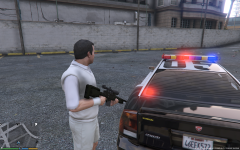 Can you please make a clear light bar version as well for those who prefers it ?