


EVI
Members
-
Joined
-
Last visited
Everything posted by EVI
-
This is what your looking for, http://www.fedsig.com/products/301/mini_jetsolaris_lightbar
-
Mapping the lights that way makes no difference during the day as the headlights are not on. At night it's inaccurate because the mesh material completely blocks any light from being projected. Wig wags at night are not as noticeable due to the headlights being on. The headlights don't turn off. http://www.youtube.com/watch?v=7e5XkLN9S8U The only way I see something more realistic then attaching them to extra5/extra6 is attaching light emissive mesh that gets gradually darker to extras 1-4 or 7-9 and changing the els pattern so that they flash in numerical sequence.
-
 I for one am not competing with anyone. If anybody noticed, I already had this car converted way back in May. For the instigators, direct your negativity elsewhere.
 -
FYI, that isn't the same car as the one in the picture. it's is before the edits I made.
-
From the album: Untitled Album
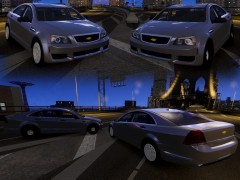
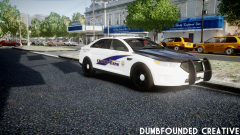
Contributions to this project include Accurate Studio/Devilliers Engineering (KevinDV), Dumbfounded Creations (Aznairsoftdude) and myself. This picture doesn't reflect the final result. -
From the album: Untitled Album
Detective and patrol. -
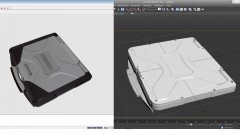 It was made in Zmodeler 2.
 -
From the album: Untitled Album
WIP 3D Model of the Panasonic Toughbook CF-31 Polycount: 7,000 -
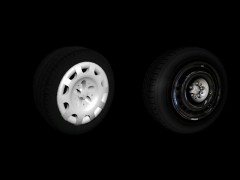
You need normal textures for the rims and there are missing textures needed for the wtd.
-
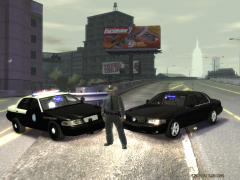 Damn bro that FHP vic is so ugly, why even use it? I'll have to update it when I get a chance.
 -
 Bullshit. What I can tell you is that the Dodge Magnum that you claim was authored by you on your website was in fact stolen from me, so speak not of mod theft. Even that Police Interceptor Utility was stolen from a Sims conversion so you can shove those fake copyrights back up your ass.
 -
http://www.youtube.com/watch?v=hBtOjp00ElI
-
Very early WIP.
-
 You don't have to set the LEDs up in that kind of pattern. Some of the Visions patterns flash twice and some of the only flash once kind of like wig wags instead of a pulse type of flash. This is the only way I can come up with that can replicate the light bars flash patterns in some sort of realistic way. http://www.youtube.com/watch?v=bjzrkvOWGk0
 -
You don't have to do all that. You load the textures first in the texture browser, then click merge and select the z3d file.
-
From the album: Release & WIP
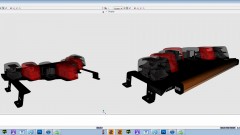
I felt that it was long overdue that a more accurate FS Vision SL needed to be created. Mapped for ELS H and will feature a halogen and led mixture like the real light bar. All parts scratch made in Zmodeler 2. -
I have never accepted money and never will. Seeing that I am from Arlington, I'll do the vehicle for you and p.m. the file to you.
-
The textures I supplied in the past have half of the blues a little lighter color. So instead if you want them to be correct, just copy the blue textures and place them over the red. I just did it myself noticed the difference. MODERATOR NOTICE Removed the off topic addition to your post, -JAM.
-
^ Never noticed it.
-
I don't have the CVPI with the Javelin anymore. @CG Blaze Yeah, I could put a Freedom on it. @cp702 You come up with some pics and perhaps. Also, I added alternative zip uploads for the K9 pack.
-
Easy now, don't be irritated. I now promise I will respond to your 1000 messages a week asking for unlocked things.
-
The lightbar on that CVPI model wasn't created by Penguin, it was a modified lightbar from google sketchup. Voodoobie, I don't need you speaking for me as you have had wrong information in this thread twice.
-
That ain't mine.
-
The Utility P.I. has been replaced with new high poly interior. As for the Expedition, I have new interior for it that I have made, but it also needs new headlights, tail lights and is really such a low poly model to where everything needs to be recreated from scratch.
-
Seeing how there seems to be some generated interest in the two K9 CVPI's that were posted, would anybody be interested in some other vehicle, perhaps the Utility Police Interceptor as a K9 vehicle? Note, it will have the same set up as the CVPI's. I'm also considering a non-ELS CVPI with either halogen lights or LEDs. They are to be released together, but zipped separate with separate download links so that one could simply choose instead of having to downloading everything.

