


Sgt.Kanyo
Members
-
Joined
-
Last visited
Everything posted by Sgt.Kanyo
-
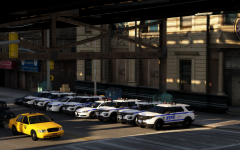
From the album: NYPD
-
You grab the window template, delete the anything within the window frame, apply a black color to it with the opacity level of your choice (where 0 is fully transparent and 255 is fully solid, for a really tinted window I'd use 245) once you've applied that, you select the window sticker and just copy paste it over the black translucent window. If you want the image to be translucent as well, you need to apply a fully black color with the opacity of 255 (so it's solid), then apply your image where you want it to be. You can make that image black and white with Paint.NET's built it tool if you want it, or you can do whatever you want with it. When you're done, select the whole black area with the image as well and with the trasparency tool change the opacity to 245 or whatever you want.
-
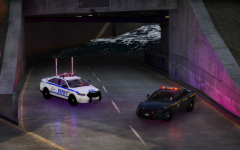
From the album: NYPD
-
-
-
-
-
I didn't mean remove the peds interiors and everything. I've just meant freeing some memory by not loading the buildings and roads. These are entirely possible by modifying the dlclist.xml and not including parts of LS. The problem is I don't know if this method would crash the game or not, but I'm positive I saw a mod that removes it like that. Or it's possible it was for GTA IV. EDIT: Found it:
-
So I think I've seen a mod some time ago on gta5-mods.com that removes the entire default map, and by map I mean the roads, the buildings, everything. If you install a complete map mod using LS just takes up more precious memory, so does anyone know the name of that mod? I can't seem to find it.
-
Great to hear, I'll be waiting eagerly for the new update. I can't really remember are the spotlights and takedown lights mapped to ELS? That'd make my life easier when I want to enable them at a traffic stop, I won't have to switch on my brights, I'll just have to enable the spotlights and takedown lights with 1 button.
-
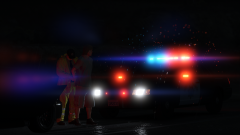 Yeah but I mean what mods did you use? Pretty sure it ain't vanilla graphics, it's most definitely not a vanilla visualsettings.dat For example NVR doesn't have this lens flare effect. Although I haven't tried R* editor.
 -
Great pic, but how did you make that lens flare effect on the lights?
-
I think I'd like to try it out, since I always wanted that type of flares for the siren lights. If other light sources have it, it's fine. Also is it possible to increase or decrease the intensity of it?
-
I'm assuming those translucent meshes are there to hide the extra lights behind. If that so, just give it a completely black texture with opacity value of 5/255. You'll need to use a material that has no normal map and no specular shine. It'll look transparent in game, but it'll still hide the lights that are behind them. (Make sure the transparent glass is higher in the hierarchy than the lights too)
-
-
-
-
I've tried changing corona size to 0 in the visualsettings.dat. It didn't change anything. Anyway I ended up simply adding a fully black texture into graphics.ytd located in update.rpf/x64/textures
-
I've been trying to remove the corona effects (that circle halo in front of light sources) with no luck. Tried this mod, but it didn't work: https://www.gta5-mods.com/paintjobs/corona-begone Any idea how to remove them completely? I'm using NaturalVision.
-
I'm sure this guy still has the removed NYPD ELS Mega Pack or whatever it's name was. I'd try to get in contact with him and ask for the pack privately: https://www.youtube.com/user/Acepilot2k7/about
-
I don't know how I didn't run across these Chargers. Looks amazing so far. Can't wait for the release.
-
Tbh I'd settle for the Chargers as well. I've seen some WIP images of CHP Explorers too, but who knows if these will be actually released. Lot of mods these days show up as screenshots here then don't actually make it as released mods.
-
We already have a pretty much perfect CHP Crown Vic, but tbh TheHurk's CHP pack is very outdated with boring patterns, inaccurate lighting (the slicktop Charger for example) and also a lot of bugs, including not working lights at night (2018 Tahoe). So I'd really like to see some well made accurate CHP vehicles, including the V6 Charger in both marked and slicktop version (although I could settle for just the marked one) and the 2018 Tahoe as well.
-
Too bad. I'd love to try and edit the values though. I think what he meant was he had reduce the bloom, but I'd rather have a glowingish sky with proper lights. Or I'm sure there's something in between.
-
So I have this weird problem that whenever the sun sets or rises my emergency lights and indeed headlights taillights whatever, become very dull. Their intensity is just lowered drastically. Any idea what might cause this? I'm using NaturalVision.





